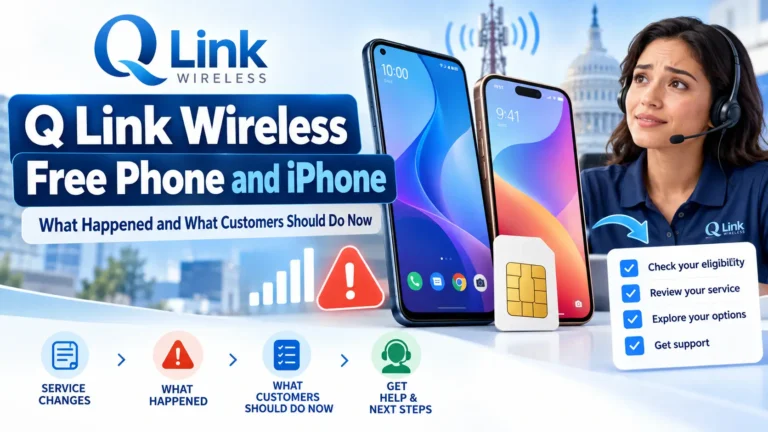
Q Link Wireless no longer offers Lifeline service. The FCC permanently barred the company from the program in December 2025. Former customers were moved to StandUp Wireless, but each customer should confirm the provider and status of their own account.
If you are looking for a free Q Link Wireless phone or iPhone, start with that change. A current phone offer must come from an active provider serving your area.
For existing users, the first priorities are clear: confirm your service, protect your phone number, and check whether your current phone can keep working.
What Happened to Q Link Wireless?
Q Link’s departure followed a federal fraud case involving its Lifeline claims.
The Justice Department’s case announcement says Q Link Wireless and its CEO, Issa Asad, pleaded guilty on October 15, 2024. The case involved false claims for federal phone-service support.
Later, the FCC permanently excluded Q Link from Lifeline and federal universal service support programs.
| Date | What happened |
|---|---|
| October 15, 2024 | Q Link and its CEO pleaded guilty in the federal case. |
| November 8, 2024 | The FCC sent Q Link its suspension notice. |
| January 7, 2025 | A Florida regulatory filing documented StandUp’s notice to former Q Link customers. |
| July 24, 2025 | Asad received a five-year prison sentence. |
| December 2025 | The FCC issued Q Link’s permanent debarment. |
The FCC’s permanent debarment notice confirms the company’s exclusion.
Lifeline itself continues. The case against Q Link does not end the program or establish that former customers no longer qualify.
Did StandUp Wireless Replace Q Link?
StandUp took over Lifeline service for former Q Link customers.
A notice preserved by the Florida Public Service Commission states that Q Link was no longer offering Lifeline and that the customer’s service had changed to StandUp. It also confirms the right to choose another Lifeline provider.
The notice is historical. Its listed minutes and data allowance should not be treated as a promise about your current plan.
StandUp’s current public pages also show different plan allowances. Confirm the minutes and data attached to your own account through My Account or customer support.
Check your latest account records and contact StandUp to confirm your own line. An old Q Link SIM, phone label, or saved login does not establish the account’s current status.
What Should Existing Q Link Customers Do First?
Use your current situation to choose the next step:
| Your situation | What to do |
|---|---|
| Your phone works and StandUp confirms your account | Review your plan, update contact details, and respond to renewal notices. |
| Your phone shows no service | Ask support to check the account, SIM activation, and Lifeline enrollment. |
| Your old Q Link login no longer works | Use the current provider’s account-recovery process. |
| You want another provider | Arrange the benefit and number transfers before canceling an active line. |
| Your number has been disconnected | Ask whether it can still be restored before requesting a transfer. |
StandUp’s current support number is 1-800-544-4441. You can also dial 611 from an active StandUp phone.
Have your phone number, recent notices, and account details ready. Ask support to confirm:
- Whether it currently holds your number.
- Whether your line is active.
- Whether your Lifeline benefit is attached.
- Which monthly plan you have.
- Whether a replacement SIM or device is needed.
Keep the case number and any written instructions.
What If Your Q Link Phone Stopped Working?
A service problem can have several causes. The SIM may need activation, the phone may be incompatible, or the Lifeline benefit may have ended after missed renewal or non-use.
Start with simple checks:
- Restart the phone and turn off airplane mode.
- Check whether the physical SIM is seated correctly.
- Confirm that the carrier has activated the SIM or eSIM.
- Ask whether your talk, text, or data allowance has run out.
- Ask support to check your Lifeline status.
Avoid a factory reset as your first step. Back up your phone before any troubleshooting that could remove stored data.
USAC’s service-disconnection guidance explains that missed recertification, loss of eligibility, and non-use can cause service to end. Contact the provider to learn the reason for your specific problem.
If StandUp cannot find your account, contact the Lifeline Support Center at 1-800-234-9473 for help with benefit questions.
Can You Keep Your Q Link Phone Number?
You may be able to keep it if the number is still active and available for transfer.
Ask your current provider for the correct:
- Account number.
- Number-transfer PIN or password.
- Account holder’s name.
- Billing address.
Keep an active old line until the new provider confirms that the number transfer is complete.
StandUp’s transfer guidance notes that the account number and transfer PIN may differ from your website login. Get the current details from support rather than relying on an old online PIN formula.
A number that has already been disconnected may not be recoverable. If you must use a new number, update important contacts and account-recovery settings.
Is Transferring Your Number the Same as Transferring Lifeline?
Both tasks need attention.
A number transfer moves your phone number. A Lifeline transfer moves the household’s service benefit.
USAC’s Change My Company guidance says to contact the new provider and ask it to transfer your benefit. You may need to reapply. Once the transfer finishes, the old company stops receiving your benefit.
Can You Still Get a Free Q Link Wireless Phone or iPhone?
Q Link Wireless LLC is not a current option for a new Lifeline phone application.
Its permanent debarment means old Q Link free-phone offers should not be used as current enrollment information.
You can instead compare active Lifeline providers. Some offer a handset, some offer a SIM for your own phone, and some sell discounted upgrades.
A free service plan does not guarantee a free iPhone. Confirm the exact device, price, condition, and ownership terms before accepting an offer.
Can You Use Your Existing iPhone With StandUp?
Possibly. StandUp’s current information describes service for compatible phones using a physical SIM or eSIM.
Before switching or replacing a device:
- Check its IMEI with the provider.
- Confirm that it is unlocked.
- Confirm which SIM type is supported.
- Ask whether your exact model can be activated.
On an iPhone, open Settings → General → About → Carrier Lock. Apple says “No SIM restrictions” means the phone is unlocked. A carrier lock must be handled through the carrier, as explained in Apple’s unlocking guidance.
An unlocked phone still needs to pass the new provider’s compatibility check.
StandUp’s public pages emphasize free monthly service and SIM or eSIM options. We did not verify a guaranteed free iPhone offer for former Q Link customers.
What Are the Other Options?
Search by ZIP code using USAC’s Companies Near Me tool, then review the provider’s current offer.
The following options were checked on October 20, 2026:
| Provider | Option worth checking | Details to confirm |
|---|---|---|
| Assurance Wireless | Bring a compatible phone using a SIM or eSIM. Replacement phones are advertised from $25 plus tax. | Device compatibility, local service, and the exact replacement model and price. |
| SafeLink Wireless | Qualifying Lifeline service with a free SIM option. | Your ZIP-code offer, phone compatibility, and monthly allowances. |
| AirTalk Wireless | An October promotion displays an iPhone 11 with a $0 offer. | State eligibility, stock, condition, and the device agreement. |
| TAG Mobile | A California offer advertises an iPhone XR that may be available. | California eligibility, available inventory, and device terms. |
A public promotion does not reserve a phone for every applicant. Check the offer shown for your own address.
Our free iPhone 11 guide explains more checks for that model. For other replacement options, review the Samsung phone guide or Motorola phone guide.
What If You Do Not Qualify for Lifeline?
Compare prepaid plans based on the monthly price and included service.
StandUp currently advertises prepaid plans starting at $5 per month. Check the minutes and data before choosing one. A paid prepaid plan is a separate offer from its qualifying Lifeline service.
What Should You Check Before Accepting a Free iPhone?
Read the phone agreement as carefully as the monthly plan.
The current AirTalk device terms and TAG Mobile device terms require 180 consecutive days of active service for the subsidized new-customer devices covered by those agreements.
Ending service early can affect ownership and lead to a remaining device balance or a request to return the phone. Certain managed devices may be restricted or remotely locked under the stated conditions.
Completing a device agreement does not necessarily remove a carrier lock.
Ask about battery condition, software support, warranty coverage, and return deadlines too. The 180-day condition described here belongs to those provider agreements, rather than a general federal Lifeline rule.
Who Qualifies for Replacement Lifeline Service?
Former Q Link customers can seek service from another provider if they still meet the rules.
The federal Lifeline eligibility guidance lists routes including:
- SNAP or food stamps.
- Medicaid.
- Supplemental Security Income, or SSI.
- Federal Public Housing Assistance.
- Veterans Pension or Survivors Benefit.
- Certain Tribal assistance programs on qualifying Tribal lands.
You can also qualify through household income at or below 135% of the Federal Poverty Guidelines.
Lifeline provides up to $9.25 a month toward eligible service, or up to $34.25 for qualifying households on Tribal lands. A phone included with that service depends on the provider’s offer.
Only one Lifeline benefit per household is allowed. People living at the same address may be separate households if they do not share income and expenses; verification may be required.
If asked for documents, use a current benefit letter, accepted income proof, or identity and address records as directed. USAC’s supporting-document guide explains the requirements.
What If You Are Charged for Service You Expected to Be Free?
Ask the current carrier to explain the charge in writing.
Check whether:
- Your Lifeline benefit is active.
- You are on a qualifying free plan or a paid prepaid plan.
- You bought extra data, minutes, or a device.
- You missed a renewal request.
- An old payment arrangement remains active.
Keep receipts and request a billing review where needed. Do not assume that the Q Link court case automatically cancels an individual bill or creates a refund.
For unresolved phone-service or billing issues, the FCC Consumer Complaint Center provides a complaint route.
Did the End of ACP Affect Q Link Customers?
The Affordable Connectivity Program ended on June 1, 2024, as the FCC confirms.
Lifeline continues as a separate program. An old ACP approval does not establish that your current line has an active Lifeline benefit.
Ask the carrier which program and plan support your service today.
How Do You Keep Your New Service Active?
Use a free Lifeline service at least once every 30 days. If you do not, you should receive a 15-day notice to use it before service ends.
Respond to renewal requests. USAC’s recertification guidance says customers asked to recertify must respond within 60 days. Follow your state’s instructions if it handles renewal.
Tell your provider within 30 days if your address changes or you no longer qualify. Keep your contact details current so you receive notices.
Who Should You Contact?
| What you need | Where to start |
|---|---|
| StandUp account status, activation, replacement SIM, or billing | 1-800-544-4441 or the help options on StandUp’s website |
| Help from an active StandUp phone | 611 |
| Federal Lifeline eligibility or benefit assistance | 1-800-234-9473 |
| An unresolved phone-service complaint | FCC Consumer Complaint Center |
Use the contact details published by the current provider. Submit identity and benefit records through its official process.
Conclusion
Q Link Wireless is no longer a Lifeline service option. Existing customers should confirm their current provider and account status before making changes.
If your service works, review the plan and keep your benefit current. If it does not, ask support to check the line and SIM. When switching, arrange both the Lifeline transfer and the phone-number transfer.
Free or discounted phone options remain available through active providers. Choose based on coverage, total cost, device condition, and ownership terms so your next plan gives you dependable service.