
Free Government Laptops & Phones 2026 | SNAP, Medicaid & EBT
Around 18 million U.S. households don’t have a computer, laptop or desktop, and over 33 million people only have smartphones for internet access. Shocking, right? But the harsh reality is that 36.8 million Americans lived below the official poverty line in recent years.
In conditions like this, people are struggling with day-to-day necessities, so how can someone even think of buying a laptop or any computing device?
This alarming data motivated us to come through with a platform that provides authentic, updated 2026 info on free laptops, tablets, iPhones, phones, Android mobiles, and PCs through Government Grants, Lifeline, EBT, Medicaid, WIC, and trusted nonprofits like PCs for People, Computers 4 People, Computer with Causes, and Humat IT.
Learn more to claim your free laptop from the government now without dwelling on useless/spam websites.
Awards & Recognitions
We celebrate our relentless drive for innovation and our unwavering commitment to bridging the digital divide. Each accolade honors our visionary approach to empowering underserved communities with essential technology, blending cutting-edge accessibility with heartfelt dedication to transformative opportunities.



Subscribe to our Newsletter
Get Updates About How we can help you
Eligibility Criteria
Access to free or subsidized laptops through federal and nonprofit partnerships helps bridge the technology gap for those in need. To be eligible in 2026, you typically must satisfy these key requirements, which vary slightly by program but focus on financial hardship and essential needs:
- Household Income Threshold: Your total family earnings should fall at or below 200% of the Federal Poverty Guidelines (for example, approximately $62,400 for a family of four—confirm current figures via official sources as they adjust yearly).
- Enrollment in Assistance Programs: Active participation in initiatives like Medicaid, SNAP (including EBT cards), SSI, Federal Pell Grants, or public housing support verifies your status and streamlines approval.
- Special Priorities: Enhanced consideration for households with K-12 or college students, job seekers in training programs, veterans, seniors over 60, or residents in rural/underserved areas to maximize impact on education and employment.

Required Documents
Preparing documentation in advance speeds up the process and boosts your chances of success. Gather these items, ensuring they are current (dated within the last 6-12 months where applicable), to demonstrate eligibility clearly:
- Income Verification: Recent tax forms (e.g., 1040), paycheck stubs from the past three months, or official letters confirming unemployment benefits or low-wage status.
- Government-Issued Identification: A valid photo ID such as a driver’s license, state ID card, passport, or tribal ID to confirm your identity and residency.
- Assistance Program Proof: Award letters, benefit cards (e.g., EBT or Medicaid ID), or enrollment confirmations from SNAP, SSI, or similar federal aids.
- Additional Evidence (If Relevant): For students, school registration papers or report cards; for job seekers, program participation certificates; or for special groups, veteran discharge forms (DD-214) or age verification for seniors.

Application Process
Applying is straightforward and mostly online, connecting you to trusted government-linked and nonprofit resources. Follow this efficient path to submit securely and track progress:
- Assess Your Fit: Double-check the eligibility section above against your situation. Use tools on sites like pcsforpeople.org or computers4people.org to pre-qualify if unsure.
- Access the Application Portal: Head to our Apply Now section on contact us page which guides you to verified programs or allows direct submission for partnered distributions.
- Enter Details and Choose Options: Fill in personal information, upload required documents, and select from available refurbished or low-cost models (e.g., laptops with basic specs for education/work).
- Review and Submit: Proofread your entries, agree to terms (including potential waitlists due to demand), and send the form electronically—no fees involved for legitimate applications.
- Monitor Your Status: Receive a unique tracking code via email or on-screen. Log back into our site or the provider’s portal anytime to view updates, with typical processing in 2-6 weeks.

How to Get a Free Laptop for University / College Students
You’ve likely managed with library computers, shared devices, or internet cafes until now, but higher studies demand a personal laptop for assignments, projects, research, online classes, coding, group work, and more.
Now that you have an urgent need for a laptop or computer, there are government and nonprofit ways to access one for free or at very low cost, especially if you’re a student, low-income, on assistance programs, or facing financial hardship.
Programs like Lifeline or nonprofits such as PCs for People and Computers 4 People use these standards to ensure devices reach those who benefit most. Always verify with the specific provider, as some may require U.S. residency or additional proof of tech access limitations.
1. Check Your University/College Resources First
Many schools prioritize student access to tech for academic success.
Financial Aid/IT Department:
Contact your school’s financial aid office or IT services. They may bundle laptops into aid packages, offer loaner programs (e.g., Santa Ana College’s device lending), or provide technology grants. Some universities (e.g., Full Sail, Mercy University, or community colleges like Community College of Philadelphia) give devices to keep or loan for enrolled students.
Pell Grants for Tech Purchases:
If you receive a Pell Grant, use leftover funds after tuition for a laptop that qualifies as an educational expense. Check your financial aid summary.
Student Tip: Ask about “tech fees” in tuition as some schools include free devices. Apply early in the semester.
2. Apply to Non-Profit Organizations for Free/Refurbished Laptops
These groups refurbish donated devices and distribute them to students in need with no cost or very low prices.
Computers with Causes:
Invites applications from anyone in need, with emphasis on students. Submit an online form detailing your situation (e.g., enrollment proof, income details). They prioritize students and provide refurbished laptops after review within weeks to months.
On It Foundation:
Focuses on low-income students (K-12 primarily, but some extensions to college-bound or transitional).
If you’re on free/reduced lunch, public/home school, US resident, good luck because you’re qualified. Apply via their website or email; includes STEM training. Note: Primarily K-12, but check for college transitions.
PCs for People:
It provides refurbished laptops from $0–$150 (often low-end, free for high need). If your income is <200% FPL (e.g., $31,300 for one person) or you’re on EBT/Medicaid/WIC/SSI, You’re eligible to apply for a free laptop/tablet.
Apply online with photo ID and proof (e.g., assistance letter). They offer exclusive nationwide shipping and a 1-year warranty.
Computers 4 People/Compudopt:
They’re also the best options for free & refurbished devices for underserved students. All you need is, apply online with proof of need (e.g., enrollment and income docs). NJ/NYC/MA are the areas they focus more.
Humat IT (Human-I-T):
They offer low-cost laptops/Chromebooks (~$130 and also some free or subsidized laptops for students.
3. Seek Out Scholarships & Grants with Device Inclusion
Lorem ipsum dolor sit amet, consectetur adipiscing elit. Ut elit tellus, luctus nec ullamcorper mattis, pulvinar dapibus leo.
Dell Scholars Program:
This is basically for high-achieving and low-income high school seniors heading to college. They offer $20,000 scholarship, free Dell laptop with a 4-year warranty, textbook credits, and more to 500 college students in a year. If you’re a pell-grant eligible, has little to no income pathways, and has 2.4 GPA, you can apply directly via their website.
4. Additional Options & Warnings
Apple, Dell, Lenovo offer education discounts that are not free, but offer significant savings.
US programs require residency/eligibility; check your university’s aid or local schemes.
How to Get a Free Laptop for Job Search / Employment / Remote Job
If not having a laptop is a hurdle in your job search, remote work, online training, and even basic applications, good news is that there are still many government like Lifeline (government-backed connectivity), workforce programs, and nonprofits that provide laptops to unemployed, low-income graduates.
1. Start with Lifeline Program
The federal Lifeline program is the quickest way to get connected, often with free smartphones, Android mobiles, tablets, or iPhones that include hotspot capability as a cherry on top.
Eligibility depends on EBT/Medicaid/WIC, SSI, unemployment, or household income ≤135% Federal Poverty Guidelines (e.g., ~$20,385 for one person).
Top Providers for Job Seekers:
AirTalk Wireless: Offers free Android tablets or iPhones (older models like X to 13) with data/hotspot.
Assurance Wireless: Offers free smartphones or tablets in most states.
Tag Mobile: offers free Android mobiles/tablets with service.
To apply, visit lifelinesupport.org or nationalverifier.service-now.com, then verify eligibility, choose a provider, and wait for your delivery.
2. Apply to Non-Profit Organizations for Free Laptops
These groups specialize in helping job seekers and unemployed individuals with refurbished laptops mostly Windows 11, at no or minimal cost.
PCs for People: Offers laptops/desktops from $0–$150 (often free or heavily discounted for high-need job seekers). Eligible if on EBT/Medicaid/WIC/SSI/unemployment or income <200% FPL ($31,300 for one person).
Apply online at pcsforpeople.org with photo ID and proof (e.g., unemployment letter or benefit docs). You’ll get nationwide shipping and a 1-year warranty.
Computers with Causes: They strongly focus on unemployed, job training participants, and veterans. Just submit an online form detailing your employment situation and wait for approvals for weeks to months.
Humat IT (Human-I-T): They have low-cost laptops/Chromebooks (~$130–$260); some free/subsidized units for workforce re-entry. If you want a free laptop for a remote job or application process, upload EBT/Medicaid proof or unemployment docs; they also offer digital skills training to boost employability.
Apply at human-i-t.org.
Computers 4 People / Compudopt: They give away free refurbished devices for low-income/unemployed. You must provide proof of need (e.g., unemployment registration and income documents). Also, strongly pledge for a need-based requirement and how having a laptop can make your job application process easy.
3. Workforce Development Programs & Additional Resources
America’s Job Centers / State Unemployment Offices: Many local workforce boards or re-employment programs provide laptops or tablets for training participants. Search for “workforce development laptop program in your state” or visit your local AJCC (American Job Center) for more details.
Veterans & Re-Entry Programs: VA or community re-entry initiatives sometimes bundle tech aid so check with local offices if applicable.
How to Get a Free Laptop If You're Not a US Citizen or Resident
Getting free laptops from the government as an international student, immigrant, or non-citizen in the US is possible but options are limited.
Programs like Lifeline, EBT (SNAP), Medicaid, WIC, and nonprofits (PCs for People, Computers with Causes, Humat IT, Computers 4 People) strictly demand:
US citizenship, permanent residency, an eligible immigration status, proof of US address, low US household income (below 135–200% Federal Poverty Guidelines), or participation in US assistance programs.
But for non-US citizens, the options are:
1. Limited US Options
International Students or Temporary Visa Holders in the US (e.g., F-1, J-1): Focus on your university or college resources first because these are often the most accessible.
Many US schools provide loaner laptops, tech grants, emergency funds, or bundled devices specifically for enrolled students, including internationals. Contact your school’s international student office, financial aid department, or IT services.
Lifeline Program: Very Rare for Non-Citizens and possible only with a qualified status, US address, an SSN/ITIN, and low US income proof. AirTalk Wireless, Assurance Wireless, Tag Mobile might offer free tablets, Android mobiles, or iPhones, but approvals for non-residents are uncommon due to strict checks.
Nonprofits: Computers with Causes is the most need-based can be your option if you’re applying online, explaining your situation (e.g., “international student with financial hardship”). PCs for People or Humat IT usually require stronger US residency ties and may deny without them.
Examples of Common Global Options:
Student-focused university aid (most countries have loaner/subsidy programs)
National digital inclusion schemes (e.g., tablet giveaways for education in various regions).
Charities like World Computer Exchange or local refurbished device distributors.
Use student verification (UNiDAYS, school email) for education pricing from Dell, HP, Lenovo, or Apple for significant savings worldwide.
Qualifying Government Benefits and Assistance Programs That Can Help You Get a Free or Low-Cost Laptop in 2026
If you’re on government assistance or your income is low, these programs are what actually open the door to free phones, tablets, Android devices, iPhones, or refurbished laptops and PCs.
There is no single program where the government hands everyone a free laptop. Instead, these benefits act as proof of need. They qualify you for Lifeline device providers and for nonprofit organizations that give out real computers.
Most rules come from FCC Lifeline guidelines and from what nonprofits like PCs for People accept. In most cases, you’ll need a recent approval letter, benefit card, or income document, along with a photo ID.
Here are the main programs that qualify people.
SNAP or EBT (Food Stamps)
This is the most common and widely accepted qualifier.
If you’re on SNAP or EBT, you automatically qualify for Lifeline devices and almost every major nonprofit program. Many people start by getting a free phone or tablet through Lifeline and later apply for a laptop through nonprofits like PCs for People or Computers 4 People.
Medicaid
Medicaid also qualifies you for Lifeline and nonprofit programs.
People on Medicaid often receive free Android phones, tablets, or older iPhones through Lifeline providers first. That same proof is commonly accepted when applying for refurbished laptops from nonprofits.
WIC (Women, Infants, and Children)
WIC works well for families, especially those with children.
It qualifies you for Lifeline devices and for nonprofit laptop programs, particularly when the device is needed for school or household use.
SSI (Supplemental Security Income)
SSI is accepted almost everywhere.
It qualifies you for Lifeline, nonprofit laptops, and additional support programs. If you have a disability, SSI often leads to faster approvals or expanded options.
Section 8 or Federal Public Housing Assistance
Housing assistance is commonly accepted as proof of low income.
It qualifies you for Lifeline and most nonprofit computer programs without needing additional income paperwork.
Veterans Pension or Survivors Pension Benefits
Many programs process these applications faster, and some nonprofits give veterans access to better device options or shorter wait times.
National School Lunch Program (Free or Reduced Lunch)
If your child is already receiving a free or reduced-price school lunch, then this program qualifies households for Lifeline and for student-focused nonprofits like On It Foundation or Compudopt.
LIHEAP (Low-Income Home Energy Assistance Program)
LIHEAP is not always required, but it helps.
Some nonprofits accept it as extra proof of financial hardship, especially when combined with another program or low income.
Tribal Assistance Programs
Tribal TANF, Bureau of Indian Affairs General Assistance, or food distribution programs on reservations are basically the bonus points that qualifies you for exclusive benefits.
Tribal households receive higher Lifeline discounts and often have access to stronger device offers, along with nonprofit support.
Income-Based Eligibility (Even Without Benefits)
You don’t have to be on assistance to qualify.
If your household income is low enough, you can qualify using income alone.
For 2026 estimates in the lower 48 states:
- Lifeline generally requires income at or below 135 percent of the Federal Poverty Guidelines
- Nonprofits like PCs for People often allow up to 200 percent
You can usually prove income with recent pay stubs, tax returns, or unemployment paperwork.
Local Charities and Workforce Programs That Help With Free or Refurbished Laptops
Gladly, there are still many charities and workforce programs available that provide free laptops, tablets, or desktop computers. These organizations openly help impoverished households, unemployed individuals, students, families, and people who are already receiving government benefits.
Most of these programs are need-based and accept proof like EBT, Medicaid, unemployment paperwork, or income documents. Devices are usually refurbished and either shipped to you or distributed through local pickup events. Availability depends heavily on location and funding, so what’s open in one city may not be available in yours.
Compudopt
It provides free refurbished laptops and tablets to low-income families and students, but adults can qualify as well. Their programs focus strongly on education and digital access.
They operate through scheduled distributions and lotteries in select cities such as Houston, Atlanta, Los Angeles, and Chicago. Eligibility is based on low income or benefits like EBT or free or reduced-price school lunch. Applications are submitted online, and proof of need is required.
Tech Goes Home
They fundamentally work through schools, libraries, and community centers, especially in Massachusetts, with programs expanding to other areas. They offer free or very low-cost laptops and tablets along with basic digital skills training.
Their programs are designed for low-income families, seniors, and job seekers. Enrollment is usually handled through a local partner rather than directly, so availability depends on your area and community organizations.
Adaptive.org
Adaptive.org helps place computers and laptops into needy households, with priority given to families that have school-age children. Devices are typically meant for education-related use.
They require proof of income or benefits such as EBT or Medicaid. Availability is limited, but applications are simple and worth checking if you qualify.
American Job Centers and Workforce Development Boards
American Job Centers, also called workforce development offices, exist in every state. These centers support unemployed or underemployed individuals with job search help, training, and career programs.
Many centers provide free on-site computer access, and some offer loaner or take-home laptops for people enrolled in job training programs. Funding often comes from workforce grants, and eligibility usually requires registering as a job seeker.
Per Scholas
Per Scholas offers free technology job training across the U.S., including programs in IT support and cybersecurity. The training is designed for adults with low income or those changing careers.
Some locations provide laptops to participants while they are enrolled in the program. These devices are meant to help complete coursework and prepare for employment. Admission is competitive, but no prior tech experience is required.
EveryoneOn
EveryoneOn does not give devices directly, but it connects low-income individuals to affordable internet and discounted laptops or tablets through partner organizations.
It’s a useful starting point if you’re looking for device offers available in your specific area. Proof of income or benefits is typically required to access partner deals.
Community Action Agencies and United Way Programs
Many cities and counties have Community Action Agencies or United Way chapters that partner with refurbishers to distribute computers. These programs are often local, quiet, and not widely advertised.
Some distribute devices through events, while others accept applications year-round. Eligibility is usually based on income or benefits. Availability varies a lot, so checking local listings or calling community organizations can uncover options that don’t appear online.
Disability-Focused Technology Programs
People with disabilities may qualify for device help through disability-focused organizations. Some groups refurbish and distribute laptops specifically for accessibility, education, or independent living.
These programs usually require proof of disability along with low-income documentation.

The Lifeline Program: A Great Place to Start
The Lifeline program is a federal program that gives eligible households a discount on phone or internet services.
While it’s mainly about staying connected, some Lifeline providers also offer free or discounted devices like laptops or tablets.
- What You Get: Up to a $9.25 monthly discount on services, and in some cases, a deal on a laptop or tablet.
- How to Check: Contact your local Lifeline provider to see if they’re offering devices in your area.
It’s a solid option if you’re already on government assistance or have a low income..
Who Qualifies?
You might be eligible for these programs if:

You use government assistance like EBT, SNAP, Medicaid, or SSI.

Your household income is low (often below 135% or 200% of the federal poverty line, depending on the program).

You’re a student, veteran, or have a disability.
Top 11 Nonprofits and Organizations Offering Free Laptops in 2026
In an era where digital access is critical for education, work, and personal growth,
several nonprofits and community-driven organizations provide free laptops to low-income families, students, and individuals facing financial hardship.
Below, we’ve curated a detailed list of reputable programs that distribute refurbished or new devices to those in need.
Learn how to apply and qualify for these life-changing resources.
Below is a curated list of six reputable organizations providing free laptops to eligible individuals and families. Each entry includes a description, eligibility details, and application steps.
about us
Hey, we're the people behind this site
and we started it because we’ve seen how hard it is for a lot of families to get a decent laptop or tablet when money’s tight. We focus on real, working ways for low- and mid-income Americans to get free or low-cost devices like laptops, tablets, phones, iPhones, Android mobiles, PCs, through genuine government-connected programs and nonprofits.
We stick to legitimate options, like using your Lifeline eligibility, EBT (SNAP/food stamps), Medicaid, WIC, Summer EBT (SUN Bucks), USDA nutrition programs, and other benefits to qualify for devices from places like PCs for People, Computers with Causes, Human-I-T, and Lifeline providers such as AirTalk Wireless, Assurance Wireless, and Tag Mobile.
We’ve been writing about government benefits for years such as guides on EBT, SNAP, Medicaid, WIC, SUN Bucks, USDA help, and how these same benefits can open the door to tech. Everything here comes straight from official sources (FCC, nonprofit websites, Census numbers) and we keep it updated so you’re not reading old or fake info.
FAQS
Is there a government program for free laptops?
No, there isn’t a federal program that gives free brand-new laptops to the needy people. The old Affordable Connectivity Program (ACP) stopped in 2024 and hasn’t been replaced for devices. But if you’re on EBT, Medicaid, WIC, or similar benefits, you can get free phones or tablets through Lifeline and refurbished laptops from nonprofits.
How long does it usually take?
Lifeline devices take 1–4 weeks after you’re approved. Nonprofit laptops (like from PCs for People or Computers with Causes) take 2-8 weeks, sometimes more if they’re busy.
Do I have to pay for anything?
Legit programs don’t charge to apply or ship. Some nonprofits ask $0–$150 for certain models, but many give them free if you’re on benefits or have high need.
What kind of devices do people get for free?
Mostly basic or refurbished smartphones, Android tablets, or older iPhones, plus monthly services, are covered through Lifeline, while non profits provide free laptops and desktops sometime.
What if my free laptop application gets rejected?
Yes, it happens only if your proof is outdated, your income is over the limit, or something doesn’t match their rules. Just apply to another place; different programs have different standards.
How do I know free laptop is not a scam?
Real ones ask for proof of benefits or income and take time to review. If a site wants money upfront, says “no documents needed,” or looks fishy, stay away. Use only official .gov or .org links.
What if I'm denied even though I'm on government benefits?
Ask them the reason, fix it if you can, and try a different program. Places like Computers with Causes are often more flexible.
Are there differences by state?
Yes, some states or cities have extra local help through schools or charities. Search your state name and low income computers, or call 211 to check.
Popular Laptop Providers
Latest Posts
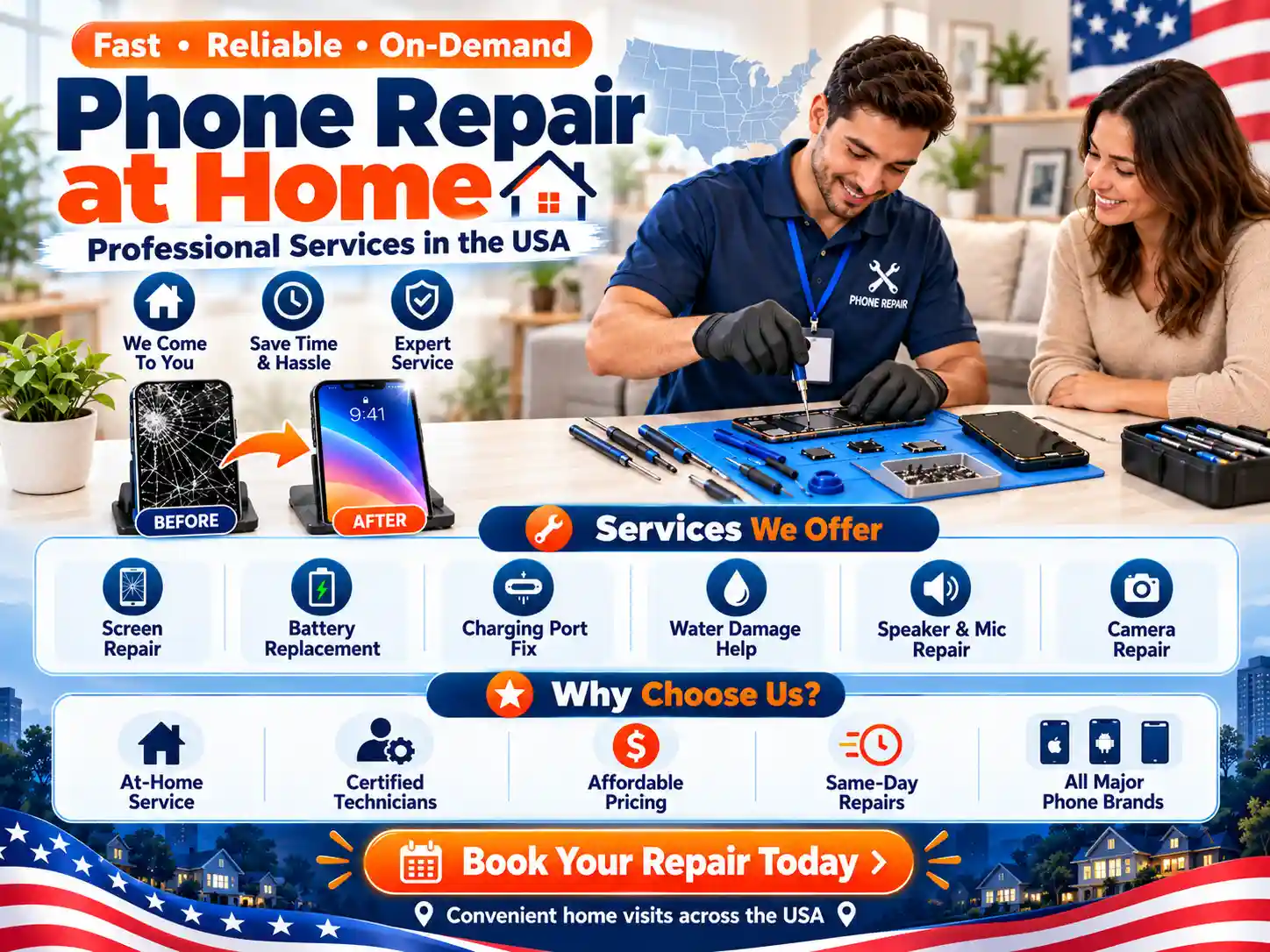
Phone Repair at Home and Professional Services in the USA
A phone that charges slowly or runs out of power may need a simple fix. A cracked screen or worn battery may need a technician. Before buying a new device,

AirTalk Wireless Halloween Offer 2026 and How to Apply
The AirTalk Wireless Halloween offer for 2026 advertises a free phone package and free monthly service for households that qualify. The deal you can get depends on your location, approval,
Free Google Pixel Phone: Real Offers, Lifeline Rules, and How to Apply
You may be able to get a free Google Pixel phone through a qualifying carrier offer. Some Lifeline providers also list Pixel devices. However, approval for phone service does not
Free Laptop

Free Amazon Laptop: Eligibility, Income Limits, Application & How to Apply
Table of Contents Getting a Free Laptop from Amazon Amazon, a large online shopping platform, offers various ways to get
Online Schools That Give Free Laptop | Get Yours!
Free or discounted laptops for online college — what to know Quick overview Many online schools provide students with laptops,
How to Get a Laptop with EBT Without Paying 2026: SNAP & Low Income Programs Guide
People who receive SNAP benefits (EBT) can get a free laptop from nonprofit organizations, colleges and even manufacturers at discounts.