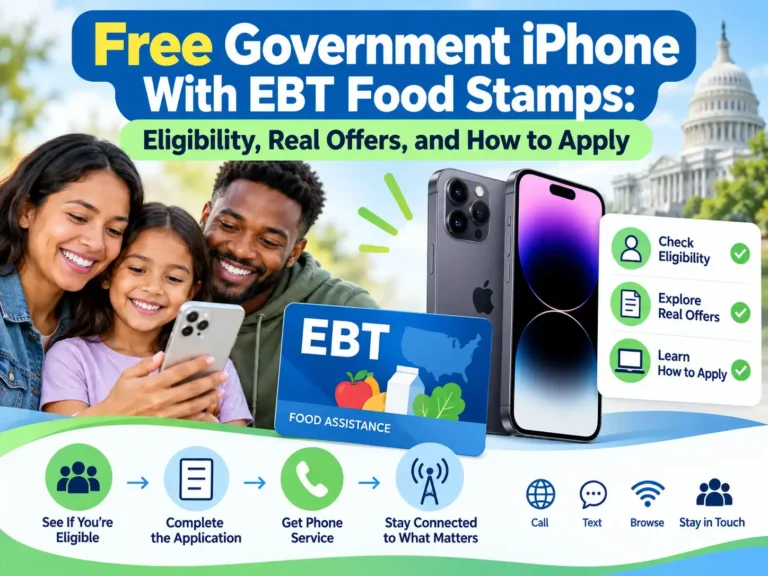
If you receive SNAP food stamps, you may qualify for free or discounted phone service through Lifeline. Some participating providers also offer an iPhone at no upfront cost. The phone model, price, and terms depend on your location and the offer available when you enroll.
For a family watching every dollar, that can mean one less monthly bill. A reliable phone helps you answer job calls, reach your child’s school, and manage benefits online.
Before you apply, check both parts of the offer: the monthly service and the phone agreement. Getting approved for Lifeline does not guarantee a specific iPhone.
How Does SNAP Help You Get an iPhone?
SNAP is a qualifying program for Lifeline, the federal program that helps eligible households afford phone or internet service.
You can use verified SNAP participation as your eligibility route. You still need to complete the application, confirm your identity, and meet the household rules.
Lifeline normally provides up to $9.25 a month toward eligible service. Qualifying households on Tribal lands can receive up to $34.25.
A provider may build a free service plan around that support. Any iPhone included with the plan comes through the provider’s device offer. AirTalk and TAG Mobile expressly state in their terms that their free or reduced-price enrollment devices are offered by the company, rather than funded by a government device program.
Can You Buy an iPhone With Your EBT Balance?
You cannot use SNAP food benefits to buy an iPhone or pay a phone bill.
The USDA’s SNAP purchase rules exclude nonfood items. Your SNAP participation can help establish Lifeline eligibility, but your grocery benefits do not pay for the phone.
An EBT card is the way benefits are delivered. A card by itself may not show that you currently receive SNAP. Use the proof requested by the official application.
Who Qualifies for a Phone Through SNAP?
You may qualify when you or a qualifying member of your household participates in SNAP. USAC, the Lifeline administrator, also allows eligibility through a child or dependent in a qualifying program.
You must complete verification and choose a provider that serves your area.
Being a student, senior, teacher, or single parent alone does not establish federal Lifeline eligibility. SNAP participation, another qualifying benefit, or eligible household income can provide the route.
Other federal qualifying programs include:
- Medicaid.
- Supplemental Security Income, or SSI.
- Federal Public Housing Assistance.
- Veterans Pension or Survivors Benefit.
- Certain Tribal assistance programs on qualifying Tribal lands.
You can also qualify through household income at or below 135% of the Federal Poverty Guidelines. For 2026, the annual limit for one person in the 48 contiguous states, D.C., and territories is $21,546. Limits rise with household size and are higher in Alaska and Hawaii.
Can Everyone in Your Home Get a Separate Free Phone?
Lifeline allows one benefit per household. A household generally means people who live together and share income and expenses.
Adults at the same address may be separate households if they do not share those finances. The application may require a Household Worksheet to establish that distinction. Having several EBT cards does not create several Lifeline benefits for one household.
Which Providers Have iPhone Options?
Start with USAC’s Companies Near Me tool. Search by ZIP code or city and state, then check the provider’s live offer.
The following examples were reviewed on October 15, 2026:
| Provider | What its official information shows | What you need to confirm |
|---|---|---|
| AirTalk Wireless | An October promotion displays an iPhone 11 with a $0 offer | Your state’s offer, stock, phone condition, and device agreement |
| TAG Mobile | A California page advertises an iPhone XR that may be available, with 12GB of monthly data | California eligibility, current availability, and device terms |
| Assurance Wireless | A bring-your-own-phone option using a SIM or eSIM for compatible devices | Whether your existing iPhone passes its device check |
The listed offers depend on approval and local availability. AirTalk Wireless
A displayed iPhone is an offer example. Your enrollment result may show another model, a paid upgrade, or a SIM-only option.
TAG’s general service page also notes that some iPhones are discounted upgrades. Read the actual price beside the phone you select.
What Conditions Can Come With a $0 iPhone?
A $0 price deserves a close look at the ownership terms.
The current AirTalk device agreement and TAG Mobile device agreement require 180 consecutive days of active service for the subsidized new-customer devices covered by those agreements. Full ownership transfers after that requirement is met.
According to the posted terms, ending service early can lead to a remaining device balance or a request to return the phone. Certain phones identified as managed devices can also be restricted or remotely locked under specified conditions.
Removing device-management restrictions does not necessarily remove a carrier lock.
The 180-day condition belongs to those provider device agreements. It is not a general federal Lifeline eligibility rule. Ask which agreement applies to your selected phone and save a copy before accepting it.
Some applicants can be verified through existing records. Others must provide supporting documents.
USAC’s document guidance lists accepted SNAP proof such as a benefit award letter, benefit statement, verification letter, or screenshot from an official benefits portal.
Your document should show:
- Your name or the qualifying participant’s name.
- The program name.
- The agency that issued it.
- An issue date within the last 12 months or a future expiration date.
You may also need identity or address proof. Follow the request shown in the official application.
A photo of an EBT card may not contain enough information. A clear benefit letter is often more useful when proof of current participation is requested.
Submit personal records through the official enrollment process. You do not need to share your EBT PIN to establish Lifeline eligibility.
How Do You Apply for a Free Government iPhone With Food Stamps?
1. Check Your Household’s Existing Lifeline Service
Find out whether your household already receives a Lifeline benefit. If you want to change providers, request a benefit transfer rather than a second benefit.
2. Find Providers Where You Live
Use the USAC provider tool and the companies’ ZIP-code checks. Compare coverage as well as phone offers.
A free device is most useful when the service works where you live, study, and work.
3. Compare the Phone and Service Together
Review the device price, shipping, monthly plan, data allowance, and ownership conditions.
Choose the offer you can use without stretching your budget.
4. Complete Lifeline Verification
Follow the route on the official Lifeline application page. You can apply online, by mail, or with help from a participating company.
Oregon and Texas use state application systems. California also has a state LifeLine process.
5. Finish Provider Enrollment
After eligibility approval, complete enrollment with your selected company. Confirm that the order lists the phone and price you agreed to.
Lifeline approval alone does not reserve an iPhone or activate service.
6. Receive and Activate the Phone
Follow the supplied SIM or eSIM instructions. Test calls, texts, charging, and mobile data soon after delivery.
Keep the order confirmation, packaging, and warranty details.
The application routes and provider-enrollment requirement come from USAC’s guidance.
Approval and shipping times vary. Extra documents, address issues, or limited inventory can delay an order.
Is the Monthly Service Free Too?
Some providers offer eligible Lifeline customers a $0 monthly plan. Others offer a discount toward a plan with a remaining charge.
AirTalk’s SNAP enrollment page advertises free qualifying service. TAG’s California offer advertises free monthly service with unlimited talk and text and its listed data allowance.
Before choosing a plan, confirm:
- Your monthly payment.
- Included calling minutes and texts.
- High-speed data per month.
- Hotspot availability.
- What happens after the data allowance runs out.
- The cost of optional extra data.
Unlimited talk and text does not automatically mean unlimited high-speed internet. An advertised annual data total also should not be read as one month’s allowance.
Will the iPhone Be New or Refurbished?
Check the condition stated for your exact offer. A free iPhone may be pre-owned or refurbished, and the condition affects what you should inspect.
Look at battery life, storage, charging, screen condition, and the apps you need. Check the software version and available updates too.
Our free iPhone 11 guide covers more details for readers considering that model. If you are comparing another advertised Apple offer, the government iPhone 13 guide explains the checks to make before applying.
Warranty periods can be short. AirTalk’s posted terms give free pre-owned devices a 15-day defective-device window and require significant delivery damage to be reported within 48 hours. Check the policy attached to your order.
What If a Free iPhone Is Not Available?
You still have useful options:
- Bring an iPhone you already own.
- Accept another suitable phone included with the offer.
- Compare another Lifeline provider serving your area.
- Consider a paid upgrade only if the full cost fits your budget.
Our Samsung phone guide can help if you are open to another brand.
For an existing iPhone, check both compatibility and carrier lock status. Apple explains that Settings → General → About → Carrier Lock should show “No SIM restrictions” when the phone is unlocked. Only the current carrier can handle a carrier unlock.
An eSIM-only iPhone needs a provider that supports eSIM for that exact device. Complete the compatibility check before switching.
Can You Keep Your Current Number?
Many providers support number transfers. You will usually need details from your existing carrier, such as the account number and transfer PIN.
Keep the old line active until the new provider confirms the transfer is complete. Assurance Wireless specifically advises customers to wait for that confirmation before canceling the old service.
If you already have Lifeline, also ask the new company to transfer the benefit. Phone-number transfers and benefit transfers need separate attention.
How Do You Keep Your Free Service Active?
Use a free Lifeline service at least once every 30 days. A completed call, sent text, or mobile-data use can count.
After 30 days without use, you should receive a 15-day notice to use the service before it is turned off.
Eligibility is also checked each year. USAC’s recertification guidance says that customers asked to recertify must respond within 60 days. Follow your state’s instructions if it handles renewal.
Tell your company within 30 days if your address changes or you no longer qualify. If SNAP ends, ask whether another qualifying benefit or your income can establish continued eligibility.
Is the ACP Still Available?
The Affordable Connectivity Program ended on June 1, 2024, as the FCC confirms.
Lifeline remains a separate program. Use current Lifeline offers when comparing phone help.
Where Can You Get Application Help?
For federal Lifeline questions, contact the Lifeline Support Center at 1-800-234-9473.
Contact your chosen provider about phone stock, shipping, device terms, activation, or account problems. Federal eligibility support does not select or reserve your iPhone.
Conclusion
SNAP food stamps can give you a clear route to Lifeline eligibility. A free iPhone may be part of a participating provider’s offer, subject to approval, location, inventory, and the phone agreement.
Start with your ZIP code and current SNAP proof. Then check the phone price, monthly service, condition, and ownership rules. A suitable phone with reliable, affordable service can help you stay connected while protecting the money you need for daily life.