A phone can be your link to a job interview, a doctor, or your child’s school. When your budget is tight, a free iPhone X sounds like a useful way to stay connected. The key is finding an offer that covers your needs without adding costs you cannot afford.
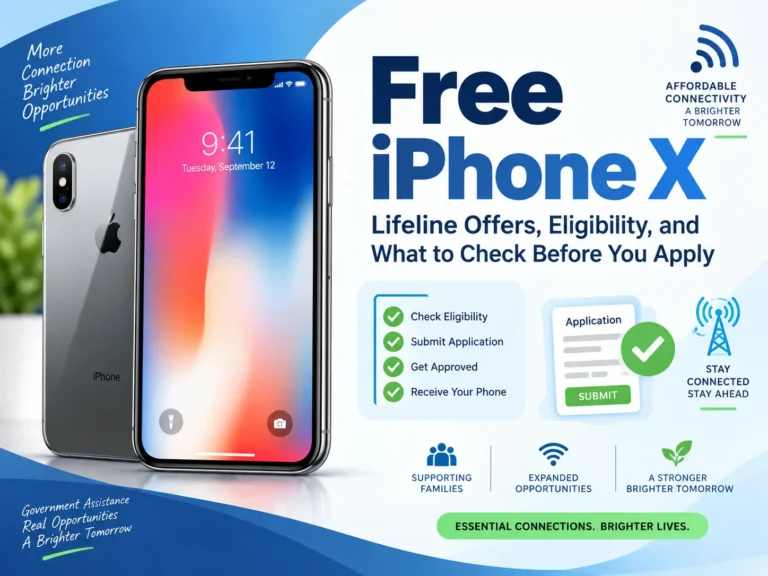
There is no federal program that guarantees everyone a free iPhone X. Lifeline helps eligible households pay for phone or internet service. A participating provider may add a device promotion, but the model and price depend on its offer.
An iPhone X also needs more careful checks than a newer phone. Its battery, software limits, and repair options can matter more than the price on the advertisement.
Reviewed September 22, 2026. Provider prices and inventory can change. This guide covers the original iPhone X, not the iPhone XR or XS.
Can You Get a Free iPhone X?
A free iPhone X may be available through a qualifying promotion or a donated phone. However, our review did not confirm a universal $0 offer that every eligible applicant can claim.
AirTalk Wireless provides a useful example. Its homepage displays the iPhone X at $0, while its dedicated product page lists $49.99. That product page also advertises an eligible $0 monthly service plan with 5GB of high-speed data, unlimited talk and text, international calling to more than 200 countries and territories, and free delivery.
Those are public listings, not a personalized quote. Enter your ZIP code and review the actual device selection and checkout terms before you decide. A page title that says “free” does not override a charge in your order.
What Does “Free” Mean in a Phone Offer?
The word can describe different parts of a deal.
| Offer wording | What it may mean | What you should verify |
|---|---|---|
| Free device | No charge for the handset | Service costs, taxes, shipping, and activation |
| Free monthly service | An eligible plan costs $0 | Whether the phone has a separate price |
| $0 upfront | No initial device payment | Remaining installments or other charges |
| Free through bill credits | Credits offset device payments over time | Required plan, credit period, and cancellation rules |
| Donated phone | Someone gives you a used device | Condition, ownership, and service compatibility |
These are ways to assess an offer. They are not a list of confirmed iPhone X promotions.
How Lifeline Can Help
Lifeline is a federal benefit that reduces the cost of eligible phone or internet service. The standard monthly discount is up to $9.25. Eligible households on qualifying Tribal lands may receive up to $34.25.
Providers decide which devices, if any, to include in their promotions. Lifeline approval does not reserve an Apple phone or require a provider to supply the iPhone X.
Only one Lifeline discount is allowed per household. USAC defines a household as people who live together and share income and expenses. You cannot keep two Lifeline discounts for the same household just to obtain another phone.
Read USAC’s Lifeline overview for the federal rules.
Who Qualifies for Lifeline?
You may qualify through household income or participation in an eligible program, including:
- SNAP, also known as food stamps.
- Medicaid.
- Supplemental Security Income, or SSI.
- Federal Public Housing Assistance.
- Veterans Pension and Survivors Benefit.
- Certain Tribal assistance programs for people on qualifying Tribal lands.
A child or dependent’s qualifying benefit may also make the household eligible.
For the standard income pathway, household income must be at or below 135% of the Federal Poverty Guidelines. In 2026, the annual limits for the 48 contiguous states, Washington, D.C., and territories include:
| Household size | Annual income limit |
|---|---|
| 1 | $21,546 |
| 2 | $29,214 |
| 3 | $36,882 |
| 4 | $44,550 |
Alaska and Hawaii have higher limits. See USAC’s eligibility page for larger households and special survivor eligibility rules.
Being a senior, student, teacher, or single parent alone does not establish standard Lifeline eligibility. You still need a qualifying pathway.
Where Should You Look for an iPhone X Offer?
AirTalk Wireless
AirTalk has a specific iPhone X listing, making it a place to check for this model. Confirm the final price, condition, storage, and plan for your location. Do not assume a phone is new because the listing uses a clean product image.
Our AirTalk Wireless eligibility and application guide explains the provider’s enrollment process in more detail.
Other Lifeline providers
A general free-phone offer does not prove that a provider supplies an iPhone X. Ask for the exact model before transferring your benefit. If the provider cannot confirm it, treat the offer as a phone of unspecified model.
Compare coverage, data, and support as well as devices. Our AirTalk, TruConnect, and SafeLink comparison provides questions to consider before choosing a service.
Family donations and local assistance
Ask a trusted relative whether they have a working phone they no longer use. You can also ask a local community organization whether it accepts or distributes donated phones.
These are places to inquire, not guaranteed sources of iPhone X stock. A donation may include only the device, so you will still need to arrange service.
Can You Get a Free iPhone X When You Switch?
Do not assume a carrier’s current switch offer includes this older model. We did not verify a nationwide iPhone X switch promotion from a major carrier during this review.
If you find a specific offer, check whether it requires a number transfer, a new line, a trade-in, or a paid plan. Ask which carriers qualify for the switch and whether the deal is available online or only in a store.
Compare total costs. For example, an extra $20 per month for a required plan adds $240 over a year. That is an illustration, not a quoted carrier price, but it shows why the handset price alone can mislead.
Lifeline customers should ask the receiving provider to explain the benefit transfer. If you want to keep your number, follow its porting instructions before canceling the old line.
How to Apply
- Check eligibility. Choose the income or benefit pathway that fits your household.
- Check local service. Review providers available where you live and their coverage.
- Confirm the device. Ask whether an iPhone X is in stock and what it costs for your application.
- Complete verification. Provide accurate identity, address, and eligibility information through the official channel.
- Review the order. Check the amount due today, service allowance, device condition, and return terms.
- Save your confirmation. Keep your application number and a copy of the offer.
USAC allows applications online, by mail, or with help from a participating company. Its application guide directs Oregon and Texas residents to their state processes.
You may need a benefit letter, tax return, or income records if eligibility cannot be confirmed automatically. A request for more proof does not necessarily mean a denial. Read the notice and submit the requested documents by its deadline.
Do not send personal records to someone promising approval in a social media comment.
What Can the iPhone X Do?
Apple introduced the original iPhone X in 2017. Its main hardware features include:
| Feature | Original iPhone X specification |
|---|---|
| Display | 5.8-inch OLED |
| Processor | A11 Bionic |
| Storage options | 64GB or 256GB |
| Rear cameras | Two 12MP cameras |
| Front camera | 7MP TrueDepth camera |
| Unlock method | Face ID |
| Mobile connection | LTE; no 5G |
| SIM | Physical nano-SIM; no eSIM |
| Charging | Lightning connector and Qi wireless charging |
A provider may stock only one storage size or color. Ask what will actually ship. The original specification sheet also cannot tell you the condition of a particular used phone.
Software and Repair Limits Matter
The iPhone X is limited to the iOS 16 software generation. It does not support the newer major iOS versions. Check the App Store requirements for the banking, school, work, and health apps you depend on before accepting it.
Older software does not automatically mean that no maintenance updates exist. Apple’s iOS 16 update page lists later bug and security fixes. Install the newest update offered to the device, but do not assume future updates are guaranteed.
Apple also lists the iPhone X as obsolete worldwide for hardware service. Under Apple’s published policy, it discontinues hardware service for obsolete products, and its service providers cannot order parts for them.
Independent repair options may differ. Get a repair quote before accepting a damaged phone, especially if you would need a battery or screen replacement right away.
Five Checks Before You Accept a Used iPhone X
1. Make sure Activation Lock is removed
The previous owner must remove the phone from their account. If setup asks for that person’s credentials, do not treat the phone as ready to use. Ask the provider or donor to resolve it.
2. Check carrier compatibility and locks
Have the intended carrier check the phone’s IMEI. An unlocked phone still needs to be compatible with that carrier. In Settings, check General, then About, for the carrier-lock status. Do not publish your IMEI in comments.
3. Inspect battery health
Open Settings, Battery, then Battery Health & Charging. Look for the maximum-capacity reading and service messages. Ask the supplier about its battery standard and whether a replacement is covered.
4. Test the hardware
Try Face ID, cameras, speakers, microphone, charging, Wi-Fi, and the touchscreen. Make a normal call and test cellular data after activation. Photograph damage immediately.
5. Read the return terms
Check the deadline, return-shipping rules, and whether a refund or replacement is available. A refurbished label does not promise a new battery or an Apple warranty.
Apple’s preowned iPhone inspection guide explains the main checks.
Will You Need to Pay Anything Else?
Before accepting a device, ask about activation, a SIM card, shipping, tax, accessories, and extra data. Request the full order total rather than guessing which charges apply.
Also check the cost of a charger if one is not included. A phone that requires repairs or a costly plan may be less affordable than another available model.
Free Lifeline service has ongoing rules. Customers with no monthly out-of-pocket service charge generally must use the service at least once every 30 days. Respond to required recertification notices to keep the benefit.
Is a Free iPhone X Worth Getting?
It may be useful as a temporary phone if it works well, supports your essential apps, and activates on your carrier. It is less suitable if you need years of dependable app support or would have to pay for repairs soon.
My practical recommendation is to compare any available newer phone before committing. A supported budget Android phone may serve your needs better than an older iPhone with a weak battery. If you prefer Apple, our free government iPhone 13 guide explains how to assess those offers without assuming a newer model is guaranteed.
Frequently Asked Questions
Does Medicaid guarantee a free iPhone X?
No. Medicaid can establish Lifeline eligibility, but the provider controls its device offers and inventory.
Can I get an iPhone X without a trade-in?
A donation or provider promotion may not require one. Confirm the actual offer; no-trade-in terms do not necessarily mean the phone costs nothing.
Is iPhone X the same as iPhone XR or XS?
No. They are different models with different hardware and software support. Confirm the exact name on your order and in the phone’s settings.
Can I apply through ACP?
No. The Affordable Connectivity Program ended on June 1, 2024. Use current Lifeline rules and provider offers instead of old ACP advertisements. See the FCC’s ACP information.
Is free service guaranteed forever?
No. You must remain eligible and follow program rules. Plan terms and available benefits can also change.
Choose a Working Phone, Not Just a Free Offer
A free iPhone X can help when you need a phone now, but an advertisement is only the start. Confirm the actual price, service terms, and device condition before applying or switching.
Give equal attention to the phone’s limits. Check your essential apps, battery, Activation Lock, and carrier compatibility. The best offer is the one that keeps you connected at a cost you can manage.