
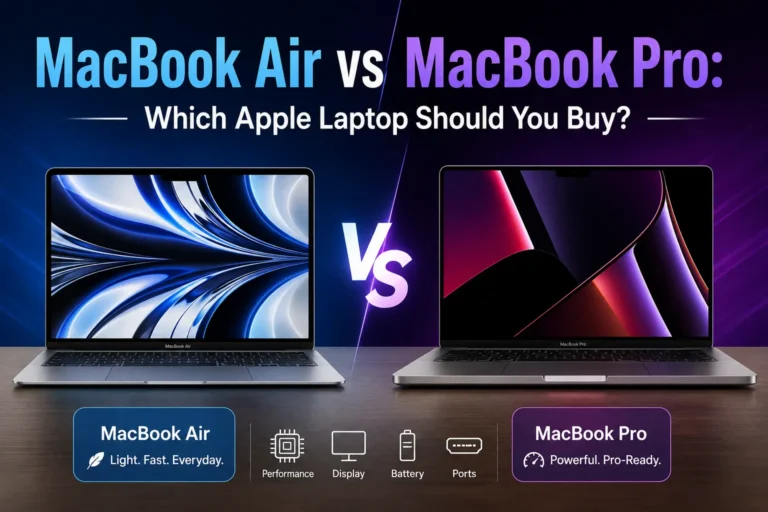
Buying a new MacBook isn’t as simple as choosing the newest model. One of the biggest questions shoppers ask is MacBook Air vs MacBook Pro—which one offers the better value, performance, and features for your needs?
Both laptops are designed by Apple, run macOS, and deliver excellent performance, but they target different users. The MacBook Air focuses on portability, silent operation, and affordability, while the MacBook Pro is built for professionals who need more power, longer sustained performance, and advanced features.
Whether you’re a student, programmer, content creator, business professional, or casual user, choosing the right MacBook depends on how you plan to use it every day.
This guide compares the MacBook Air vs MacBook Pro in terms of design, display, performance, battery life, keyboard, and more to help you make the best buying decision.
MacBook Air vs MacBook Pro Comparison
| Feature | MacBook Air | MacBook Pro |
|---|---|---|
| Best For | Students, everyday users | Professionals and creators |
| Weight | Lighter | Slightly heavier |
| Cooling | Fanless | Active cooling with fan |
| Performance | Excellent | Better for heavy workloads |
| Display | Liquid Retina | Liquid Retina XDR (selected models) |
| Battery Life | Excellent | Slightly longer under heavy use |
| Ports | Basic | More connectivity options |
| Speakers | Very good | Superior audio system |
| Price | Lower | Higher |
Design and Build Quality
Apple has created a premium design language that both MacBook Air and MacBook Pro follow.
Both laptops feature:
- Aluminum unibody construction
- Large glass trackpads
- Comfortable keyboards
- High-quality displays
- Excellent build quality
At first glance, they look similar, but there are several important differences.
MacBook Air Design
The MacBook Air is designed to be extremely portable.
Advantages include:
- Thin profile
- Lightweight body
- Easy to carry
- Comfortable for travel
- Modern flat-edge design
If you carry your laptop between classes, meetings, or while traveling, the Air is one of the easiest premium laptops to transport.
MacBook Pro Design
The MacBook Pro is slightly thicker because it contains additional cooling hardware and more powerful internal components.
Advantages include:
- Better heat management
- Additional ports
- Larger cooling system
- Built for professional workloads
Although heavier than the Air, the Pro remains highly portable.
Winner: MacBook Air
For portability alone, the MacBook Air wins thanks to its lighter weight and slimmer profile.
Weight Comparison
Weight matters if you frequently carry your laptop.
MacBook Air
- Lightweight
- Easy for students
- Comfortable for commuting
- Better for travel
MacBook Pro
- Slightly heavier
- Better suited for desk setups
- Still portable
- More durable feeling
The weight difference may seem small on paper, but frequent travelers often notice it during daily use.
Display Comparison
The display is one of the biggest differences in the MacBook Air vs Pro comparison.
MacBook Air Display
The MacBook Air features Apple’s Liquid Retina display with:
- Sharp resolution
- Excellent brightness
- Wide color support
- Accurate color reproduction
- Comfortable viewing angles
For web browsing, office work, streaming, and school, it looks outstanding.
MacBook Pro Display
The MacBook Pro goes further.
Depending on the model, it may include:
- Liquid Retina XDR technology
- Higher brightness
- Better HDR performance
- Improved contrast
- Higher refresh rate on supported models
Creative professionals who edit photos or videos will appreciate the improved display quality.
Winner: MacBook Pro
If display quality is your highest priority, the Pro offers the better screen.
Performance
Performance is where the biggest differences begin.
Both laptops use Apple’s powerful processors, making even the MacBook Air incredibly fast for everyday tasks.
However, workload determines which laptop is the better choice.
MacBook Air Performance
The Air easily handles:
- Internet browsing
- Office work
- Video streaming
- Online classes
- Photo editing
- Coding
- Light video editing
Most users will never push the Air to its limits.
MacBook Pro Performance
The Pro is built for demanding workloads such as:
- Professional video editing
- Music production
- Software development
- 3D rendering
- Virtual machines
- Large programming projects
Its active cooling system allows it to maintain high performance during long sessions.
Winner: MacBook Pro
For professional work, the Pro has the advantage.
M4 MacBook Air vs M4 MacBook Pro
Apple’s newer chips have made the MacBook Air much more capable than previous generations.
For everyday users, the M4 MacBook Air delivers excellent speed and efficiency.
The M4 MacBook Pro uses the same chip architecture but benefits from active cooling, allowing it to sustain peak performance longer during intensive tasks.
If your work involves:
- Editing 4K or 8K videos
- Rendering graphics
- Running multiple development tools
- Large creative projects
the MacBook Pro is the better investment.
For students, office workers, and casual users, the M4 MacBook Air already provides more than enough performance.
Battery Life
Battery life is excellent on both laptops.
Apple’s processors are known for outstanding power efficiency.
MacBook Air
The Air can easily last through:
- A full school day
- Office work
- Streaming
- Web browsing
Its efficiency makes it ideal for users who are away from a charger.
MacBook Pro
The Pro also delivers exceptional battery life, especially during productivity tasks.
Its larger battery and efficient processor help it maintain strong endurance, even during heavier workloads.
Winner: Tie
Most users will be satisfied with either laptop’s battery life.
Cooling System
One major difference is cooling.
MacBook Air
The Air has a fanless design.
Advantages:
- Completely silent
- No fan noise
- Less dust buildup
However, during long periods of heavy work, it may reduce performance slightly to control temperature.
MacBook Pro
The Pro includes an active cooling system with internal fans.
Benefits include:
- Better sustained performance
- Improved cooling
- Better for long rendering sessions
- Ideal for professional software
Winner: MacBook Pro
For demanding work, active cooling provides a noticeable advantage.
Keyboard and Trackpad
Apple offers one of the best laptop keyboards available today.
Both laptops feature:
- Comfortable typing
- Large Force Touch trackpads
- Excellent palm rejection
- Precise cursor control
- Backlit keyboards
Most users will notice little difference between the two.
Whether you’re writing reports, programming, or editing documents, both keyboards provide an excellent typing experience.
Winner: Tie
Both deliver premium typing and trackpad performance.
Which Laptop Is Better So Far?
After comparing design, display, performance, battery life, cooling, and portability:
Choose the MacBook Air if you want:
- A lightweight laptop
- Excellent battery life
- Lower price
- Silent operation
- Great performance for everyday tasks
Choose the MacBook Pro if you need:
- Professional performance
- Better display
- Active cooling
- Heavy multitasking
- Creative software and demanding workflows
Speakers and Audio Quality
Audio quality is another area where the MacBook Pro vs MacBook Air comparison becomes important.
MacBook Air Speakers
The MacBook Air includes an impressive speaker system that delivers:
- Clear vocals
- Balanced sound
- Good bass for its size
- Excellent quality for video calls, music, and movies
Most users will find the Air more than capable for everyday entertainment.
MacBook Pro Speakers
The MacBook Pro takes audio to another level.
It offers:
- Richer bass
- Louder volume
- Better stereo separation
- More immersive sound
- Excellent performance for music production and video editing
If you frequently edit videos, produce music, or enjoy watching movies without headphones, the MacBook Pro provides a noticeable improvement.
Winner: MacBook Pro
Ports and Connectivity
The number of available ports can affect your daily workflow.
MacBook Air
The MacBook Air keeps things simple with:
- USB-C/Thunderbolt ports
- MagSafe charging
- Headphone jack
For many users, this is enough. However, you may need a USB-C hub if you regularly connect external devices.
MacBook Pro
The MacBook Pro provides more connectivity options, making it easier to connect multiple accessories without adapters.
Depending on the model, it may include:
- Thunderbolt ports
- HDMI
- SD card slot
- MagSafe charging
- Headphone jack
These additional ports are especially useful for photographers, videographers, and professionals.
Winner: MacBook Pro
Storage and Memory Options
Both laptops offer multiple storage and memory configurations.
You can choose models with different amounts of:
- Unified memory (RAM)
- SSD storage
If you mainly browse the web, stream videos, work on documents, and attend online classes, a basic configuration is usually enough.
However, professionals who edit videos, develop software, or work with large files should consider upgrading memory and storage.
Buying enough storage from the beginning is important because it cannot be upgraded later.
MacBook Air vs MacBook Pro for Students
Many students ask whether they should buy the Air or the Pro.
The MacBook Air is the better choice for most students because it offers:
- Lightweight design
- Excellent battery life
- Fast performance
- Lower price
- Easy portability between classes
It easily handles:
- Microsoft Office
- Google Docs
- Zoom
- Research
- Programming courses
- Online learning
- Multimedia assignments
The MacBook Pro is worth considering only if your coursework involves intensive creative applications such as video editing, animation, or engineering software.
Winner: MacBook Air
MacBook Air vs Pro for Programming
Programming requirements vary depending on your projects.
The MacBook Air performs very well for:
- Web development
- Python
- Java
- Mobile app development
- Database work
- Computer science coursework
The MacBook Pro is a better option if you regularly use:
- Virtual machines
- Docker
- Multiple IDEs
- Large software builds
- Professional development environments
For many developers, both laptops perform extremely well, but professionals working on large projects may appreciate the extra sustained performance of the Pro.
MacBook Air vs MacBook Pro for Video Editing
Video editing places heavy demands on a laptop.
The MacBook Air can comfortably edit:
- HD videos
- Short-form content
- Social media videos
- YouTube videos
- Basic 4K projects
The MacBook Pro is designed for:
- Professional editing
- Large 4K projects
- Multi-camera timelines
- Color grading
- Motion graphics
- Long rendering sessions
Its cooling system allows it to maintain high performance for extended periods.
Winner: MacBook Pro
Price and Value
Price often plays a major role when choosing between these laptops.
MacBook Air
Advantages include:
- Lower starting price
- Excellent value
- Premium build
- Strong performance
- Lower ownership cost
Many buyers discover the Air offers everything they need without paying for professional features they may never use.
MacBook Pro
The Pro costs more because it includes:
- Better display
- More powerful cooling
- Additional ports
- Better speakers
- Higher sustained performance
Professionals who rely on their laptops every day often find the extra investment worthwhile.
Pros and Cons
MacBook Air Pros
- Lightweight and portable
- Silent fanless design
- Excellent battery life
- Fast everyday performance
- Lower price
- Beautiful display
- Premium build quality
MacBook Air Cons
- Fewer ports
- No active cooling
- Less suited for prolonged professional workloads
MacBook Pro Pros
- Outstanding performance
- Better display
- Active cooling
- More ports
- Superior speakers
- Excellent for creative professionals
- Handles demanding workloads with ease
MacBook Pro Cons
- Higher price
- Slightly heavier
- More than many casual users actually need
Which MacBook Should You Buy?
The answer depends on how you use your laptop.
Buy the MacBook Air if you:
- Are a student
- Browse the web
- Work in Microsoft Office
- Attend online classes
- Watch movies
- Write documents
- Travel frequently
- Want the best value
Buy the MacBook Pro if you:
- Edit videos professionally
- Develop software full-time
- Produce music
- Work with large creative projects
- Need additional ports
- Want maximum sustained performance
For the average buyer, the MacBook Air offers an outstanding balance of performance, portability, and price.
The MacBook Pro remains the better choice for professionals whose work demands the highest level of performance.
Frequently Asked Questions
1. Is the MacBook Air better than the MacBook Pro?
For everyday users, the MacBook Air often provides the best value. For professional workloads, the MacBook Pro is the stronger choice.
2. Which is better for college students?
The MacBook Air is the best option for most students because it is lightweight, affordable, and powerful enough for coursework.
3. Is the MacBook Pro worth the extra money?
Yes, if you regularly edit videos, develop software, or perform demanding creative work.
4. Which has better battery life?
Both laptops offer excellent battery life, and either can typically last through a full day of regular use.
5. Is the MacBook Air powerful enough for programming?
Yes. The MacBook Air handles most programming tasks with ease, although professionals working on large projects may benefit from the Pro.
6. Which laptop is better for video editing?
The MacBook Pro is better for professional editing because of its active cooling and sustained performance.
7. Is the MacBook Air good for photo editing?
Yes. It performs very well for photo editing and general creative work.
8. Which laptop has the better display?
The MacBook Pro generally offers the superior display, especially for HDR content and professional creative work.
9. Which MacBook is more portable?
The MacBook Air is thinner and lighter, making it easier to carry throughout the day.
10. Should I buy a MacBook Air or MacBook Pro in 2026?
If you mainly need a laptop for school, office work, web browsing, and everyday tasks, choose the MacBook Air. If your work involves professional video editing, software development, or other demanding applications, the MacBook Pro is the better long-term investment.
Final Verdict
The MacBook Air vs MacBook Pro debate comes down to your needs rather than which laptop is “better.”
The MacBook Air is the ideal choice for most people. It delivers excellent performance, long battery life, a premium design, and incredible portability at a more affordable price.
The MacBook Pro is designed for users who need sustained power, a more advanced display, additional ports, and superior performance for professional workloads.
Whichever model you choose, both laptops offer outstanding build quality, reliable performance, and years of software support, making either one a solid investment for 2026 and beyond.