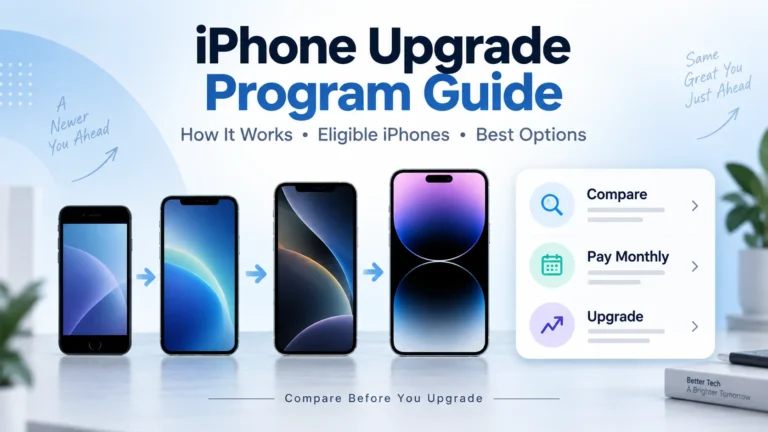
Buying a new iPhone can feel expensive. The price is high, and many people do not want to pay the full amount at once. Apple created upgrade-style payment options for people who want a newer iPhone without paying everything upfront.
But there is one important update.
Apple says the original iPhone Upgrade Program is coming to an end. Current members can continue making their remaining monthly payments. When they are ready for a new iPhone, Apple now points users toward other options, including Apple Upgrade, carrier deals, Apple financing, or buying the phone in full. Apple explains this on its official iPhone Upgrade Program page.
So if you are searching for the iPhone Upgrade Program today, you need to understand both the old program and the new upgrade choices.
What Was the iPhone Upgrade Program?
The iPhone Upgrade Program was Apple’s way to let customers get a new iPhone with monthly payments. It was popular because users could upgrade to a newer iPhone after meeting the program rules.
In simple words, it worked like this:
You selected an eligible iPhone. You paid monthly instead of paying the full price upfront. AppleCare+ was usually included. After making enough payments, you could trade in that phone and upgrade to a newer model.
It was not a free iPhone program. It was a payment and upgrade plan.
What Changed?
Apple now says the iPhone Upgrade Program is ending. Existing members can keep paying their current monthly payments. But for the next iPhone, Apple is guiding users toward other choices.
Apple now lists these main options:
- Apple Upgrade lease option
- Carrier deals
- Apple financing
- One-time full payment
Apple describes Apple Upgrade as a lease option where users can lease a new iPhone, iPad, Mac, or Apple Watch with low monthly payments and upgrade at the end of the lease term. Apple says users return the current device when upgrading. You can read the official details on Apple’s iPhone Upgrade Program page.
What Is Apple Upgrade?
Apple Upgrade is Apple’s newer lease-style option. It is different from owning the phone through a normal installment plan.
With Apple Upgrade, you choose a product and term, make monthly payments, and upgrade at the end of the lease. Apple says the device is returned when you upgrade.
That means you should read the terms carefully. A lease is not the same as buying the phone. If you want to own your iPhone forever, Apple financing or a carrier installment plan may be better.
Which iPhones Can Use Apple Upgrade?
Apple’s current iPhone comparison page shows Apple Upgrade lease pricing for selected newer models. It does not show every old iPhone as eligible for Apple Upgrade. Older models are often listed as available through authorized resellers or comparison only.
Here is a simple list based on Apple’s current iPhone comparison page.
| iPhone Model | Apple Upgrade Availability |
|---|---|
| iPhone Duo | Apple Upgrade lease option shown |
| iPhone 18 Pro Max | Apple Upgrade lease option shown |
| iPhone 18 Pro | Apple Upgrade lease option shown |
| iPhone Air | Apple Upgrade lease option shown |
| iPhone 17 | Apple Upgrade lease option shown |
| iPhone 17e | Apple Upgrade lease option shown |
| iPhone 16 | Apple purchase option shown; check Apple checkout for current payment choices |
| iPhone 16 Pro | Older model / reseller availability may vary |
| iPhone 16 Pro Max | Older model / reseller availability may vary |
| iPhone 16 Plus | Older model / reseller availability may vary |
| iPhone 16e | Availability depends on current Apple store options |
| iPhone 15 | Usually not part of the main Apple Upgrade lease list if not sold directly by Apple |
| iPhone 15 Plus | Usually not part of the main Apple Upgrade lease list if not sold directly by Apple |
| iPhone 15 Pro | Older model; check carrier or reseller deals |
| iPhone 15 Pro Max | Older model; check carrier or reseller deals |
| iPhone 14 | Older model; check carrier or reseller deals |
| iPhone 14 Plus | Older model; check carrier or reseller deals |
| iPhone 14 Pro | Older model; check carrier or reseller deals |
| iPhone 14 Pro Max | Older model; check carrier or reseller deals |
| iPhone 13 | Older model; check carrier or reseller deals |
| iPhone 13 mini | Older model; check carrier or reseller deals |
| iPhone 13 Pro | Older model; check carrier or reseller deals |
| iPhone 13 Pro Max | Older model; check carrier or reseller deals |
| iPhone SE models | Availability depends on whether Apple or carriers still sell them |
| iPhone 12 and older | Usually not eligible for Apple’s newest upgrade lease options |
Apple’s current comparison page lists many iPhone models for comparison, from newer models down to older models like iPhone 7. But only selected newer models show Apple Upgrade lease messaging. You can check Apple’s live model list on the official iPhone comparison page.
How Can a User Use the iPhone Upgrade Option?
Here is the simple step-by-step process.
1. Go to Apple’s iPhone page
Visit Apple’s official iPhone page or iPhone comparison page. Choose the iPhone model you want.
2. Select the model
Pick the screen size, color, storage, and carrier option if required.
3. Check payment options
Look for Apple Upgrade, Apple financing, carrier deals, or one-time payment. Apple may show different options depending on the model.
4. Review the monthly payment
Do not only look at the lowest monthly price. Check the full term, taxes, fees, and return rules.
5. Understand if it is a lease or financing
Apple Upgrade is a lease-style option. Financing is different. With financing, you may own the phone after all payments are made. With a lease, you usually return the device at the end if you upgrade.
6. Complete credit or eligibility check if required
Monthly payment plans may require approval. Some carrier deals may also need credit approval, a qualifying plan, or a trade-in.
7. Keep the phone in good condition
If you plan to upgrade later, protect the phone. Damage can affect your upgrade or return process.
Is Apple Upgrade the Same as Carrier Upgrade Deals?
No. Apple Upgrade and carrier upgrade deals are different.
Apple Upgrade is handled through Apple. Carrier deals are handled through companies like Verizon, AT&T, T-Mobile, Metro, Cricket, or other wireless providers.
Carrier deals may offer big discounts, but they often come with rules. You may need to:
- Add a new line
- Switch your number
- Trade in an old phone
- Stay on an eligible plan
- Receive credits over 24 or 36 months
- Pay taxes and activation fees
A carrier deal can save money. But it can also lock you into a plan. Always check the monthly plan cost before choosing a carrier offer.
Is the iPhone Upgrade Program Free?
No. The iPhone Upgrade Program was not free. Apple Upgrade is also not free. Both are payment options.
If someone says Apple gives free iPhones through the iPhone Upgrade Program, be careful. Apple’s upgrade options are designed to spread out the cost or help users upgrade after a term. They are not government assistance programs.
If you need a free or low-cost phone because of low income, check Lifeline providers instead. Lifeline may help eligible users get free or discounted phone service. Some providers may also offer a free phone if available.
Who Should Use Apple Upgrade?
Apple Upgrade may be good for you if:
- You like getting a newer iPhone often
- You do not want to pay the full price upfront
- You are comfortable with monthly payments
- You understand lease terms
- You take good care of your phone
- You plan to return or upgrade the device at the end
It may not be the best choice if:
- You want to own your phone long-term
- You keep phones for many years
- You dislike monthly payments
- You may damage or lose the phone
- You want the cheapest total cost
Which iPhone Should You Choose?
The best iPhone depends on your budget and use.
Choose a newer Pro model if you want the best camera, display, and performance. Choose the regular iPhone model if you want a strong phone without the highest price. Choose an older model through a carrier or reseller if you want to save money.
If you are using Apple Upgrade, focus on the models Apple currently offers through that option. If you want an older iPhone, carrier deals, refurbished stores, or Apple financing may be better.
Things to Check Before Joining Any Upgrade Plan
Before you sign up, check these points:
- Total monthly cost
- Full term length
- Whether you own or lease the phone
- Upgrade timing
- Return rules
- Damage rules
- AppleCare or insurance cost
- Taxes and fees
- Carrier requirements
- Early cancellation rules
Do not choose a phone only because the monthly price looks low. A cheaper monthly payment can still cost more if the term is long or the plan has strict rules.
Final Thoughts
The original iPhone Upgrade Program is ending, but Apple still gives users several ways to get a new iPhone with monthly payments. Apple Upgrade is now one of the main options for people who want to lease and upgrade later.
Not every iPhone is available through Apple Upgrade. Newer models are more likely to show Apple Upgrade options, while older iPhones may only be available through carriers, resellers, or refurbished sellers.
If you want the newest iPhone every year or two, Apple Upgrade may be useful. If you want to own your phone and keep it longer, Apple financing, a carrier deal, or a refurbished iPhone may make more sense.
Always read the terms before applying. The best upgrade plan is not the one with the lowest monthly number. It is the one that fits your budget, your phone habits, and your long-term needs.