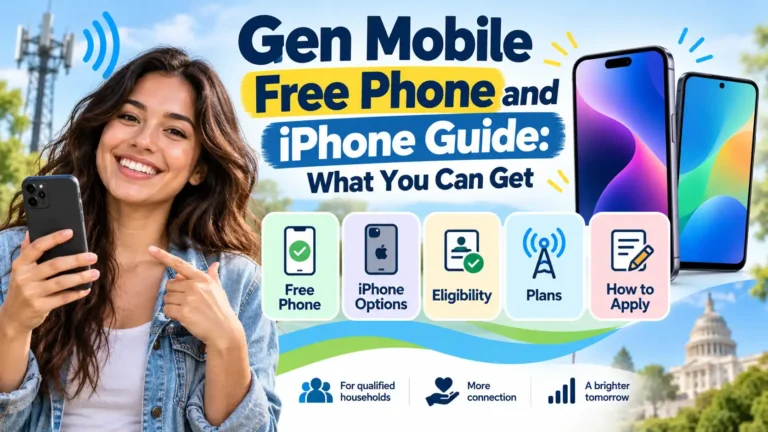
Need a phone but have little room in your budget? Gen Mobile may give you a free phone and a free plan through Lifeline. You must meet the rules first. The phone you get also depends on stock.
An iPhone may cost more. Gen Mobile lists Apple phones as paid upgrade choices. Its web pages do not promise a free iPhone to all users who meet the rules.
First, get a clear quote. Check the phone, the plan, and the full cost. A free plan and a free phone are two parts of the deal to confirm.
Offers and public prices checked on October 7, 2026.
What can you get from Gen Mobile?
Gen Mobile’s Lifeline page says a free phone may be part of your deal. Stock and the firm’s terms decide which phones you can get. You may get a SIM for your own phone or choose a paid phone too.
Lifeline helps pay for phone or internet service. The firm adds its own phone deals. The aid does not promise a set model.
| Your choice | What to check |
|---|---|
| Free phone with Lifeline | Is a phone in stock at no cost? What plan comes with it? |
| Paid iPhone upgrade | What is the phone price? Can you use the free base plan? |
| Keep your own phone | Does it pass the IMEI check? What are the SIM terms? |
| Paid prepaid plan | What will the phone and service cost in total? |
If you just need a working phone, ask about the no-cost choice first. Check how it fits your needs. Think about the apps, screen, and storage you use most.
Can you get a Gen Mobile free iPhone?
A Gen Mobile free iPhone is not a set Lifeline benefit. The firm lists Apple phones as upgrades. Its web store sells them for a price too.
When checked, two of those listings were:
| Phone | Device price | Listed condition |
|---|---|---|
| iPhone SE, second generation, 64GB | $139 | Renewed |
| iPhone 12, 64GB | $249 | Renewed |
Those are web store prices. They are not quotes for your Lifeline upgrade. Plan charges and other fees may add to the total.
If an iPhone is shown in your offer, check these points:
- The exact model and storage.
- Whether it is new or used.
- The phone price and all fees.
- The plan you can use with it.
- The return rules and warranty.
Next, check the setup with Gen Mobile. Do that first, then buy. A paid store order does not, by itself, prove that you will get a free plan.
Want to compare other offers? Our free government iPhone 13 guide explains other ways to lower the cost. Check each firm’s live offer before you switch.
Who can get Gen Mobile Lifeline?
You can meet the rules through a listed aid program or your income. The main federal programs include:
- SNAP, also known as food stamps.
- Medicaid.
- Supplemental Security Income, or SSI.
- Federal Public Housing Assistance.
- Veterans Pension or Survivors Pension benefits.
Some Tribal programs can qualify homes on Tribal lands too. Age or a job does not, on its own, meet the rules. Students, seniors, teachers, and parents still need a qualifying route.
Only one Lifeline benefit is allowed per household. That means people who live together and share income and bills. If two households share an address, they may need a household worksheet.
What are the income limits for 2026?
The income route uses 135% of the Federal Poverty Guidelines. USAC’s Lifeline income chart shows the annual gross limits below:
| Household size | 48 states, D.C., and territories | Alaska | Hawaii |
|---|---|---|---|
| 1 person | $21,546 | $26,933 | $24,786 |
| 2 people | $29,214 | $36,518 | $33,602 |
| 3 people | $36,882 | $46,103 | $42,417 |
| 4 people | $44,550 | $55,688 | $51,233 |
Use the full USAC chart for more than four people. California LifeLine has its own state income route.
Check the right chart: Gen Mobile’s federal page showed $15,960 for one person when checked. USAC’s 2026 Lifeline limit is $21,546. Use the Lifeline limit to check your federal income route.
What does the free plan cover?
Gen Mobile lists free talk, text, and 4.5GB of data in most approved Lifeline states. Some state and Tribal support can give you more.
The California LifeLine page lists free talk, text, and 6GB of data. The Tribal benefit page lists unlimited talk and text with 11GB of data. Tribal rules include living on qualifying Tribal lands in a served area.
Check the plan for where you live. More data or a paid phone can add a charge. A higher plan may cost more too.
Need to use your phone as a hotspot? Ask how much data you can share. Also, check whether that use comes from your main data limit. A phone plan may not meet all your home internet needs.
Can you get service where you live?
Gen Mobile says it offers Lifeline in 42 states. You still need to check where you live. A broad map does not mean each ZIP code has the same deal.
Next, check the Gen Mobile coverage page. The map gives a broad guide to the signal. Walls, weather, location, and a busy network can affect service.
Check home, work, and school first. Those are the places where a weak signal may matter most. Call for help if the map is unclear.
What proof should you have ready?
The form asks for details to check who you are. You may need proof of your benefit, income, or address. An online check may verify some records without an upload.
USAC’s proof guide lists the records you can use. Have the right proof at hand for the route you choose.
| What to prove | Records you may use |
|---|---|
| Benefits | An award letter or benefit statement |
| Income | A tax return, income statement, or pay records |
| Identity | A valid government-issued ID or another accepted record |
| Address | The proof requested in your case |
A benefit record needs your name, the program, the issuing agency, and a valid date. Income proof has its own date rules. Follow the request for your case. You may not need each type of record.
Use clear photos or scans. Check that your name and other details match the form. If a record has an old name or address, ask how to fix it.
How do you apply for a Gen Mobile free phone?
1. Use the official Lifeline form
Start with the Gen Mobile Lifeline form. Follow the steps for your home address. A regular paid plan order is a different purchase path.
2. Complete the checks
Fill in the form with care. Send proof if it asks for it. The federal process generally uses the National Verifier to check the rules. Follow your state’s steps when directed.
3. Check the phone and plan
Read the exact phone name and price. Then check the data limit and all fees. Save the offer and your order details for your records.
4. Track your result
Keep the email you get after you apply. Use its status link or My Benefit Status to check progress.
If your case is delayed, look for a proof request. Ask support for help before you send a second form for the same case.
5. Start your service
Once approved and enrolled, follow the steps for your phone, SIM, or eSIM. Keep the tracking email if a phone will be shipped. The wait for approval and a phone can vary.
Can you keep your phone and number?
Keeping a phone you own can save the cost of a new one. It needs to be unlocked. First, run the Gen Mobile IMEI check.
Your IMEI is the phone’s device ID. On an iPhone, find it under Settings, General, then About. The IMEI guide shows how to find it on other phones.
To keep your number, have your old account number and the required PIN ready. Use Gen Mobile’s number transfer steps. Keep the old service active until the transfer is complete.
Already get Lifeline from another firm? Ask Gen Mobile to move the benefit. You cannot keep two Lifeline discounts for the same household.
If you prefer Android, compare our Samsung phone guide and Motorola phone guide. Look at the plan and the phone cost in each offer.
What if you do not qualify for Lifeline?
You can still buy Gen Mobile prepaid service. Its plan page lists these one-month rates:
| Data | Price per month |
|---|---|
| 2GB | $10 |
| 8GB | $20 |
| 15GB | $30 |
| 25GB | $40 |
| Unlimited | $50 |
The unlimited plan lists 45GB at high speed. After that, speeds drop to up to 512kbps. Check the full cart price, including taxes and fees.
Some bundles cost less per month when you pay ahead. Check how much is due now. Also, ask what you will pay when the plan renews.
Choose a plan that fits your use. A small data plan may work well if you use Wi-Fi most of the time.
How can you compare the real cost?
Put the full quote on one page. Write down the phone price first. Then add the amount you will pay each month. Last, list the fees due when you sign up.
You can use this sum:
Phone price + plan cost for the months you need + fees = total cost.
For example, a $139 phone plus twelve $10 plan payments costs $259 before taxes and fees. That is a sample cost. It is not a quote for a Lifeline upgrade or a free-phone deal.
Check how much is due now too. A low monthly rate may need a large first payment. Make sure that sum fits your budget before you pay.
If you get a free base plan, ask what would add a charge. You may want more data or a paid phone. Get the price of each choice in writing. Then choose what you need.
Look at what you pay now too. A $30 monthly bill adds up to $360 in one year. If your new plan is free, you could save that $360 in plan charges. A paid phone will use some of the saving.
As a budget example, a $100 phone charge would leave $260 in first-year savings before taxes and fees. That is not a Gen Mobile price quote. It assumes the free plan fits your needs and you keep the aid all year. If you pay for more data, count that cost too.
If you need a phone right now
Ask which free phone is in stock. Check how soon it can ship. If you need calls for work or school, think about that wait as well as the price.
If you want to keep your iPhone
Run the phone check first. Ask if the SIM works with your phone and the free plan. If it does, you may not need to buy a phone at all.
If you want a different phone
Get a quote for the exact model. Check the apps you use each day. Ask what comes in the box and whether you need a charger. Then look at the full price of the phone and plan.
If you need more data
Think about how much you use away from Wi-Fi. Do you watch long videos, join work calls, or share data with a laptop? Ask how those needs fit the plan. Check the cost of more data before you sign up.
How do you keep free service active?
Use the service at least once every 30 days. Make a call, send a text, or use cellular data. A phone left unused can lose its benefit.
Each year, a check makes sure you still meet the rules. If that check fails, you may get a notice to renew. Gen Mobile’s Lifeline FAQs explain the 60-day window to respond.
Tell the firm if you no longer meet the rules. The Lifeline terms explain when to do that.
ACP update: The Affordable Connectivity Program ended on June 1, 2024. Older Gen Mobile pages may still mention ACP. Use the current Lifeline route to check for aid.
Where can you get help?
Call 1-833-528-1380 or dial 611 from a Gen Mobile phone. The support page lists hours of 7 a.m. to 5:30 p.m. Pacific Time, every day.
Ask which phone is free, what fees apply, and what your plan covers. Keep your order number at hand if you have one.
For phones bought on its website, Gen Mobile’s return policy lists seven days from delivery to return a phone. A 90-day limited warranty covers out-of-box defects. Shipping costs and other terms apply.
Phones bought from a store may have different return rules. Check the terms with the seller before you pay.
Frequently asked questions
Can SNAP help me get a Gen Mobile free phone?
Yes, SNAP is a Lifeline qualifying program. You still need approval and a local phone offer in stock. SNAP does not promise a free iPhone.
Will the phone be new?
Check if the phone is new or used. A free or paid phone is not always new. The iPhone listings checked for this guide were renewed.
Do you have to pay for an upgrade?
Ask for the free phone or bring-your-own-phone choice first. You can pay for a phone you prefer. Check the full charge before you agree to one.
Is there a credit check?
Gen Mobile says its prepaid service needs no credit check. You still need to meet Lifeline rules. You may need proof of who you are and why you meet them.
Conclusion
A Gen Mobile free phone may help if you meet Lifeline rules and a handset is in stock. A free plan may also work with the phone you own. An iPhone can carry an upgrade price.
Start with where you live and the rules you must meet. Then check the phone, data, and full cost. Choose a deal that keeps you in touch at a price you can afford each month.
We share program information. We do not enroll you, collect your proof documents, or charge a fee for this guide. Send your proof to the firm through its own site.