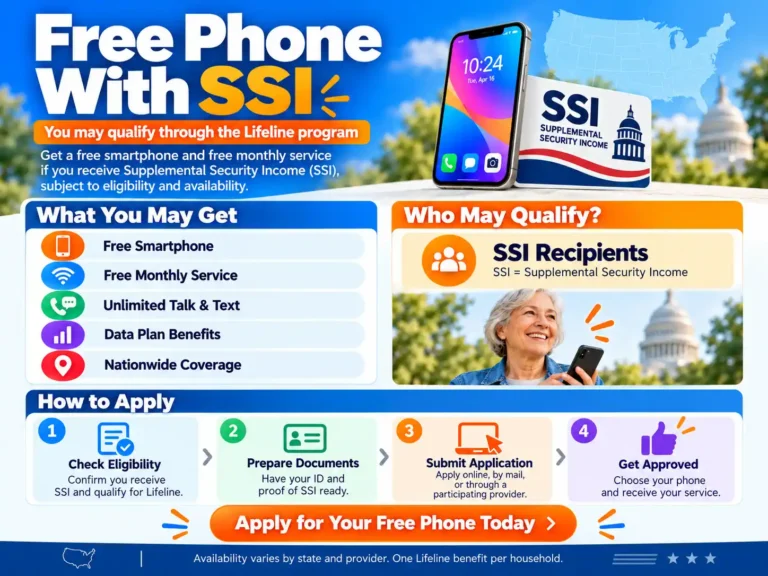
If you receive Supplemental Security Income, you can qualify for Lifeline through your SSI benefits. Some participating providers also offer a free phone with approved service. The phone you can get depends on your location, the provider’s offer, and available stock.
Getting a free phone with SSI involves two checks: confirming your Lifeline eligibility and choosing an available device offer. Your SSI status does not reserve a particular phone or complete the application for you.
Here is how to check your options, prepare your proof, and apply.
How SSI helps you qualify for Lifeline
Lifeline is a federal program that lowers the cost of eligible phone or internet service. USAC, the program administrator, lists SSI as a qualifying benefit.
You can use the SSI program route when you apply. You do not need to receive SNAP as well. Follow any requests to confirm your identity, benefit participation, and household information.
SSI is administered by the Social Security Administration. It provides payments to eligible people with limited income and resources who are age 65 or older, blind, or have a qualifying disability. Eligible children can also receive SSI.
SSI is different from SSDI and retirement benefits
Check the name of the benefit on your Social Security letter. These programs do not all provide the same Lifeline application route.
| Benefit you receive | What to check for Lifeline |
|---|---|
| Supplemental Security Income, or SSI | SSI is a listed federal qualifying program |
| Social Security Disability Insurance, or SSDI | SSDI alone is not a listed federal program route; check another qualifying benefit or household income |
| Social Security retirement | Retirement benefits alone are not a listed federal program route; check another qualifying benefit or household income |
Some people receive both SSI and SSDI. If that applies to you, use proof that clearly confirms SSI when applying through the SSI route.
If you receive SSDI or retirement benefits without SSI, you may still qualify through Medicaid, SNAP, another qualifying program, or household income. The standard federal income threshold is 135% of the Federal Poverty Guidelines.
Use USAC’s eligibility guide for the current rules.
What a free phone offer may include
A provider may offer approved customers a smartphone, monthly talk and text, and a data allowance. However, each part of the offer needs to be checked.
Before choosing a plan, confirm:
- Whether the handset price is actually $0.
- Whether monthly service costs $0 after the Lifeline benefit.
- How much high-speed data is included.
- Whether hotspot use is allowed and has a separate limit.
- Whether shipping, upgrades, or optional extras cost more.
Lifeline eligibility and device pricing are separate. A provider can offer free service while charging for the phone. Assurance Wireless, for example, advertises free Lifeline service while listing paid devices on its phone-options page.
Providers to compare for an SSI phone
Start with USAC’s Companies Near Me tool. Search by ZIP code or city and state, then check the provider’s current offer directly.
These examples show why it helps to compare the service plan and phone price separately:
| Provider | What its official information shows | What to confirm |
|---|---|---|
| AirTalk Wireless | Advertises free smartphone offers with Lifeline service; offers vary by state and availability | Your local offer, phone condition, and device agreement |
| TAG Mobile | Advertises free monthly service and free or affordable smartphones | Which devices are $0, any paid upgrades, and local plan details |
| Assurance Wireless | Advertises free Lifeline service, while its phone-options page lists paid low-cost devices | Whether your enrollment includes a handset promotion or requires buying or bringing a phone |
The providers’ published offers support these distinctions, but your enrollment result determines the options available to you.
A provider serving one state may not offer the same phone or plan elsewhere. Check coverage where you spend the most time before switching service.
Documents needed for a free phone with SSI
Some applications can be checked through existing records. If more proof is needed, USAC’s supporting document guide lists accepted examples, including a benefit award letter, statement of benefits, or benefit verification letter.
Your SSI proof should show:
- Your name, or the qualifying dependent’s name.
- The benefit program, clearly identifying SSI.
- The issuing agency or program administrator.
- An issue date within the past 12 months or a future expiration date.
A Social Security number card alone does not show that you currently receive SSI. A bank deposit description may also fail to show the required program information. Use the specific proof requested by the application.
The application also asks for identity details, including your full name, date of birth, home address, and the last four digits of your Social Security number or Tribal ID number. You may need accepted identity or address documents if those details cannot be verified.
How to get an SSI benefit verification letter
Use the SSA’s official benefit verification letter service. Through your personal my Social Security account, you can obtain a downloadable letter. SSA also provides phone assistance if you cannot use the online option.
Check the letter before uploading it. SSA letters can show several benefit statuses, including a pending application or no benefits. For the SSI participation route, the letter needs to establish that you receive SSI.
Submit a clear, complete copy through the official application process. Keep another copy for your records.
How to apply for a free phone with SSI
Use these steps to check eligibility and complete your enrollment.
Step 1: Check the application route for your state
Start with USAC’s How to Apply page. It offers online, provider-assisted, and mail application routes. Its current guidance directs Oregon and Texas residents to their state websites.
If you need help because of a disability or cannot complete the online form, contact the Lifeline Support Center at 800-234-9473. It can also mail an application if needed.
Step 2: Choose SSI as your qualifying program
Enter your details as they appear on your records. Choose the SSI qualification route and provide supporting proof if requested.
If your child or dependent receives SSI, your household may qualify through that person. Follow the form’s instructions for both the applicant’s and dependent’s information.
Step 3: Compare the provider and phone
Check coverage, monthly service, data, and the actual handset price. If you already own a compatible phone, ask whether you can bring it instead.
For another device, check condition, storage, battery, accessibility features, and remaining software support. Our Samsung phone offer guide explains device offers and service conditions to compare.
Step 4: Read the order and device terms
Confirm the full amount due today and any ongoing charges. Save the offer, phone description, return policy, and device agreement before accepting.
Look for minimum active-service requirements and what happens to the phone if you leave early.
For example, AirTalk’s new-customer device agreement requires 180 consecutive days of active service for the subsidized phones it covers before full ownership transfers. Ending service early can lead to a remaining device subsidy or a request to return the phone.
That is a provider device condition, separate from federal Lifeline eligibility.
Step 5: Submit and follow up
Review your details, submit the application, and save the reference number. Check for requests for clearer documents or corrected information.
Approval and shipping are separate stages. Follow the provider’s status updates rather than assuming a phone will arrive within a fixed number of days.
Once it arrives, follow the activation instructions and test calls, texts, and data.
The one benefit per household rule
Lifeline allows one benefit per household. A household means people who live together and share income and expenses.
Several people receiving SSI in the same household does not create several Lifeline benefits. Adults at one address may be separate households if they do not share those finances; the application may require a Household Worksheet to confirm this.
If you already receive Lifeline, ask the new provider about a benefit transfer. USAC’s transfer guidance explains that the old provider’s Lifeline benefit ends when the transfer is complete.
Ask about keeping your number and any device balance before switching.
Keeping your Lifeline service active
Once enrolled, follow the ongoing program rules:
- Use service at least once every 30 days if you have no monthly out-of-pocket service charge.
- Respond by the deadline if asked to recertify eligibility.
- Tell your provider within 30 days if your address changes or you no longer qualify.
If SSI ends, contact the provider promptly. Ask whether another qualifying benefit or household income can establish continued eligibility rather than assuming your service will stay unchanged.
The official Lifeline overview explains usage and ongoing eligibility rules.
Frequently asked questions
Can I get a free iPhone with SSI?
An iPhone may be available through a provider’s device promotion, but SSI does not guarantee an iPhone or a particular model. Check the price, condition, software support, and phone agreement shown in your application.
If you are considering Android alternatives, our Google Pixel offer guide explains how to compare carrier and Lifeline offers.
Can I apply while my SSI application is pending?
A pending SSI application does not establish current SSI participation. You may qualify through another accepted benefit or the income route while you wait. Check USAC’s current eligibility rules before selecting your application route.
What if I do not have a permanent address?
USAC allows a temporary home address, such as a shelter or a family member’s address, or a descriptive address showing where you physically live. Follow the application instructions and confirm delivery arrangements with the provider.
What should I do if the application is denied?
Read the reason first. Check whether the problem involves an unclear benefit letter, mismatched details, an address issue, or an existing household benefit.
Ask the application administrator or provider how to correct the record or request a review.
Is every phone advertised as free really free?
Check both the device and service costs. A $0 handset may carry conditions, while a free service plan may require a separate phone purchase. Optional upgrades, additional data, shipping, and early-exit device obligations can affect the total.
To get started, gather current SSI proof and check providers in your ZIP code. Choose a plan with reliable coverage and a phone whose price and terms you understand before placing the order.