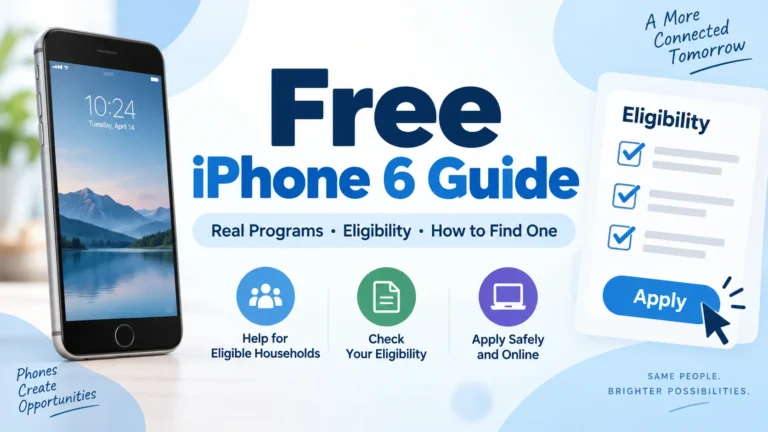
A free iPhone 6 may sound like an easy government benefit. The truth is more limited. No federal program promises an iPhone 6 or sends one directly to every low-income applicant.
You may still find a free or very low-cost iPhone through a Lifeline provider, nonprofit organization, local donation program, or refurbished-phone offer. However, the exact device depends on your location, eligibility, and available stock.
The iPhone 6 is also an old model. Apple released it in 2014. Before accepting one, check its battery, network support, storage, and software limits.
Can You Get a Free Government iPhone 6?
The federal government does not operate an official “free iPhone 6” program. Lifeline is the main federal program connected with discounted phone service.
Lifeline can reduce the monthly cost of phone, internet, or bundled service by up to $9.25. Eligible households on qualifying Tribal lands may receive up to $34.25 per month. Only one Lifeline discount is allowed per household. USAC explains the official Lifeline benefit here.
Some participating phone companies use their own funds or promotions to provide a device with Lifeline service. A provider may offer an Android phone, flip phone, refurbished iPhone, or bring-your-own-phone plan.
Lifeline approval does not guarantee an iPhone 6. Phone brands and models can change without notice.
Who May Qualify for Lifeline?
You may qualify for Lifeline through your household income or participation in an approved assistance program.
Common qualifying programs include:
- Supplemental Nutrition Assistance Program, or SNAP
- Medicaid
- Supplemental Security Income
- Federal Public Housing Assistance
- Veterans Pension or Survivors Benefit
- Certain Tribal assistance programs
You may also qualify when your household income is at or below 135% of the Federal Poverty Guidelines.
Income limits depend on household size and state. Alaska and Hawaii use higher limits. Always check the current figures before applying.
A child or dependent may participate in a qualifying benefit program. However, the adult applying for Lifeline must show how the dependent is connected to the household.
Where Could You Find a Free iPhone 6?
Several sources may help you find an iPhone 6 without paying the full price. Availability is never guaranteed.
1. Lifeline Phone Providers
Start by finding Lifeline companies that serve your ZIP code. Each provider sets its own device policy.
Some providers may include a basic phone with service. Others may charge an upgrade fee for an iPhone. Refurbished Apple devices may appear when inventory becomes available.
Ask the provider these questions before enrolling:
- Is a phone included with the plan?
- Is the advertised device an iPhone 6?
- Is the phone new, used, or refurbished?
- Are shipping or activation fees required?
- Can the provider substitute another model?
- Is a warranty included?
- Can you return the phone if it does not work?
Do not rely on a social media photo alone. Read the written terms on the provider’s official website.
2. Nonprofit Device Programs
Some nonprofit groups collect donated phones and give them to people who need reliable communication.
Local programs may serve:
- Low-income families
- Survivors of domestic violence
- Veterans
- Older adults
- People with disabilities
- Students
- Job seekers
- People leaving shelters
- Families affected by disasters
A nonprofit may not advertise an iPhone 6 by name. It may offer whichever working device is available at the time.
Call 211 or search for digital-access programs in your city. Libraries, workforce offices, shelters, churches, and community action agencies may know about local phone donations.
3. School and Workforce Programs
Schools and employment programs sometimes lend or give phones to eligible participants. A device may help you attend online classes, contact employers, or complete job training.
Ask your school counselor, college support office, workforce center, or vocational rehabilitation office about technology assistance.
Many programs provide loans rather than permanent gifts. Check whether the phone must be returned.
4. Local Donation Networks
Buy Nothing groups, Freecycle communities, neighborhood groups, and electronics reuse centers may list older iPhones for free.
An iPhone 6 has little trade-in value today. Some owners prefer to donate the phone instead of keeping it in a drawer.
Meet sellers in a safe public place. Never send a deposit for a phone advertised as free.
How to Apply Through Lifeline
The official process is simple, but approval may require documents.
Step 1: Check Your Eligibility
Confirm that you qualify through income or an accepted benefit program. Do not assume that receiving any government benefit will qualify you.
Step 2: Prepare Your Documents
You may need:
- A government-issued photo ID
- Proof of your address
- A benefit approval letter
- A recent benefits statement
- Pay stubs or a tax return
- Your Social Security number or Tribal identification number
The document should show your name and current eligibility.
Step 3: Apply Through the Official System
Use the National Verifier or follow the process required by your state. Avoid websites that claim they can guarantee approval for a fee.
Applying for Lifeline is free.
Step 4: Select a Provider
After approval, compare providers serving your ZIP code. Review monthly data, network coverage, phone costs, shipping charges, and device rules.
Step 5: Check the Available Phone
Do not expect the application page to show the same phone in every state. Inventory may differ by ZIP code.
If an iPhone 6 is unavailable, compare the offered Android phone with any paid iPhone upgrade. A newer Android device may provide better security, battery life, and app support.
Is the iPhone 6 Still Worth Using?
An iPhone 6 can still handle calls, text messages, basic web use, and some simple apps. Yet its age creates serious limits.
Apple now lists the iPhone 6 as an obsolete product. Apple says it stops hardware service for obsolete products, and authorized service providers cannot order parts for them. Apple’s current obsolete-product list includes the iPhone 6.
The phone also cannot run a modern version of iOS. Apple listed iOS 12.5.8 for the iPhone 6 in January 2026, while newer iPhones received much later operating systems.
You may face several problems:
- New apps may not install
- Existing apps may stop receiving updates
- Banking and payment apps may require a newer iOS version
- Battery life may be poor
- Replacement parts may be difficult to obtain
- The phone does not support 5G
- Storage may fill quickly
- Modern websites may run slowly
An iPhone 6 may work as a temporary calling device. It is not the best choice for banking, schoolwork, medical portals, or long-term use.
Check the Network Before Accepting the Phone
An unlocked iPhone 6 does not automatically work on every carrier.
Ask the provider to check the phone’s IMEI number. The IMEI identifies the device and lets the carrier test compatibility.
Confirm that:
- The phone is not reported lost or stolen
- The previous owner paid off the device
- Activation Lock has been removed
- The phone supports the provider’s network
- Voice over LTE works on the selected carrier
- The SIM or eSIM requirements are compatible
The iPhone 6 uses a physical SIM card and does not support eSIM. Carrier activation rules may also block some older phone variants.
Inspect a Used or Refurbished iPhone 6
A free phone is not useful if it cannot hold a charge or connect to service.
Check the following areas:
Battery
Open Settings, select Battery, and review Battery Health if the feature is available. A weak battery may shut down quickly or need frequent charging.
Activation Lock
Ask the previous owner to remove the phone from their Apple Account. Do not accept a device that asks for another person’s Apple ID and password during setup.
Screen and Buttons
Test the touchscreen, Home button, volume controls, power button, speaker, microphone, and charging port.
Cameras and Wi-Fi
Open both cameras. Connect to Wi-Fi and test a webpage. Make a test call after activation.
Storage
Many iPhone 6 units have only 16GB of storage. Such limited space can fill quickly after installing apps and saving photos.
Condition
Ask whether the phone has water damage, a replaced screen, or an aftermarket battery. A refurbished phone should come with a written condition grade and return policy.
Free iPhone 6 Scams to Avoid
Scammers often use “government iPhone” ads to collect money or personal details.
Watch for these warning signs:
- A Facebook account asks for an application fee
- A seller requests payment through a gift card
- A website guarantees a specific iPhone without checking your ZIP code
- Someone asks for your EBT PIN
- A message demands your full Social Security number
- The website copies a real provider’s logo
- The offer requires you to share the post before applying
- The seller refuses to provide written terms
Never share your SNAP EBT PIN. Lifeline providers do not need it to confirm that you receive SNAP.
Use the official Lifeline application system and the provider’s real website. We do not charge an application fee or ask for private benefit information.
Better Alternatives to an iPhone 6
A free iPhone 6 may appear attractive because it carries the Apple name. A newer entry-level Android phone may be a safer choice.
Newer devices often provide:
- Better battery life
- More storage
- Current security updates
- Stronger carrier support
- Faster performance
- Better app compatibility
- USB-C charging
- A basic warranty
A low-cost iPhone SE, iPhone 8, or later model may also provide a better experience. Even then, check Apple’s software and hardware support before paying an upgrade fee.
Do not reject a reliable newer Android device only because it is not an iPhone. The best free phone is the one that supports your carrier, required apps, and daily needs.
Frequently Asked Questions
Can I get a free iPhone 6 with SNAP?
SNAP participation may help you qualify for Lifeline. It does not guarantee an iPhone 6. The provider decides which phones are available.
Can I get a free iPhone 6 with Medicaid?
Medicaid is a qualifying Lifeline program. You must still complete the application and select a participating provider. Phone availability depends on the provider.
Does the government send free iPhones?
No federal agency normally mails free iPhones directly to the public. Lifeline provides a service discount. Individual phone companies may offer devices under their own terms.
Is an iPhone 6 free with carrier service?
Major carriers rarely promote the iPhone 6 because it is an old model. A prepaid seller or local dealer may offer one with activation, but taxes, plan payments, or other charges may apply.
Can an iPhone 6 use 5G?
No. The iPhone 6 does not support 5G. It relies on older cellular technology, including 4G LTE where supported.
Is it safe to use an iPhone 6?
The phone may still work for basic tasks, but its old software creates app and security limits. Avoid using it for sensitive financial activity when a newer supported device is available.
Final Verdict
A free iPhone 6 is possible through a provider promotion, nonprofit donation, community program, or private giveaway. Lifeline eligibility may help you receive discounted service and, in some cases, a phone.
No legitimate program can promise that every approved applicant will receive an iPhone 6. Stock, fees, and device condition vary.
Think carefully before choosing this model. Apple classifies the iPhone 6 as obsolete, many modern apps may not work, and carrier support can be limited. A newer Android phone or supported iPhone will usually offer more value, even when the iPhone 6 costs nothing.