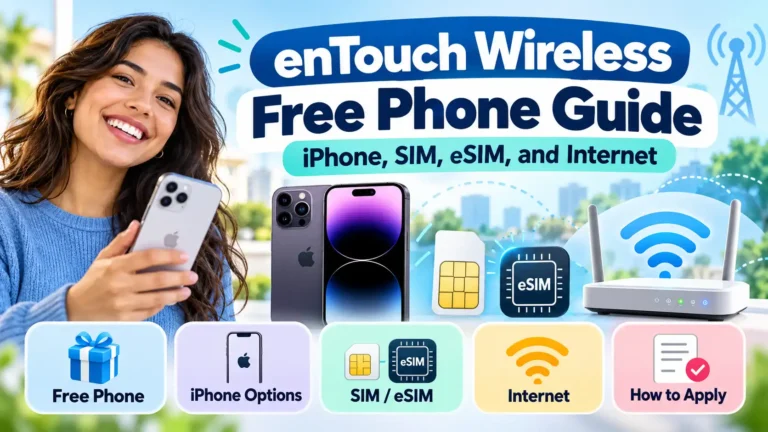
enTouch Wireless offers free Lifeline service to eligible households. Its free-phone offer is limited to qualifying new Tribal Lifeline or California LifeLine enrollments. A free iPhone is not a verified standard offer.
If you already own a phone, a SIM-only plan may be the right fit. If your phone uses eSIM, get device-specific approval before you switch.
The goal is simple: find a phone and plan that work where you live, with a cost you can afford. Below, you will find the offer rules, advertised plans, and steps to get connected.
Public offers and program rules checked October 8, 2026. Your final offer depends on eligibility, location, and availability.
What Is enTouch Wireless?
enTouch Wireless is a Lifeline phone service provider operated by Boomerang Wireless, LLC. Lifeline helps eligible households lower the cost of phone or internet service.
You apply for a benefit, then enroll with a participating company. The company supplies the plan and any device promotion. The government does not promise you an iPhone or another specific handset.
A free service plan, a free phone, and a free SIM are separate parts of an offer. Check each one before signing up.
Who Can Get an enTouch Wireless Free Phone?
The enTouch Wireless FAQ limits its free-phone promotion to qualifying new Tribal Lifeline or California LifeLine enrollments.
That means an approved Lifeline application does not give every customer a free handset. A non-Tribal customer outside California may be offered a SIM-only plan and need to bring a phone.
Tribal offers require the applicable eligibility and residency rules. Being a Tribal member alone does not establish eligibility for every Tribal plan.
Ask enTouch a clear question:
Does my enrollment include a phone, or only a SIM? If a phone is included, which model will I receive?
Also confirm its condition, charger, warranty, and any amount due. Do not assume the phone shown in an advertisement is the device assigned to your order.
Does enTouch Wireless Give You a Free iPhone?
No current, orderable free-iPhone promotion was verified for this guide. enTouch advertises a free phone for certain enrollments, but that wording does not establish an Apple model.
You should not expect a free iPhone 11, 12, 13, or newer model unless enTouch confirms it in your own offer.
If an iPhone is available, ask:
- What is the exact model?
- Is the device new, used, or refurbished?
- What is the total device price?
- Which SIM type does it use?
- What warranty and return rules apply?
Our free government iPhone guide explains how to compare Apple device offers. If you prefer a Galaxy phone, the free Samsung phone guide covers other options.
Compare the device and service together. A phone that costs nothing has limited value if its plan does not meet your needs.
Can You Bring Your Own iPhone or Android Phone?
You may be able to use a phone you already own. enTouch’s service terms require a customer-supplied device to be unlocked and compatible with its service and network.
Ask enTouch to check your exact model and IMEI. An IMEI identifies the device; two phones with similar names can have different network support.
Before switching, confirm:
- The phone is unlocked for another carrier.
- enTouch approves that specific device.
- The right SIM or eSIM is available.
- Calls, texts, and mobile data are supported.
An unlocked phone is not automatically compatible with every provider. Get approval before buying a used phone solely for an enTouch plan.
How Does the enTouch Wireless SIM Card Work?
A physical SIM connects a compatible phone to your mobile plan. It does not replace the phone, and a SIM-only offer does not include a handset.
The enTouch activation guide gives these steps for customers bringing a device:
- Use the SIM size your phone needs.
- Insert the SIM into the phone’s SIM slot.
- Turn the phone on.
- Call 1-866-488-8719 to activate.
- Have the SIM’s ICCID number ready.
The ICCID is the SIM identifier printed on the card or its packaging. Keep the packaging until activation is complete.
For a phone supplied by enTouch, its guide also directs you to power it on and call the activation number.
After setup, test a call, a text, and mobile data with Wi-Fi turned off. If data fails, ask support for the current settings for your phone and assigned network.
Does enTouch Wireless Support eSIM?
An eSIM is a digital SIM built into a compatible device. You activate a carrier profile instead of inserting a plastic card.
enTouch’s terms mention eSIM, but the public activation guide reviewed focuses on physical SIM cards. Current eSIM enrollment steps and a supported-device list could not be verified from the public pages reviewed.
Ask support:
Can you activate this exact phone with eSIM on my Lifeline plan? What steps and fees apply?
Do not assume an “Add eSIM” button on your phone confirms carrier support. Both the device and provider must support the activation.
Why eSIM matters for newer iPhones
Apple’s SIM guidance says iPhone 14 and later models purchased in the United States use eSIM only.
A physical enTouch SIM cannot be inserted into a phone without a SIM tray. Confirm eSIM activation before moving your number.
If enTouch approves eSIM for your device, follow its instructions. Apple’s eSIM setup guide explains supported methods, such as carrier activation or a carrier-issued QR code. Those methods depend on the carrier.
What Plans and Internet Allowances Does enTouch List?
The official Lifeline plan page lists these 30-day plans. Confirm which offer is available at your address.
| Plan or group | Price per 30 days | Talk and text | Data |
|---|---|---|---|
| Non-Tribal base | $0 | 300 minutes / 300 texts | 4.5GB |
| Non-Tribal upgrade | $1 | 500 minutes / 500 texts | 4.5GB |
| Non-Tribal upgrade | $5 | 1,000 minutes / 1,000 texts | 4.5GB |
| Non-Tribal upgrade | $10 | 1,500 minutes / 1,500 texts | 4.5GB |
| Non-Tribal unlimited | $25 | Unlimited | 4.5GB |
| Non-Tribal unlimited | $26 | Unlimited | 5GB |
| Non-Tribal unlimited | $30 | Unlimited | 6GB |
| Tribal base | $0 | Unlimited | 4.5GB |
| Tribal upgrade | $1 | Unlimited | 5GB |
| Tribal upgrade | $5 | Unlimited | 6GB |
| California Basic Plus | $0 | Unlimited | 4.5GB |
| California Standard | $0 | Unlimited | 6GB |
| California Tribal | $0 | Unlimited | 8GB |
| Kentucky Lifeline | $0 | Unlimited | 1GB |
| Voice-only option | $0 | 500 minutes / 1,000 texts | 100MB |
“Unlimited” refers to the advertised talk and text, subject to plan terms. It does not mean unlimited high-speed data.
The California section also mentions a 3,000-unit limit in its fine print. Ask how it applies to your chosen plan. The site still displays older ACP promotions. Save the current terms offered to you.
Is enTouch Internet the Same as Home Wi-Fi?
The plans above include mobile data, used through a compatible phone. They do not establish a separate free home broadband connection, Wi-Fi router, or hotspot device.
Mobile data can help with email, maps, forms, and video calls. Frequent streaming or online classes may use your allowance much faster.
enTouch’s internet policy explains that speed depends on its underlying network and that congestion can reduce performance.
Before enrolling, ask:
- When does my data allowance reset?
- Does data stop or slow after the allowance runs out?
- What does extra data cost?
- Does my phone and plan allow hotspot use?
- Is there a separate hotspot limit?
Hotspot support was not confirmed for every listed plan. A hotspot switch in your phone settings does not prove the plan permits it.
If you need more internet for school or work, our library device and Wi-Fi hotspot guide explains how to look for local loans.
Who Qualifies for Lifeline?
Under USAC’s federal eligibility rules, your household may qualify through:
- SNAP, also called food stamps.
- Medicaid.
- Supplemental Security Income, or SSI.
- Federal Public Housing Assistance.
- Veterans Pension and Survivors Benefit.
- Certain Tribal assistance programs on qualifying Tribal lands.
A child or dependent’s participation may help the household qualify.
You may also qualify through income at or below 135% of the Federal Poverty Guidelines. For 2026, annual limits in the 48 contiguous states, Washington, D.C., and territories include:
| Household size | Annual income limit |
|---|---|
| 1 | $21,546 |
| 2 | $29,214 |
| 3 | $36,882 |
| 4 | $44,550 |
Alaska and Hawaii have higher limits. Check the official table for larger households.
California LifeLine has its own qualifying routes. The California eligibility rules include WIC and certain other programs beyond the standard federal list.
How Do You Apply?
1. Check service and coverage
Start with the official enTouch enrollment portal. Check whether service is available for your address.
Review coverage where you live, work, or attend school. Ask which network will serve your phone rather than relying only on a national coverage claim.
2. Confirm the offer
Find out whether you qualify for a phone or a SIM-only plan. Confirm the plan allowance and device price.
For an existing iPhone, resolve the SIM or eSIM question before starting a number transfer.
3. Prepare proof if requested
You may need a benefit letter or income records, plus identity and address proof. Follow USAC’s supporting-document instructions.
Use clear documents with details that match the application. Submit them through the official application channel.
4. Complete the eligibility checks
Apply through the provider or follow the official Lifeline application process. Oregon and Texas have state routes linked there. California LifeLine enrollment also requires the applicable state checks.
Approval for service does not confirm a specific iPhone or reserve a device.
5. Review and activate
Save your confirmation, plan terms, and any charges. Once your phone or SIM arrives, follow the activation instructions and test the service.
Can You Keep Your Current Phone Number?
enTouch’s activation page provides a number-transfer process through support. Have your old provider’s account number, required transfer PIN, and matching account details ready.
Keep your existing line active while enTouch arranges the transfer. Ask which information your current carrier requires and how long the process may take.
Moving your Lifeline benefit and moving your phone number are separate tasks. Tell the new provider you need both if that applies.
What Costs Should You Check?
The listed free plans have a $0 plan price for eligible customers. Optional paid plans, extra data, or device purchases can cost money.
Before accepting an offer, confirm:
- The device charge, if any.
- SIM, shipping, and activation costs.
- The recurring plan price.
- Optional top-up prices.
- Replacement and return charges.
For a paid 30-day plan, check the renewal schedule. A 30-day cycle is not always the same as a calendar month.
Read the final offer, not just the headline. Ask for an explanation of any charge you did not expect.
How Do You Keep Free Service Active?
Lifeline rules allow one benefit per household. A household means people who live together and share income and expenses.
If your Lifeline service has no monthly out-of-pocket charge, use it at least once every 30 days. Make a call, send a text, or use cellular data as required.
Respond to any renewal notice by its deadline. Report address or eligibility changes to your provider within 30 days.
A second family member cannot claim another benefit for the same household just to receive another phone.
How Can You Contact enTouch Wireless?
The official contact page lists:
- Phone: 1-866-488-8719.
- From an enTouch phone: Dial 611.
- Email: support@entouchwireless.com.
- Hours: Monday through Friday, 10 a.m. to 10 p.m. Central Time.
Have your application or account details ready. For a device fault, lost phone, SIM problem, or data issue, ask support about the next steps and any replacement charge.
What About Old ACP Offers?
The Affordable Connectivity Program ended on June 1, 2024. New ACP enrollment is no longer available.
Some enTouch pages still contain ACP wording. Do not use an old ACP or combined Lifeline-and-ACP promotion to judge the plan you can receive today.
Is enTouch Wireless Right for You?
enTouch may be useful if you qualify for Lifeline and its service meets your needs. A free phone may be available through a qualifying new California or Tribal enrollment. Other customers should be ready to bring a compatible phone.
For an iPhone, confirm the model and price if a device is offered. For a phone you already own, get SIM or eSIM approval first. Then compare coverage, data, and the full cost.
Choose a plan that keeps you connected for the tasks you need each day. A confirmed, workable offer matters more than a free-phone headline.
We share program information. We do not process enrollments, collect benefit documents, or charge application guidance fees.