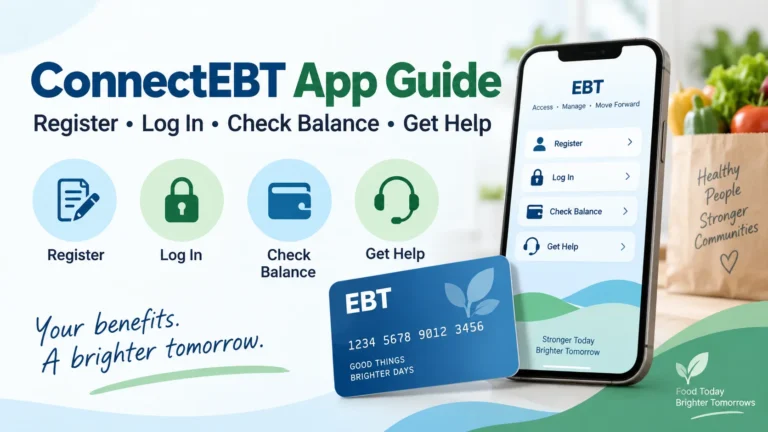
Checking your food benefit balance should be simple. The ConnectEBT app lets users in supported states view their EBT balance, review spending, and manage certain card settings from a phone.
But creating a ConnectEBT account does not apply you for SNAP. Your state benefits office handles that process. Knowing which service to use can save you time and help you avoid missed steps.
Here is how to get started, check your balance, and find help when something goes wrong.
What Is the ConnectEBT App?
ConnectEBT is an EBT account management app from Conduent. EBT stands for Electronic Benefits Transfer. States use this system to load benefits onto a payment card.
The app can show your available SNAP or cash benefit balance, deposit details, and transaction history. It also supports PIN management for participating programs.
ConnectEBT is free to use, though your phone company may charge for mobile data. Check the official ConnectEBT app listing for supported features.
Can You Apply for SNAP Through ConnectEBT?
ConnectEBT registration and a SNAP application are separate tasks.
Registering gives you online access to an existing EBT account. It does not decide whether you qualify for food assistance or increase your benefits.
To apply for SNAP, contact the agency in the state where you live. Depending on your state, you may apply online, by mail, or through a local office.
Your state may ask for household, income, and expense details. Follow its document and interview instructions. Use USA.gov’s SNAP guide to find the right state office.
| What you need | Where to start |
|---|---|
| Check your EBT balance | Your state’s approved EBT app, website, or card hotline |
| Apply for SNAP | Your state benefits agency |
| Check application status | Your state application portal or caseworker |
| Renew SNAP or report income changes | Your state benefits agency |
| Report a lost card | Your state EBT customer service line |
Does ConnectEBT Work in Your State?
ConnectEBT supports selected state programs. It is not the correct app for every EBT card.
Before downloading it, visit your state agency’s official EBT page. Follow its app link or check the instructions that came with your card.
Some states use another service, such as ebtEDGE. Choosing the wrong app can prevent registration even when your card works normally.
Also check the program type. A state’s SNAP, cash assistance, and WIC systems may have different account tools.
How to Download and Register
Search for ConnectEBT in your phone’s official app store. Check that the developer is Conduent Incorporated.
Next, follow these steps:
- Open the app and choose the registration option.
- Select the correct state or benefit program.
- Enter the card and identity details requested on the secure screen.
- Create your user ID and password.
- Complete any verification steps shown.
- Sign in and confirm that you can see your account.
The exact fields may vary. Keep your card nearby, and enter details exactly as requested.
Already have a ConnectEBT website account? The developer says you can use your existing user ID and password in the app. See the registration guidance.
How to Check Your ConnectEBT Balance
Sign in and open the balance section. If your account has both SNAP and cash benefits, check the correct balance before shopping.
Review your recent purchases too. Comparing those entries with your receipts can help you understand how much remains.
For example, a cash balance does not mean you have the same amount available in SNAP. Each benefit type has its own spending rules.
You can also use the ConnectEBT website for participating programs. Select your program before signing in.
What If Your Balance Shows Zero?
A zero balance does not tell you the cause by itself. Your funds may have been spent, or the next deposit may not have arrived.
Check recent transactions and deposits first. Then review notices from your state benefits office.
If the issue concerns a missing payment or your case status, contact the benefits agency. If you see purchases you did not make, contact EBT customer service promptly.
Do not assume that reinstalling the app will restore missing benefits.
Forgot Your Login Details?
Use the username or password recovery option on the official login screen. Follow the prompts instead of making repeated guesses.
If a reset message does not arrive, check your spam folder. Also confirm that you are checking the email account used during registration.
For other login problems, try these basic checks:
- Confirm that you selected the correct state.
- Check your internet connection.
- Update the app through the official app store.
- Try the official website.
- Follow any account lockout instructions shown.
Avoid sharing your password or verification codes with anyone offering help in social media comments.
How to Protect Your EBT Card
Keep your PIN private. Cover the keypad when you enter it at a store, and review your purchases often.
If your state offers card locking or spending controls, read its instructions before turning them on. Features and restrictions can differ by program.
A card lock is an extra precaution. It does not reverse a payment that has already happened. A lost or stolen card still needs to be reported.
ConnectEBT Customer Service
Use the EBT customer service number printed on the back of your card. If the card is missing, find the number on your state agency’s official website.
Have the date, amount, and store name ready when asking about a transaction. Never post a photo of your card or your PIN publicly.
For SNAP approval, renewal, or household changes, contact your benefits office. App support cannot make those case decisions.
Make Managing Your Benefits Easier
Start by confirming that ConnectEBT is your state’s approved service. Then register, check your balance, and review your transactions before shopping.
If you need to apply for food assistance, go through your state SNAP agency. Using the right tool for each task helps you get answers faster and stay on top of your benefits.