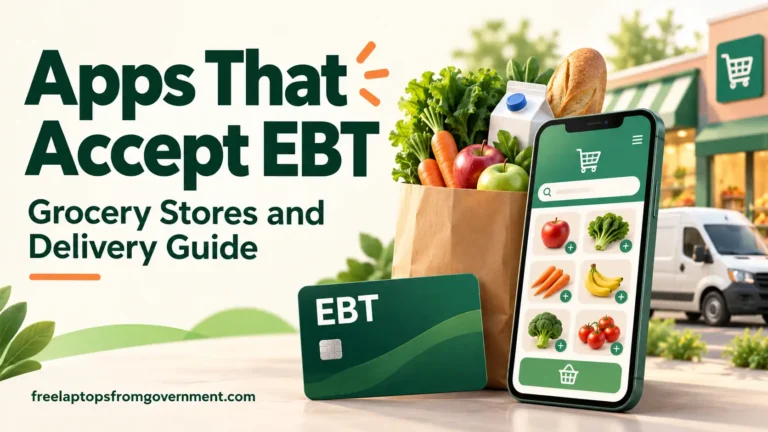
Apps that accept EBT include Instacart, DoorDash, Shipt, Grubhub’s grocery service, Gopuff, Thrive Market, Target, and Sam’s Club. Walmart and My H-E-B also offer online grocery shopping with SNAP. However, you need to check the store, the products, and the order method before relying on your benefits.
For a household planning meals on a limited budget, that check matters. A delivery app might accept your card at one supermarket but not another. It might also charge your bank card for fees or a more expensive replacement.
This guide brings those decisions together. You can compare shopping options, find grocery chains to search for, understand delivery costs, and follow a simple checkout process. The tables link to the relevant company policies so you can check details before spending your benefits.
Which apps accept EBT?
The following apps support SNAP EBT for qualifying purchases. These are useful starting points, rather than a complete list of every online retailer.
| App | What you can order with SNAP | What to check first |
|---|---|---|
| Instacart | Eligible groceries from participating supermarkets and warehouse clubs | Both the retailer and your chosen delivery or pickup option must support EBT. |
| DoorDash | Eligible food from participating grocery and convenience stores | Use the SNAP filter; a restaurant appearing in the app does not establish SNAP acceptance. |
| Shipt | Eligible groceries from participating Target, Meijer, Dierbergs, and Hy-Vee stores | Shipt lists these retailers for SNAP. Its wider store selection does not all accept EBT. |
| Grubhub | Eligible purchases through Groceries powered by Instacart | Select the grocery service. Its EBT policy does not establish payment support for ordinary restaurant orders. |
| Gopuff | SNAP-eligible food through the Gopuff app | Enter your address to check service and product availability. |
| Thrive Market | Eligible groceries delivered by shipping | Check the arrival estimate. SNAP cardholders can apply for a free one-year Thrive Gives membership. |
| Target | Qualifying grocery purchases through the Target app | Items sold by Target Plus partners are excluded from SNAP payment. |
| Sam’s Club | Eligible purchases with Scan & Go, Curbside Pickup, and Delivery from Club | Membership is required. Direct-to-home shipping has different rules and does not accept EBT. |
| Walmart | SNAP-eligible groceries ordered online, including pickup and delivery | Review the selected store, available time slots, and fees before placing the order. |
| My H-E-B | Eligible groceries for curbside pickup or home delivery | Check whether your cart has fees or backup substitutions that require another payment method. |
For more detail on using a service that shops across many supermarkets, read our Instacart EBT guide to delivery, pickup, and payment.
How to choose an EBT shopping app
Start with your grocery list and your address. Then compare the options that actually serve your home.
For a full grocery shop: check your regular supermarket through its own service and through a participating delivery platform. Compare the same brands and package sizes. A lower delivery fee can still come with higher product prices.
For a few missing ingredients: a nearby convenience retailer may save time. Check the minimum-order charge before buying just one or two items.
For pantry supplies that can wait: a shipping service such as Thrive Market may fit your schedule. Read the delivery estimate before ordering something you need tonight.
For bulk purchases: calculate the cost per ounce or pound and consider your storage space. A large package saves money only if you can use it. Our BJ’s Wholesale Club EBT guide explains what to check for warehouse shopping.
Instacart says retailers set their own platform prices, which can differ from shelf prices. Its membership is optional, and pickup fees may apply. Review the Instacart shopping and pricing information when comparing costs.
Grocery stores to look for when shopping with EBT
A store can accept SNAP at its registers without offering EBT through every delivery app. For online shopping, check the exact store listing after entering your address.
The following examples appear in Instacart’s participating EBT retailer directory. The directory identifies participating states; it does not guarantee delivery to every address.
| Grocery options | Examples to search for |
|---|---|
| Supermarkets | ALDI, Albertsons, Safeway, ACME Markets, Jewel-Osco, Vons |
| Additional regional banners | Shaw’s, Star Market, Pavilions, Randalls, Carrs |
| Kroger banners | Kroger, Fry’s Food Stores, Smith’s Food and Drug, Dillons, Food 4 Less, Ruler Foods |
| Eastern grocery chains | Food Lion, Hannaford, Giant Food, The GIANT Company, Martin’s, Stop & Shop |
| Other regional choices | Publix, Wegmans, ShopRite, The Fresh Grocer, Cub Foods, Rouses |
| Produce and specialty options | Sprouts Farmers Market, Cardenas Markets, Northgate Gonzalez Market |
| Additional supermarkets | FoodMaxx, Lucky Supermarkets, Save Mart, Schnucks |
| Warehouse clubs | Costco, BJ’s Wholesale Club |
You can also compare direct ordering from Walmart, Target, Sam’s Club, and H-E-B using the policies linked in the app table.
If H-E-B serves your area, our H-E-B guide to EBT, curbside pickup, and delivery walks through that option.
Finding a participating store near you
Use this quick process before building a large cart:
- Enter your full delivery address or select the store for pickup.
- Choose the grocery or convenience section.
- Turn on the SNAP or EBT filter where available.
- Open a participating store and check its available time slots.
- Add one eligible item and confirm that EBT appears as a payment option.
- Continue shopping once the store and payment method are confirmed.
If you plan to shop in person, ask the store whether it currently accepts SNAP EBT. A delivery-platform listing and an in-store checkout are different shopping arrangements.
What can you buy with SNAP EBT online?
SNAP generally pays for eligible food intended for home use. Common shopping categories include:
- Fruits and vegetables, including many frozen and canned options.
- Meat, poultry, fish, and eggs.
- Milk, cheese, yogurt, and other dairy foods.
- Bread, rice, pasta, cereal, and tortillas.
- Beans, peanut butter, cooking oil, and other pantry ingredients.
- Qualifying baby food and infant formula.
- Eligible frozen foods that are not sold hot.
Use the product’s SNAP label as a shopping aid. Walmart provides SNAP shopping categories, including eligible baby food and formula.
Check current state rules for snacks and drinks. Some states introduced additional food and beverage restrictions in 2026. A product you bought with SNAP before may no longer qualify. Instacart explains this in its notice about state SNAP item restrictions.
If a product appears wrongly marked, ask customer support to check it. The label helps you shop, but the applicable SNAP rules determine eligibility.
Purchases that need another payment method
SNAP does not cover household merchandise, alcohol, tobacco, medicines, or dietary supplements. That includes diapers, wipes, pet food, cleaning supplies, paper towels, clothing, and electronics.
Hot food is generally excluded under ordinary SNAP grocery rules. Also, a product labeled “Supplement Facts” is a supplement and does not qualify simply because it is edible. Check Instacart’s explanation of eligible and excluded items.
Baby food and diapers illustrate the difference: eligible infant food may be covered, while diapers require another payment method.
Does EBT pay for grocery delivery?
SNAP can pay for eligible food in a delivery order, but it cannot pay the delivery charge itself. California’s EBT online purchasing guidance makes this distinction clear.
Think of each order as having two amounts: the groceries your SNAP balance can cover and the remaining costs you must pay separately.
| Part of your order | Can SNAP pay? |
|---|---|
| Eligible groceries | Yes, up to the amount you authorize and your available balance |
| Delivery or shipping fees | No |
| Service or personal shopper fees | No |
| Driver or shopper tip | No |
| Paid membership | No |
| Noneligible products | No |
| Eligible food above your available SNAP balance | The uncovered amount needs another payment method |
Shipt confirms that membership charges, fees, tips, and other uncovered amounts require a secondary payment method.
An example of the checkout total
Imagine an order contains:
- $54 in eligible groceries.
- $7 in household supplies.
- $6 in combined delivery and service fees.
- A $4 tip.
With enough benefits, you could use $54 in SNAP and pay $17 separately. If you had only $40 available in SNAP, the separate payment would rise to $31.
These figures are an illustration, not a quote from an app. Review your own checkout because fees, taxes on non-SNAP purchases, and promotions can change the final amount.
How to order groceries with EBT
The screens vary between apps, but this sequence helps you avoid most checkout surprises.
1. Check your balance before shopping
Make sure your food-benefit balance can cover the amount you intend to use. Leave room in your monthly budget for later meals, rather than treating the app’s suggested cart as a spending target.
2. Add your EBT card through the official app
Open the account, wallet, or payment section and choose the EBT option.
For example, Shipt uses Account → Payments → Add Card. DoorDash directs customers to Account → Payment → Program Cards. Follow the current instructions shown in your app.
3. Choose eligible products
Use the SNAP filter and inspect individual product labels. On Instacart, you can also enable a setting that displays EBT eligibility beside items. Its eligible-item instructions show where to find the setting.
4. Set replacement preferences
Decide what should happen if an item sells out. Choose a suitable replacement or request a refund.
This matters most when buying a specific formula, food for an allergy, or a product with a strict price limit. Do not approve a replacement until its ingredients and cost suit your needs.
5. Review each payment amount
Check the amount assigned to SNAP and the amount assigned to another payment method. Confirm that SNAP has actually been applied; adding the card alone may not finish that step.
6. Authorize the purchase
Confirm the address, collection or delivery time, and total. Enter your PIN when the official payment flow requests it.
Enter payment information only through the service’s secure account or checkout screens. Do not send your PIN in a shopper message.
7. Keep the receipt
After the order arrives, compare the receipt with your groceries. Report missing, damaged, or incorrect items through the service that handled your order.
DoorDash describes its payment process in its SNAP ordering instructions. Instacart explains its separate EBT and bank-card amounts in its checkout guide.
Do you always need a debit or credit card?
The answer depends on the service and the cart.
Instacart requires a credit or debit card to cover costs outside SNAP. This can include fees and extra charges caused by order changes.
H-E-B offers a useful exception. Its policy says an order containing only SNAP-eligible charges can use EBT alone when backup substitutions are disabled. A second payment method is needed if there are uncovered charges or backup substitutions are enabled. Read H-E-B’s current payment conditions.
If you do not have a bank card, check those conditions before shopping. Do not assume every delivery app accepts EBT-only checkout.
How replacements and refunds affect your benefits
A replacement can change both the price and the payment method.
For example, Instacart may charge a higher-priced replacement or a weight adjustment to your backup card. For eligible items, its payment tools may let you adjust the EBT amount before delivery, subject to the eligible total and your balance. Check the Instacart payment-adjustment rules.
To keep control of your spending, set a replacement limit and watch for shopper messages. If you cannot afford an alternative, request a refund instead.
For an Instacart EBT order, contact Instacart about the refund rather than asking the supermarket to process it. The company says refunds for EBT purchases go back to the EBT account. Other services have their own support procedures and processing times.
Can you get free delivery with EBT?
Sometimes a promotion or membership removes a delivery fee. That does not mean SNAP is paying the fee.
Check these options:
- Instacart: its EBT page advertises introductory delivery promotions and a discounted Instacart+ offer, with conditions.
- Shipt: its SNAP membership offer can reduce delivery costs on qualifying orders. Paid membership is not required to place a SNAP order.
- Thrive Market: SNAP cardholders can apply for a free one-year membership through Thrive Gives. Check shipping conditions separately.
- Pickup: compare the pickup total with delivery. Some services still charge a pickup or small-order fee.
Review the current Instacart offer, Shipt SNAP membership terms, and Thrive Market EBT information before subscribing.
Compare the amount you will actually pay over a month. A subscription is useful only when the savings from orders you would place anyway exceed its cost.
Why is your EBT payment being declined?
Work through these checks before repeatedly submitting the order:
| Problem to check | What to do |
|---|---|
| EBT is missing at checkout | Confirm that the selected store and order method support online SNAP. |
| None of the cart is eligible | Check product labels and any applicable state restrictions. |
| The SNAP amount is zero | Select EBT and review the amount applied to the order. |
| There is not enough balance | Reduce the cart or cover the remaining amount through an accepted payment method. |
| The backup payment fails | Review fees, noneligible items, and the secondary card details. |
| The PIN or card is rejected | Use the customer-service number on your EBT card to check the card’s status. |
| The app screen seems incorrect | Update the app and contact its support team if the problem continues. |
Save the exact error message. It helps support distinguish a store restriction from an account or payment issue. Share only the information needed through the official support channel.
Frequently asked questions
Can you order restaurant meals with EBT through these apps?
Grocery acceptance does not mean every restaurant order qualifies. Ordinary SNAP rules generally exclude hot food.
Some states operate a Restaurant Meals Program for eligible participants at approved restaurants. California’s Restaurant Meals Program is one example. An approved restaurant’s in-person policy does not automatically establish that a separate delivery app can process that benefit.
For a location-specific example of what to verify, read our 2 Soul Sistas EBT payment guide.
Can you use WIC instead of SNAP in these apps?
Do not assume so. WIC is a separate program with its own approved foods and shopping arrangements. An app’s SNAP logo is not confirmation that it accepts WIC.
Check with your WIC agency and the retailer. Our WIC benefits and application guide explains the program.
Is EBT cash the same as SNAP food benefits?
No. This article covers SNAP food benefits. Separate cash assistance has different payment rules. Target, for example, accepts SNAP online but says it does not currently accept online cash EBT payments in its payment policy.
Can you buy groceries at Sam’s Club without paying for membership?
Sam’s Club requires membership when using SNAP through its own shopping options. Its EBT policy covers Scan & Go, curbside pickup, and Delivery from Club, while excluding direct-to-home shipping. Check the Sam’s Club SNAP policy before ordering.
Which EBT app is cheapest?
There is no single cheapest app for every address and basket. Compare identical items, quantities, delivery times, and the amount due outside SNAP.
If pickup costs less and you can collect the order, include your travel cost in the comparison. If delivery replaces an expensive trip, paying a modest fee may still fit your budget.
Make your next EBT grocery order easier
Apps that accept EBT give you more ways to bring groceries home, but the most useful choice is the one that fits your address, food needs, and budget.
Start with a participating store. Build your cart around eligible products. Then check two numbers: what SNAP will cover and what you must pay separately. Review replacements and keep the receipt so you can resolve any problems.
You do not need to learn every app at once. Choose one available option, place a manageable first order, and compare the final cost with your usual shopping trip. That gives you a practical basis for deciding whether delivery, pickup, or shopping in person works best for your household.