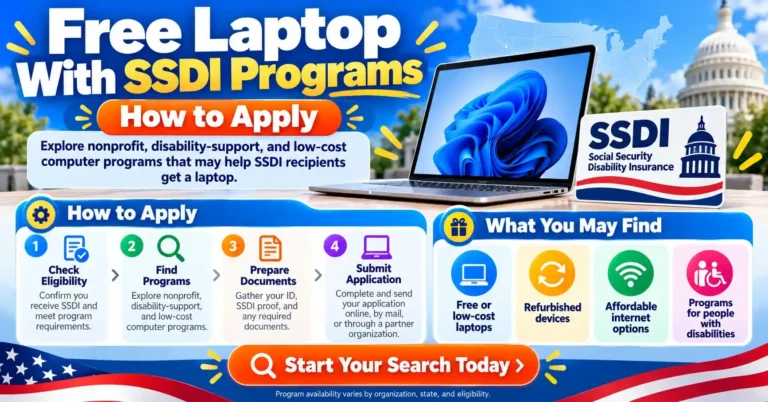
A free laptop with SSDI may be possible through a charity or local giveaway. However, getting Social Security Disability Insurance does not mean a laptop will come with your benefits. Each device program has its own rules.
Your SSDI letter can also help you get a laptop at a lower price. For example, PCs for People and Human-I-T accept Social Security disability benefits as proof for their discount programs.
Start with free options if you cannot pay. Then compare low-cost devices if you need a laptop soon. This guide explains where to look, what to send, and which costs to check.
Does SSDI include a free laptop
SSDI provides monthly payments to people who meet Social Security’s disability and work history rules. It does not include a standard laptop benefit. You need to apply to a separate device program for that help.
Also, approval for a discount does not mean a free device. A charity may give you a computer based on need and stock. A nonprofit store may instead let you buy one for less.
How SSDI differs from SSI
SSDI and Supplemental Security Income, or SSI, are separate programs. SSDI is based on an insured work record. SSI is for people who meet its age or disability rules and have limited income and resources.
Some people receive both. However, a program that lists SSI does not always accept SSDI. Check the full name on your benefit letter before you apply.
Laptop assistance options at a glance
Use this table to choose a starting point. For each option, confirm that it serves your area and has devices now.
| Program or resource | Type of help | Main point to check |
|---|---|---|
| Compudopt | Free computer if selected | Local giveaway rules and no working home computer |
| Computers with Causes | Donated computer if approved | Mailed request, need review, and available stock |
| State assistive technology program | Device trials, reuse, or other help | Local services and whether a suitable device is available |
| PCs for People | Discounted refurbished laptop | Accepted benefit proof or its current income rules |
| Human-I-T | Discounted refurbished laptop | SSDI proof or another accepted way to qualify |
A free computer may be a desktop rather than a laptop. Therefore, tell the program if you need a portable device for a clear reason.
Where to request a free laptop with SSDI
Compudopt computer giveaways
Compudopt runs free computer giveaways in select communities. Its current rules say you must lack access to a working computer at home. A device from school or work does not count toward that rule.
First, choose your city and fill out the form. Compudopt selects names at random before distribution dates. If chosen, you get pickup details by text or email.
However, joining the list does not secure a computer or a local event date. Wait times depend on local funds and need. Also, giveaways are limited to the continental United States.
Check pickup access before the event. For example, ask about a support person if your disability makes travel hard. Confirm the device type, too.
Computers with Causes donated devices
Computers with Causes accepts requests from people and families who need a computer. It reviews need, checks the details you give, and matches requests with donated stock.
Applications are by mail only. Download the form for individuals and families, fill it out, and mail it to the address on the form. The program does not take requests by phone, email, or a website form.
Explain why you need a laptop. For example, you may need to attend online classes or use the device away from a desk.
The program says it contacts people it can help within 30 days. If you hear nothing within that time, you may apply again. Approval and a specific model are not guaranteed.
State assistive technology programs
If you need help using a standard laptop, check your state’s assistive technology program. These programs serve people with disabilities and may offer device trials, reused equipment, or ways to help pay for a device.
Start with the state program directory. Then explain the task you need help with. For example, you may need a screen reader, speech input, or a different type of mouse.
Ask which services are free and which require payment. Also, check whether you can keep the device. A short device loan lets you test equipment; it does not give you ownership. Laptop stock and local terms vary.
Low-cost laptops for SSDI recipients
If free programs have no stock, these nonprofits may help reduce the price. However, their standard discount programs still involve a purchase.
PCs for People
PCs for People lists Social Security disability and other Social Security benefits among its accepted proof of eligibility. Its current page also lists an income route based on 80% of Area Median Income.
To order, you need accepted proof and photo ID. Benefit documents should show your name, a date, and current benefits. They should generally be from the past 12 months. Pending applications alone do not qualify as proof.
First, review the document rules. Then choose a device and check the full price, delivery terms, and return policy. SSDI proof can support a discounted purchase, but it does not make the laptop free.
If you also get SNAP, our guide to laptop help with EBT covers another route to explore. Always confirm the current rules with the group offering the device.
Human-I-T
Human-I-T accepts SSDI under its Social Security benefits category for deeper device discounts. It also has a household income route at or below 200% of the Federal Poverty Level.
For benefit-based proof, its current rules call for a benefit letter or statement from the past six months. Create an account and follow the steps to upload your document. Human-I-T does not accept pay stubs as proof under its listed document rules.
Once approved, compare the laptops in its store. Check the total due before you order. Also, review the condition, warranty, and return terms for that device.
This is a low-cost option. A separate free device event may have different rules.
Documents to prepare before you apply
There is no single document list for all laptop programs. First, read the rules for the program you choose. Then gather only what it asks for.
You may need:
- A current SSDI benefit letter.
- Photo ID, if required.
- Your address and contact details.
- Household income proof, if you use an income route.
- A short note about why you need a computer.
- Proof of local residence, school enrollment, or another program condition.
For example, a local giveaway may use a short form. A discount store may need benefit proof and ID. As a result, a complete packet for one program may not meet another program’s rules.
How to get your SSDI benefit letter
Use Social Security’s official benefit verification letter page. You can download a PDF through your account. You can also call SSA at 800-772-1213 and request proof of income.
Check the letter before you send it. SSA can issue letters for current benefits, pending claims, or no benefits. Therefore, make sure yours shows that you receive the benefit the device program accepts.
How to apply for laptop assistance
Choose a program that fits your need
First, decide whether you need a device to keep or can use a loan. If you have no money to spend, focus on donated devices and local giveaways.
However, ask about wait times if you have a class start date or another deadline. You may need a short loan while a free request is under review.
Check the rules and all costs
Next, confirm the program’s service area, document dates, and device type. Ask whether you must collect the computer in person.
Also, ask about shipping, setup charges, and any required internet plan. A useful question is: “What is the full amount I must pay to receive and use this laptop?”
Explain what the laptop must do
Keep your request clear and brief. For example, write:
I receive SSDI and do not have a working computer. I need a laptop for video visits and an online course.
Then add any access needs. If you use special software, give its name so the program can check whether the device will run it.
Send the form through the official route
Follow the program’s own steps. For example, Computers with Causes requires a mailed form, while other programs may use an online account.
Keep a copy of what you send and the date. However, do not post your benefit letter, ID, or claim details in public comments or social media groups.
Check the result and try another route if needed
Finally, read all notices from the program. If your request is incomplete, ask which item is missing.
If stock has run out, ask whether there is a waiting list or a local partner. You can also ask a library about short loans while you wait. Each library sets its own terms.
Check that the laptop will meet your needs
A free device is useful only if you can use it for the tasks you have in mind. Before you accept or buy one, ask:
- Does it run the apps my school or health provider uses?
- Does it support my screen reader or other access tools?
- Will its operating system still receive security updates?
- Does it include a charger and a working battery?
- Are a webcam and microphone included for video calls?
- Who can help if it stops working?
Also, ask about setup help if you need it. If you plan to take classes, check the school’s device rules first. Our guide to GED classes and laptop help explains questions to ask adult education programs.
Getting internet for your laptop
A laptop and an internet plan are separate costs. First, check whether the device offer includes service. If it does, ask when that service ends and what it will cost after that.
Lifeline can reduce the cost of eligible phone or internet service. However, SSDI alone is not on the federal list of qualifying programs. SSI, SNAP, and Medicaid are listed. You may also qualify through the income route, generally at or below 135% of the Federal Poverty Guidelines.
Review the current Lifeline eligibility rules. Lifeline does not provide a standard free laptop benefit. For more options to check, see our hotspot and internet assistance guide.
Also, avoid outdated ACP offers. The Affordable Connectivity Program ended on June 1, 2024. Its former device discount is not an open route to a laptop today.
Finding help near you and avoiding scams
If national programs cannot help, contact 211 for local referrals. Ask about computer donation groups, digital access programs, and services for people with disabilities. However, a referral does not mean a device is in stock.
Before sharing documents, check the group’s official website and contact details. A social media post that promises a guaranteed laptop to all SSDI recipients is a warning sign.
Never share your SSA account password or sign-in codes. Also, do not pay a stranger by gift card to release a supposed government laptop. Use the official program form, and ask why a document is needed if the request is unclear.
Frequently asked questions
Can everyone on SSDI get a free laptop
No. Some charities and local programs may help, but each has its own rules and limited stock. SSDI does not guarantee a device.
Can I get help if I receive SSDI but not SSI
Yes. For example, PCs for People and Human-I-T currently accept Social Security disability benefits for their discount programs. Free computer requests depend on the charity’s own rules.
Will a donated laptop reduce my SSDI payment
A donated laptop generally does not reduce SSDI. SSA explains that other unearned income and resources do not affect the SSDI payment amount, apart from certain benefit offsets it lists. However, SSI and other aid have separate rules. Check with the agency if you receive more than one type of benefit.
Is there a single government application for a free SSDI laptop
No. Apply directly to the nonprofit or local program offering device help. Your SSDI application or benefit renewal does not also apply for a laptop.