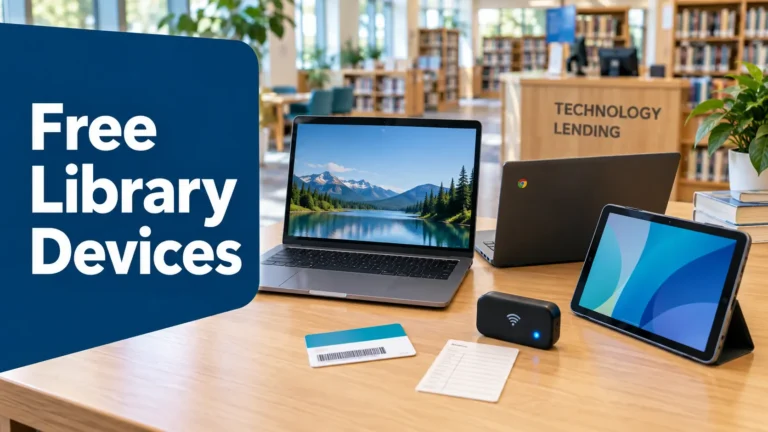
Your local library may offer much more than free books. Many public libraries lend laptops, Chromebooks, tablets, and Wi-Fi hotspots at no cost. These devices can help you apply for jobs, complete schoolwork, attend online classes, fill out benefit forms, or connect with a doctor.
Library technology programs are local. Each branch sets its own rules, device list, and loan period. Most programs offer temporary loans. You usually need to return the equipment by the due date.
What Can You Borrow From a Library?
A library may lend one or more types of technology.
Laptops and Chromebooks
Laptops and Chromebooks can help with resumes, online learning, video calls, and job applications. A Chromebook runs Google’s ChromeOS. It works best when you have internet access.
Some libraries lend devices for use inside the building. Others allow patrons to take them home for several days or weeks.
Tablets
Tablets are useful for reading, email, online forms, and basic browsing. Some libraries preload them with educational apps, e-books, or digital tools.
Ask whether the tablet includes a data plan. Many tablets need Wi-Fi to access the internet.
Wi-Fi Hotspots
A mobile hotspot creates a private Wi-Fi connection. You can connect a laptop, tablet, or phone to it from home or another covered location.
Hotspot loans may help families who need short-term internet access. They can also help during a service outage or while you wait for home internet installation.
Who Can Borrow a Library Device?
Rules differ by library. Common requirements include:
- A valid library card
- Government-issued identification
- Proof of your current address
- An account in good standing
- A minimum age, often 18 for hotspot loans
- A signed technology agreement
Some programs require local residency. Others allow anyone with a card from the library system to apply.
Income verification is not always required. A library may lend equipment based on card status instead of household income. Ask the staff about the exact policy before you apply.
Students should also check their school library, college library, or district technology office. A student program may use different eligibility rules.
How Long Can You Keep the Device?
Loan periods vary. A library may offer a one-week laptop loan, a 21-day hotspot loan, or a 30-day device loan. Some programs allow renewals when no other borrower is waiting.
A few libraries use automatic shutoff features. If you keep a hotspot past its due date, the internet service may stop working. The library may also block your account until you return the equipment.
Late, lost, or damaged items can lead to charges. For example, some libraries list replacement costs for the hotspot, case, charger, or cable. Read the agreement before signing it.
Return every part of the kit. Staff may ask you to bring the device, charger, case, and instructions to a service desk. Avoid placing electronics in a book drop unless the library says it is safe.
How to Find a Free Library Device Near You
Start with your library’s website. Search for terms such as:
- “hotspot lending”
- “laptop loan”
- “Chromebook checkout”
- “tablet lending”
- “technology loans”
- “Wi-Fi device”
- “digital equity program”
You can also call the main library desk. Ask whether the branch lends devices for home use.
Use a clear question:
Do you have laptops, tablets, Chromebooks, or mobile hotspots available to borrow? What documents do I need, and what is the return period?
Check the online catalog too. Some libraries list hotspots under “equipment” or “technology.” A device may show as unavailable when every unit is already checked out.
If your branch has no equipment, ask about nearby branches or partner organizations. A county library system may allow you to borrow from another location.
What to Ask Before Checking Out a Device
A few questions can prevent surprises:
- Is the device free to borrow?
- Can I take it outside the library?
- How long is the loan?
- Can I renew it?
- Is internet service included?
- Does the hotspot have a data limit?
- What happens if the device is late?
- Are there replacement fees?
- Can more than one person in my household borrow one?
- Where must I return the equipment?
Ask about privacy too. Library policies may explain whether the device stores browsing history. Avoid saving passwords or personal files on a shared device.
How to Use a Loaned Device Safely
Create a temporary account when possible. Use private browsing for sensitive tasks. Sign out of email, banking, health, and benefit websites before returning the device.
Keep the equipment away from water, extreme heat, and small children. Charge it with the supplied cable. Do not install unknown software.
Hotspot users should protect the Wi-Fi password. Turn off the device when you finish. Data may be limited, so pause automatic updates and avoid high-quality video when your allowance is small.
Other Places to Check
Public libraries are only one source of technology help. Contact:
- Public schools and school districts
- Community colleges
- University libraries
- Workforce centers
- Housing authorities
- Community action agencies
- Local nonprofit groups
- Digital inclusion programs
Some groups lend equipment. Others provide referrals, computer classes, or help applying for affordable internet.
A school may reserve a hotspot for a student who lacks home internet. A college may lend a laptop for the semester. A workforce center may provide computer access while you search for work.
What About Government Hotspot Programs?
The Affordable Connectivity Program ended on June 1, 2024. It no longer accepts new applications.
Lifeline still provides a monthly discount on phone or internet service for eligible households. Lifeline does not guarantee a free hotspot. A participating provider may offer a phone with hotspot access, but plan limits vary.
A student household may also qualify for a separate school connectivity program. Always check the official program page and read the service terms.
Final Thoughts
A library technology loan can provide a practical bridge when you lack a reliable device or internet connection. You may borrow a laptop, Chromebook, tablet, or hotspot for school, work, health care, or daily tasks.
Start by calling your nearest library. Ask about availability, documents, data limits, and the return date. Keep the agreement, protect your information, and return every item on time.