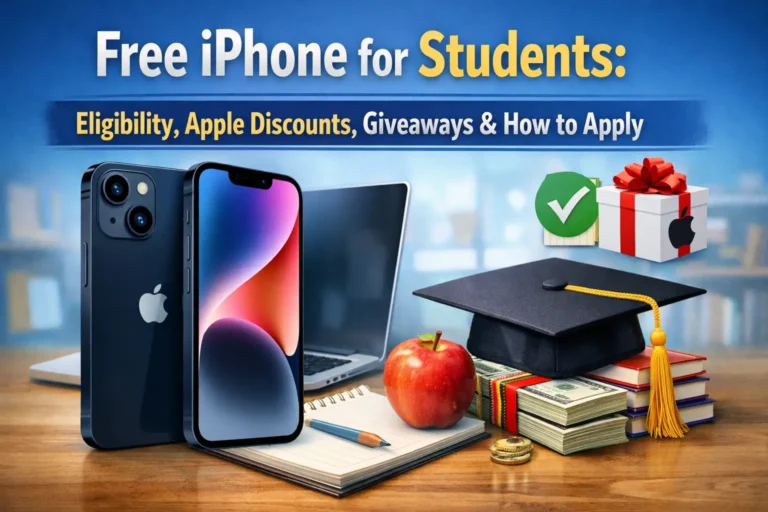
A smartphone is an opportunity for students to access information throughout the world. They can access job opportunities, attend online classes and even stay updated. But many students prefer the iPhone as their primary device. According to Demandsage, there are 150.7 million iPhone users in the United States but still a lot of students don’t have a phone.
There are many ways to get a free iPhone for students in 2026. Apple discounts, carrier promotions and government assistance programs. Plus, you can also participate in giveaways for iPhone. But it’s not that simple. Every program (Lifeline) and discount has its own limits that you have to meet.
In this guide, we will cover everything from Apple trade-in to carrier promotions. Let’s discuss who get free iPhone and who secures Apple discounts only?
Free iPhone for Students with Lifeline Program
The Lifeline program is a federal phone assistance program designed to help low income families and students access online opportunities. This is available in all 50 states, the District of Columbia and U.S territories. Lifeline offers both Android and iPhone so students can choose the one they like.
The government does not provide a phone directly. They provide subsidies to wireless network providers so you have to apply on their website. However, not every student can get a free iPhone with the Lifeline program. You have to meet the minimum income limits to qualify.
Eligibility Requirements for Free iPhone
Here are the basic eligibility requirements that you have to meet to qualify:
- Be a U.S citizen
- Immigrant (Green Card Holder)
- Citizen with a Social Security Number (SSN)
Apart from this, your eligibility also depends on your income and qualified assistance programs. You are eligible for free iPhone if you/your family is getting:
- Medicaid
- Supplemental Security Income (SSI)
- Federal Public Housing Assistance
- Veterans Pension and Survivors Benefit
You don’t qualify If your family’s income exceeds more than 135% on the FDL. Here are the income limits that you have to meet.
Maximum Income Limits for Lifeline
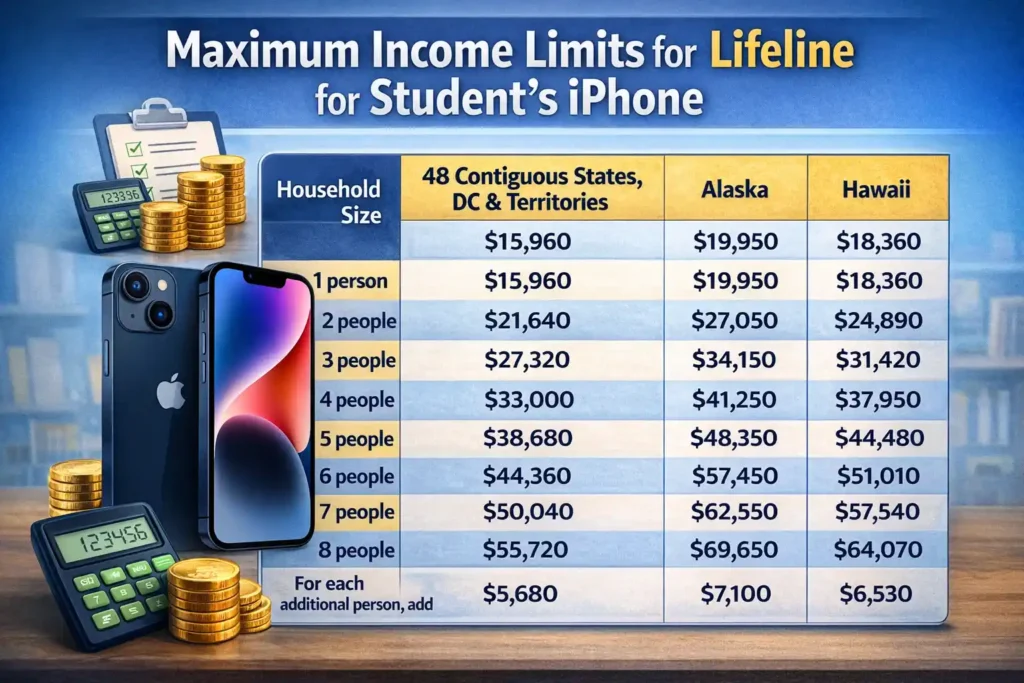
| Household Size | 48 Contiguous States, DC & Territories | Alaska | Hawaii |
| 1 person | $15,960 | $19,950 | $18,360 |
| 2 people | $21,640 | $27,050 | $24,890 |
| 3 people | $27,320 | $34,150 | $31,420 |
| 4 people | $33,000 | $41,250 | $37,950 |
| 5 people | $38,680 | $48,350 | $44,480 |
| 6 people | $44,360 | $55,450 | $51,010 |
| 7 people | $50,040 | $62,550 | $57,540 |
| 8 people | $55,720 | $69,650 | $64,070 |
| For each additional person, add | $5,680 | $7,100 | $6,530 |
How To Get A Free iPhone For Students?
You can get a free iPhone from your service provider. The Lifeline program not only provides free phones but also data bundles. You have to apply on their Carrier website and after verification you get your iPhone.
Here are a few smartphone providers in the US:
| Provider | Network / Coverage | Free Phone / BYOD | Free Data Plan | Customer Support |
| TAG Mobile | AT&T | Free smartphone, Free eSIM | CA: 10GB,
KY: 6GB, Tribal: 16GB, Other: 5GB |
+1 (424) 219-5670, Mon-Fri 8am-8pm CST |
| AirTalk Wireless | Varies by state | Free / discounted phone or BYOD | CA: 25GB/10GB,
KY: 16GB/6GB, Tribal: 30GB/16GB, Other: 10GB/5GB |
+1 (206) 445-7825, Mon-Fri 8am-8pm CST |
| TruConnect | Nationwide / Tribal | Free smartphone | National: 4.5GB, Tribal: 10GB, CA LifeLine: ~6GB | 800-430-0443, Mon-Sat 5am-9pm PST |
| Assurance Wireless | Nationwide | Free smartphone | Standard: 10GB,
CA: 12GB, Add-ons: 100MB–12GB |
1-888-321-5880 |
Apply for a free iPhone with TAG Mobile
- Go to the TAG Mobile website.
- Click on “Apply Now” and enter your ZIP code
- Select the Lifeline plan available in your area.
- Choose the free phone listed for your plan.
- Fill out the application to check if you qualify.
- Upload your SNAP award letter (or other eligibility proof).
- Wait for approval.
- Your phone will be delivered to your home for free.
Apply with AirTalk Wireless
Follow these five steps to apply for free iPhone in AirTalk wireless:
- Visit the website and enter your ZIP code to apply
- Choose the data package available in your state
- Find iPhone from mobile options (if available)
- Upload the required documents
- Submit and wait for approval
Apply with TruConnect Service Provider
Here are the five steps to apply for free iPhone in TruConnect:
- Go to truconnect.com/lifeline
- Enter your ZIP code to check the available phones
- Choose iPhone
- Upload documents for proof
- Wait for approval
Apply with Assurance Wireless
The process of Assurance wireless application is quite similar to other providers:
- Visit website and enter ZIP code
- Explore all the available mobiles to find an iPhone
- Select a free data plan and upload documents
- Your iPhone will be shipped to your address.
Apple Education Store for Free iPhone
Apply does not provide free iPhone and neither the iPhone student discounts/promos anymore. They do offer discounts but they are only for MacBooks, iMacs, Mac mini, and iPads. However, there are other ways to get an iPhone at a lower cost:
- You can get credits with trade in option to get a new iPhone
- Choose any carrier provider for more credits for trade-in
- Get refurbished iPhones at Apple with is quite inexpensive compared to brand new ones
Find your refurbished iPhone here.
Apple Trade-In for Students
You can trade your old iPhone to get a $40–$650 credit toward a new iPhone. You can trade-in your mobile offline at store or online. Here is how trade-in works online:
- Check Your iPhone’s Value: First you have to check the estimated price of your old phone. Visit the website and tap on “Find your Trade-In Value” in the top right corner. You have to select the storage and model of your mobile. Apple aks few questions to understand your phone’s condition. Then they give you the suitable trade value.
- Choose How You Want to Pay: You can get credits back into your account if you have already purchased a phone. Or they will minus the credits from if you choose a monthly installment.
- Ship Your Old Device: You’ll keep your old iPhone until you get your new one. Apple sends a trade-in kit with instructions to back up data. You have to send your old device within 14 days of trade-kit. Then apple team checks your iPhone to approve your trade. Otherwise they send you an email about what to do next.
Apple’s Estimated Trade-In Value for iPhones
| iPhone Model | Estimated Trade-In Value |
| iPhone 16 Pro Max | Up to $650 |
| iPhone 16 Pro | Up to $530 |
| iPhone 16 Plus | Up to $440 |
| iPhone 16 | Up to $410 |
| iPhone 15 Pro Max | Up to $450 |
| iPhone 15 Pro | Up to $380 |
| iPhone 15 Plus | Up to $320 |
| iPhone 15 | Up to $300 |
| iPhone 14 Pro Max | Up to $350 |
| iPhone 14 Pro | Up to $280 |
| iPhone 14 Plus | Up to $230 |
| iPhone 14 | Up to $210 |
| iPhone SE (3rd generation) | Up to $80 |
| iPhone 13 Pro Max | Up to $280 |
| iPhone 13 Pro | Up to $230 |
| iPhone 13 | Up to $180 |
| iPhone 13 mini | Up to $140 |
| iPhone 12 Pro Max | Up to $210 |
| iPhone 12 Pro | Up to $160 |
| iPhone 12 | Up to $120 |
| iPhone 12 mini | Up to $80 |
| iPhone SE (2nd generation) | Up to $50 |
| iPhone 11 Pro Max | Up to $140 |
| iPhone 11 Pro | Up to $120 |
| iPhone 11 | Up to $100 |
| iPhone XS Max | Up to $90 |
| iPhone XS | Up to $70 |
| iPhone XR | Up to $80 |
| iPhone X | Up to $60 |
| iPhone 8 Plus | Up to $50 |
| iPhone 8 | Up to $40 |
Carrier Promotions/Trade-In for Free iPhone
There are many carriers that provide better trade-in value for old iPhones. But you get locked and have to buy their service plans only. They allow you to pay monthly installments just like Apple. Some carriers offer a free or discounted iPhone when you sign a contract.
However, it’s not fully free but just a marketing technique. Carriers offer you high trade value and provide a brand new iPhone.
- The old iPhone price is divided into 24 or 36 months
- Every month, the carrier gives you a small discount (credit) on your bill
- That discount slowly adds up to the full phone price
- You must buy a service plan from that carrier the whole time
This is a trick but beneficial for students. Here are the Carrier deals at Apple:
| iPhone Model | AT&T Credit | Boost Mobile Credit | T-Mobile Credit | Verizon Credit |
| iPhone 17 Pro | $1100 | $830 | $1100 | $1100 |
| iPhone 17 Pro Max | $1100 | $830 | $1100 | $1100 |
| iPhone Air | $800 | $830 | $1100 | $1000 |
| iPhone 17 | $800 | $830 | $999 | $830 |
| iPhone 16 | $441 | – | $699 | – |
| iPhone 16 Plus | – | – | $899 | – |
| iPhone 16e | $527 | – | $899 | $600 |
Free iPhone Giveaway For Students
Students can win a free iPhone by participating in free giveaways. You just have to engage with the post and in return you get an iPhone. However, it’s quite rare and depends on your luck. Here are giveaway websites that you must follow:
Follow the tech YouTube channels as they often do promotional giveaways:
- MrBeast (often does massive tech giveaways)
- IJustine
- Austin Evans
- Mrwhosetheboss
- Matt Talks Tech
Active iPhone Giveaways in February 2026
1. Free iPhone 17 Pro Giveaway
IDROPNEWS is giving the iPhone 17 Pro and only 333 days are left. Follow the 7 steps to enter the giveaway:
- Subscribe to the newsletter and confirm
- Visit iDrop News on Facebook
- Follow them on X
- Visit them on YouTube
- Visit our friends’ giveaways
- Repost @iDropNews on X
- (Bonus) +1 per day for certain actions like newsletter or YouTube visit
2. GiveawayBase Free iPhone
GiveawayBase is also offering a free iPhone 17. Here is how you can enter
- Follow the link
- Log in to a giveaway widget
- Finish the tasks listed in the widget to grab your free entries.
END Date: March 13th, 2026
Conclusion
Students can get a free iPhone with the Lifeline program and giveaways. These are completely free methods. However, you can also trade in your old phone to get credits for a new one. But you still have to cover the extra costs as mentioned above.
Every carrier provides a different trade-in value. Read their service plan contract before getting a new phone. You can follow the tech accounts on social media as they often post giveaways. You just have to engage with the post and sometimes repost it.
FAQs
1. Can students get an iPhone for free or cheaply?
Yes. Students can use trade-ins, carrier deals, or Lifeline programs to get discounts or free iPhones.
2. Is Apple Trade-In better than carrier offers?
Apple Trade-In is simple. Carrier offers give more discounts but need a phone plan.
3. Do students need to sign a contract to get an iPhone deal?
Some carrier deals need a plan or contract, but Apple Trade-In does not.