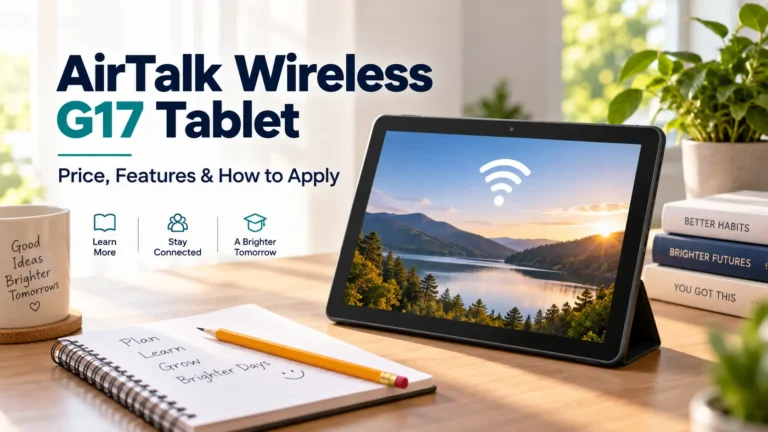
A tablet can make daily tasks much easier. You can read school notes, fill out forms, and join video calls on a screen that gives you more room than a phone. When money is tight, an AirTalk Wireless G17 tablet offer may be worth a look.
The dedicated AirTalk tablet enrollment page advertises a $59.99 connection kit. That specific offer is a paid device package, even though eligible service benefits are included. A free service plan does not always mean a free device.
Here is what the official listings show, who may qualify for Lifeline, and how to check the deal available to you.
Offer details checked September 21, 2026. Prices, stock, and plans can change.
Is the AirTalk Wireless G17 Tablet Really Free?
AirTalk’s homepage displays a $0 G17 promotion. Its product page lists $39.99, while a back-to-school page advertises a package from $19.99. Those figures should not be used to price the separate tablet enrollment offer.
| Official AirTalk page | Displayed G17 offer | What to check |
|---|---|---|
| Dedicated tablet enrollment page | $59.99 connection kit | Final package price and service terms |
| Homepage | $0 device display | Whether that promotion applies to your ZIP code and enrollment |
| G17 product page | $39.99 | Your final device price and included plan |
| Back-to-school promotion | Package from $19.99 | Package contents, availability, and offer terms |
Those listings do not establish one price for all customers. Check the final order summary after you enter your location and complete the required eligibility steps. If you see a charge you did not expect, ask AirTalk to explain it before you submit the order.
For background on the company, read our AirTalk Wireless guide to eligibility and enrollment.
What Is the Clovertek G17?
The G17 is a Clovertek tablet listed by AirTalk Wireless. AirTalk labels the device as brand new and markets it for study and streaming.
What the dedicated tablet offer includes
| Item | AirTalk’s advertised details |
|---|---|
| Package | G17 tablet, SIM card, and eligible monthly service |
| Data | 60GB per year |
| Software | Android 16 |
| Battery | 5,000mAh; up to 10 hours of use |
| Other benefits | Free unlimited talk and text, international calling, and shipping |
These are provider claims from the tablet enrollment page, not independent performance tests. Battery life will depend on brightness, signal, apps, and use.
The page does not give a complete specification sheet. Screen size, RAM, storage, processor, camera quality, supported cellular bands, and the software-update commitment remain unconfirmed in the reviewed text.
Before choosing it, request those details from AirTalk. Also ask about software updates, mobile-data support, and the return policy. A low price is useful only if the tablet can do the work you need.
How Does Lifeline Fit Into the Offer?
Lifeline helps eligible households lower their monthly phone or internet costs. The standard federal discount is up to $9.25 per month. Eligible residents of qualifying Tribal lands may receive up to $34.25 per month.
The federal benefit supports service. It does not promise a particular tablet model. A provider’s device promotion has its own availability and terms.
Only one Lifeline discount is allowed per household. For this rule, a household means people who live together and share income and expenses. You cannot add a second Lifeline benefit for a tablet while keeping another benefit for the same household.
Who May Qualify?
You may qualify for Lifeline through an eligible benefit program or household income.
Common qualifying programs include:
- SNAP, also called food stamps.
- Medicaid.
- Supplemental Security Income, or SSI.
- Federal Public Housing Assistance.
- Veterans Pension and Survivors Benefit.
Certain Tribal assistance programs also qualify for residents of qualifying Tribal lands. A child or dependent’s participation in an eligible program may help the household qualify.
If you apply through income, the usual limit is at or below 135% of the Federal Poverty Guidelines. Household size and location affect the limit. Check the current figures on USAC’s eligibility page.
Being a student, senior, teacher, or single parent does not by itself qualify you for the standard Lifeline benefit. You still need to meet an eligible pathway. Approval for Lifeline also does not reserve a G17 tablet.
How to Apply for an AirTalk G17 Tablet Offer
1. Check availability through AirTalk
Start at the dedicated AirTalk G17 enrollment page. It requests a ZIP code and email address. Continuing also accepts promotional emails, with an unsubscribe option. The listed sequence is eligibility information, payment method, then approval and delivery.
Read each screen before proceeding. A public landing page cannot confirm your individual eligibility or final order.
2. Confirm your eligibility
Follow the eligibility steps presented during enrollment. USAC also allows consumers to apply online, by mail, or with help from a participating company. Its application page directs Oregon and Texas residents to their state processes.
Use the official Lifeline application guide if you need help with that stage.
3. Prepare any requested proof
You may need a benefit letter or income records. Identity and address checks may require other documents. Use clear images and make sure the details match your application.
Submit sensitive records only through the official application channel. Do not put benefit documents, identification numbers, or account details in public comments.
4. Review the G17 option
If the tablet appears, check its price and condition. Ask whether the deal is for new customers, existing customers, or a specific package. Do not assume a tablet offer includes a second phone.
5. Read the full order summary
Check the amount due today, any recurring charge, and the service allowance. Save a copy of the terms and confirmation. If the screen differs from an advertisement, resolve the difference before placing the order.
Ask whether the advertised kit price includes any applicable tax or other charges. Confirm when payment is taken and what happens if eligibility is not approved. Do not treat entering payment details as proof that your application has passed.
6. Track the order and test the device
Keep your application number. After delivery, follow the setup instructions and test charging, Wi-Fi, the screen, and the apps you need. Report faults promptly within the applicable return or warranty period.
AirTalk promotes a two-minute application. That is not a promised approval or shipping time. Allow time for any document checks and use the order status provided to you.
Does the Tablet Include Free Internet?
The separate G17 product listing advertises a $0 monthly plan with 5GB of high-speed data. Do not assume every detail of that listing applies to the enrollment package above.
Dividing the kit’s yearly allowance by 12 gives an average of 5GB per month. That calculation does not prove when data is loaded, whether it rolls over, or whether it is all available at once. Ask for the actual monthly plan terms. It is not an offer of 60GB each month.
Confirm how those features apply to your actual tablet package. A general plan description does not establish that every advertised calling feature works directly on the tablet.
Ask these questions before enrollment:
- Which mobile network and bands does this G17 support?
- Is the data allowance monthly, and when does it reset?
- What happens when the high-speed allowance runs out?
- Are top-ups optional, and what do they cost?
- Does the plan have coverage where I live and work?
Free monthly service does not mean unlimited high-speed use. For example, regular video classes may use much more data than email or reading downloaded notes. Match the plan to your routine.
AirTalk’s network policy explains that connection type and speed depend on the device, SIM, coverage, and plan. A provider offering 5G service does not establish that this tablet supports 5G. International calling also has destination-specific terms; it does not mean free mobile data abroad.
Can Existing Lifeline Customers Get the G17?
The enrollment page invites customers of other Lifeline providers to switch. Existing AirTalk customers should ask whether their account can get the same offer.
Before moving your benefit, compare your current coverage and plan with the new offer. Ask how the change will affect your service and phone number. A cheaper device may offer little value if you lose a plan that works well for your household.
Our AirTalk Wireless vs. TruConnect comparison explains the main points to compare when choosing a provider.
Do not cancel an existing phone line before you understand the number-transfer steps. Ask the receiving provider how to coordinate the move. Transferring your own benefit between providers is different from giving it to another person.
How to Keep Your Lifeline Service Active
USAC requires customers with no monthly out-of-pocket service charge to use the service at least once every 30 days. Confirm which activity on your tablet meets that rule; simply turning it on or using home Wi-Fi should not be assumed to count.
Respond to any required eligibility recertification notice. Tell the provider within 30 days if your address or eligibility changes. More details are available in USAC’s Lifeline rules.
Returns, Damage, and Customer Support
AirTalk’s terms and conditions require delivery damage or a nonworking device on arrival to be reported within 48 hours, with photos of the damage and packaging.
Its warranty section lists different windows for free new and pre-owned devices. It does not clearly label the warranty category for this paid, brand-new kit. Ask for the applicable return period and warranty in writing before paying. Some promotional exclusions may apply.
Non-defective returns may require you to pay return shipping. Do not mail the tablet back without return instructions. Back up your files and remove account locks before an authorized return.
AirTalk lists 1-855-924-7825 and 1-206-445-7825 for support. Have your order number ready, plus a brief description of the problem.
Is the G17 a Good Fit for Your Needs?
Start with the work you need it to do. For reading, forms, and occasional calls, ask about app support and screen clarity. For school, check that required learning tools work on Android. Some exams and courses require a full computer.
For remote work, ask your employer about device rules first. A tablet may not run desktop software or work with all required security tools. For a child, consider parental controls and the cost of a protective case.
Set aside time after delivery to test your main tasks. Try an actual class link, form, or call instead of checking only whether the tablet turns on.
Is This an ACP Tablet Offer?
The Affordable Connectivity Program ended on June 1, 2024. Its former device discount is no longer available through new ACP enrollment.
AirTalk’s current G17 listing refers to Lifeline-supported service. Evaluate the present offer on its own terms. An old article about an ACP tablet payment does not prove what you will pay today.
Check the FCC’s ACP information when reviewing older program claims.
What If the G17 Costs More Than You Can Afford?
Ask AirTalk whether another suitable device is available at a lower cost. Compare the full package, including service, before choosing it. Avoid paying for features you do not need.
If your need is short term, a loan may help. Some libraries lend tablets, laptops, or hotspots, subject to local rules and stock. You usually have to return them by a set date.
Our guide to free library laptops, tablets, and Wi-Fi hotspots explains how to look for local options.
Frequently Asked Questions
Can SNAP help me qualify for an AirTalk G17 tablet?
SNAP is a qualifying program for Lifeline. The G17’s price and availability still depend on the provider’s offer. SNAP approval does not guarantee that tablet at no cost.
Is the G17 new or refurbished?
AirTalk’s listing reviewed described it as brand new. Confirm the condition shown on your own order before accepting it.
Can I get a free phone and a free G17 together?
Do not assume both are included. Ask for the exact bundle terms and confirm each device’s price in the order summary.
Will a child need a separate Lifeline account?
A household may qualify through a child’s eligible benefit participation. That does not create an extra Lifeline discount for the household. Ask the provider how to enroll correctly.
Check the Complete Offer Before You Choose
The AirTalk Wireless G17 may be a useful option if you need an affordable tablet. Budget for the specific kit you select. Do not use a different page’s free-device promotion as proof that your order will cost nothing.
Verify your eligibility, device cost, specifications, and data plan. Keep a copy of the terms. Choose the G17 only when the full package fits your budget and the tasks you need it to handle.