Finding an affordable phone can be difficult when money is tight. SafeLink Wireless is one provider that participates in the federal Lifeline program, which helps eligible households reduce the cost of qualifying phone or internet service.
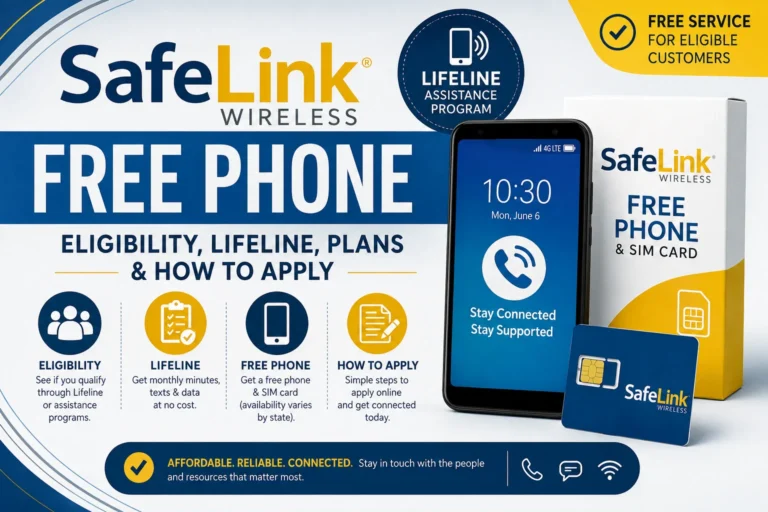
But there is an important distinction: a “SafeLink free phone” is not guaranteed for every applicant. SafeLink’s current Lifeline information confirms that eligible customers can receive free cellular service, a SIM card, minutes, texts, and data, while device availability and offers can vary by state and individual circumstances.
Here is what you need to know about SafeLink Wireless, eligibility, the Lifeline program, available phone options, documents, and the application process.
What Is SafeLink Wireless?
SafeLink Wireless is a wireless provider that offers Lifeline-supported service to qualifying customers in participating areas.
SafeLink says eligible Lifeline customers can receive free cellular service, a free SIM card, and free minutes, texts, and data each month. The exact benefits can vary by state.
SafeLink also offers regular paid wireless products and phones, so not every phone shown on its website is part of the Lifeline benefit. Its website asks new customers to enter their ZIP code to see the offers available in their area.
Does SafeLink Really Offer a Free Phone?
The answer requires some clarification.
SafeLink’s Lifeline program can provide eligible customers with free wireless service and a SIM card, but the government Lifeline benefit itself is a monthly service discount rather than a federal promise of a free smartphone.
SafeLink may provide devices or device offers to qualifying customers depending on the current offer available in their location. Because device availability can change, you should enter your ZIP code and check the current SafeLink offer instead of assuming that a specific phone model will be included.
SafeLink Free Phone Fact
Qualifying for Lifeline does not automatically guarantee a particular free smartphone model.
Your service benefits and available device options may depend on your state and the offer SafeLink makes available to you.
What Is the Lifeline Program?
Lifeline is a federal assistance program supported by the Universal Service Fund and administered by the FCC with USAC handling important program operations.
Eligible households can receive a monthly discount toward qualifying phone or internet service. USAC currently lists a standard Lifeline benefit of up to $9.25 per month, while qualifying households on Tribal lands may receive up to $34.25 per month.
SafeLink applies the Lifeline benefit to eligible wireless service and describes its qualifying offer as including free cellular service, minutes, texts, and data.
Who Qualifies for SafeLink Wireless?
SafeLink says consumers may qualify through participation in certain government assistance programs or through household income.
Qualifying programs include:
| Qualifying Program | Can Qualify? |
|---|---|
| SNAP / Food Stamps | Yes |
| Medicaid | Yes |
| SSI | Yes |
| Federal Public Housing Assistance | Yes |
| Veterans Pension and Survivors Benefit | Yes |
| Certain Tribal assistance programs | Yes |
| Qualifying household income | Yes |
USAC also recognizes several of these programs for Lifeline eligibility.
A child or dependent’s participation in a qualifying program may also help a household qualify for Lifeline.
SafeLink Wireless Income Limits for 2026
For the 48 contiguous states, Washington, D.C., and U.S. territories, SafeLink currently lists 135% of the 2026 Federal Poverty Guidelines as the Lifeline income threshold.
| Household Size | Maximum Annual Income |
|---|---|
| 1 | $21,546 |
| 2 | $29,214 |
| 3 | $36,882 |
| 4 | $44,550 |
| 5 | $52,218 |
| 6 | $59,886 |
| 7 | $67,554 |
| 8 | $75,222 |
| Each additional person | +$7,668 |
Alaska and Hawaii have higher income thresholds.
Income limits can change annually, so check the current SafeLink or USAC information before applying.
What Documents Do You Need?
SafeLink may be able to verify your eligibility electronically in some states. When automatic verification is not available, you may be asked to provide documentation.
Depending on how you qualify, documents can include:
Proof of program participation
- SNAP or Medicaid documentation
- SSI documentation
- Federal Public Housing documentation
- Veterans or Survivors Benefit documentation
Proof of income
- Recent tax return
- Social Security benefit statement
- Employer statement
- Recent consecutive pay stubs
- Unemployment or workers’ compensation documentation
- Pension or retirement documentation
SafeLink and USAC may have specific documentation requirements, so provide only the documents requested during the application process.
How to Apply for SafeLink Wireless
Applying starts with checking whether SafeLink has a Lifeline offer available in your area.
Step 1: Visit SafeLink Wireless
Go to the official SafeLink website and enter your ZIP code to see the offers available in your area.
Step 2: Check Your Eligibility
You may qualify because of SNAP, Medicaid, SSI, another qualifying program, or your household income.
Step 3: Provide Verification
SafeLink may verify your information through an eligibility database. If your eligibility cannot be confirmed automatically, you may need to submit supporting documents.
Step 4: Complete Enrollment
After your application is approved, SafeLink will provide the applicable Lifeline service and tell you what phone or SIM options are available for your application.
Step 5: Activate Your Service
Follow SafeLink’s activation instructions and make sure your account remains active and eligible.
Can You Use Your Own Phone With SafeLink?
Yes. SafeLink has a Keep Your Own Smartphone option for eligible customers. SafeLink’s support materials specifically provide information for customers who want to use their existing compatible smartphone with SafeLink.
Using your own compatible phone may be useful when the available device offer does not meet your needs.
Before switching, check whether your current phone is compatible and whether it meets SafeLink’s requirements.
Can You Keep Your Existing Phone Number?
Yes, in many cases.
SafeLink says customers transferring their Lifeline benefit from another provider can keep their existing phone number once the transfer is completed.
You should avoid canceling your existing service before the transfer instructions are complete, because doing so could create unnecessary service problems.
Can You Have SafeLink and Another Lifeline Provider?
No. Lifeline is limited to one benefit per household.
SafeLink states that only one Lifeline service may be obtained per household. USAC also explains that a household cannot receive Lifeline from more than one phone or internet company.
However, you can transfer your Lifeline benefit from another participating provider to SafeLink. SafeLink says it can request the transfer during enrollment, and your existing number may be retained.
What Phones Are Available From SafeLink?
Phone availability changes over time.
SafeLink’s device support pages currently show various smartphone models, including devices from manufacturers such as Motorola, with models and availability changing over time.
Rather than promising a particular phone, check the current SafeLink offer for your ZIP code.
That is especially important when searching for terms like:
- SafeLink free iPhone
- SafeLink free Android phone
- SafeLink 5G phone
- SafeLink free smartphone
- SafeLink government phone
A specific model may be available as a paid device, promotional offer, upgrade, or other option rather than as a guaranteed Lifeline device.
What Happens If Your Phone Is Lost or Damaged?
SafeLink provides customer support for lost or stolen devices, but replacement options can vary.
SafeLink’s support information says discounted device upgrades may be available to customers when a phone is lost, stolen, or damaged.
Do not assume a lost device will automatically be replaced for free.
Does SafeLink Require a Contract?
SafeLink describes its Lifeline offer as including no bills and no contracts for the qualifying service.
However, paid phones, upgrades, accessories, or additional services can have different terms and costs. Read the offer details before purchasing anything.
Does SafeLink Have Unlimited Data?
Do not assume that every SafeLink customer receives the same amount of data.
SafeLink states that its Lifeline benefits vary by state, so the exact minutes, texts, and data available to you should be checked using the offer for your location.
The safest approach is to enter your ZIP code on the official SafeLink website and review the current offer.
What Happens When You No Longer Qualify?
Lifeline is intended for eligible households. SafeLink says service can expire when a customer is no longer eligible or fails to complete required requalification.
USAC explains that Lifeline eligibility is reviewed through an annual recertification process. If you receive a recertification notice and do not respond by the required deadline, you can lose the Lifeline benefit and related service.
Keep your contact information updated and respond to official notices when required.
SafeLink Wireless Customer Service
SafeLink’s current website lists customer support at:
1-800-SafeLink (1-800-723-3546)
SafeLink also provides its 611611 self-service system for customers to manage certain account and service functions.
SafeLink Wireless Free Phone: What You Should Know
Searching for a SafeLink Wireless free phone can be worthwhile when you already qualify for Lifeline, but it is important to understand what the program actually provides.
The federal Lifeline benefit is primarily a service discount. SafeLink says qualifying customers can receive free cellular service, a SIM card, minutes, texts, and data, while device availability and benefits can vary by state.
You may be able to receive a phone offer, use your own compatible smartphone, or purchase a device, depending on what SafeLink makes available.
The best way to check your current options is to visit SafeLink, enter your ZIP code, and review the offers available in your area.
Frequently Asked Questions
Is SafeLink Wireless really free?
Eligible customers can receive qualifying Lifeline service at no monthly cost under SafeLink’s Lifeline offer. Device availability and other options can vary.
Can I get a free SafeLink phone with SNAP?
SNAP participation can make you eligible for Lifeline, but it does not guarantee a specific free phone model.
Can I get SafeLink with Medicaid?
Yes. Medicaid is one of the qualifying programs listed by SafeLink for Lifeline eligibility.
Can I bring my own phone?
Yes. SafeLink provides a Keep Your Own Smartphone option for eligible customers with compatible devices.
Can I have SafeLink and another Lifeline phone?
No. Lifeline is limited to one benefit per household, although you may transfer your benefit to SafeLink.
How much is the Lifeline benefit in 2026?
USAC lists up to $9.25 per month for the standard Lifeline benefit and up to $34.25 for qualifying Tribal households.
Final Takeaway
SafeLink Wireless can be a valuable option for eligible households looking for affordable phone service. The company participates in Lifeline and currently offers qualifying customers free cellular service, a SIM card, minutes, texts, and data, with benefits varying by state.
The phrase “free SafeLink phone” can be misleading because Lifeline is fundamentally a service benefit, and a particular free smartphone is not guaranteed to every eligible applicant.
Check your eligibility, enter your ZIP code on SafeLink’s official website, review the offer available in your area, and submit only the documentation requested during enrollment.