For Medicaid recipients, reliable technology is critical for job applications, telehealth appointments, and online education yet many face barriers without a device or internet.
Medicaid, a federal-state program covering healthcare for low-income individuals, extends beyond medical costs by qualifying enrollees for free or discounted laptops through initiatives like Lifeline, which provides connectivity discounts and devices from approved providers.
This guide details eligibility requirements (typically income below 200% of the Federal Poverty Level), necessary documents (Medicaid proof, ID, income verification), step-by-step application processes, and top programs to secure your laptop efficiently, empowering you to thrive in a digital world.
Why You Need a Laptop (and Why It’s a Big Deal)
A laptop can be very useful for people on Medicaid. It can help with many important things in their lives.
Now we will discuss some of the ways a laptop can help.
Let’s break it down:
- Education: Online classes, homework, or even just Googling something new.
- Jobs: Applying online, doing interviews, or working from home.
- Health: Booking doctor visits or chatting with your doc over video.
- Friends & Family: Video calls, texts, or keeping up with everyone’s news.
Without a laptop, these things get tricky fast.
That’s where free laptop programs come in—they’re here to level the playing field and give you a shot at all this good stuff.
How Medicaid Can Help You Get a Free or Very Low-Cost Laptop in 2026/27 (Best & Real Ways)
Having Medicaid is one of the strongest proofs you can use to get a completely free or almost-free laptop/tablet – even if you’re told “government doesn’t give laptops.” Here are the real, working programs that accept Medicaid as automatic eligibility (no extra income paperwork needed in most cases):
1. Top & Fastest Way: Non-Profit Organizations (100% Free or $10–$150 only)
These trusted charities give brand-new or refurbished laptops for free or very little money when you show your Medicaid card:
| Organization | Cost to You | What You Get | How to Apply |
|---|---|---|---|
| PCs for People | Free or $50–$125 | Dell, Lenovo, HP laptops + 1 year free internet (some states) | pcsforpeople.org → Upload Medicaid card → Usually ships in 7–14 days |
| Human-I-T | Free or $0–$149 | Refurbished or new laptops, desktops, Chromebooks | human-i-t.org → Apply online with Medicaid proof |
| Computers with Causes | Completely Free | Refurbished laptops (they pay shipping too) | computerswithcauses.org → Short application |
| On It Foundation | Free (mainly for K-12 students) | Laptop + printer for school kids | onitfoundation.org → Parent applies with Medicaid |
| EveryoneOn | Free or $50–$150 | Connects you to local giveaways | everyoneon.org → Find offers near you |
| Compudopt | Free | Laptops for students & families | compudopt.org (strong in TX, GA, CA, etc.) |
These non-profits have already given away hundreds of thousands of laptops and they are still active in 2026. Just upload a photo/scan of your Medicaid card or approval letter – approval is usually same-day or within a week.
2. Lifeline Program (Only as a Backup – Devices Are Rare)
Lifeline gives a discount on phone/internet ($9.25/month). Only a few providers occasionally offer a free tablet or very basic laptop as a promotion. Examples: TruConnect, Assurance Wireless, Q Link, StandUp Wireless – but stock runs out fast and many people never get a laptop. Use this only if the non-profits above are out of stock in your area.
Quick Steps to Get Your Free Laptop Right Now
- Pick one of the non-profits above (start with PCs for People – they’re the fastest).
- Go to their website → Click “Apply” or “Get a Computer”.
- Upload your Medicaid card or benefits letter (even if it’s from another state).
- Fill the short form (5–10 minutes).
- Wait for approval email – most ship in 7–21 days, some even pay for shipping.
Warning: Never pay $200–$400 “processing fees” to random websites promising “free government laptops.” Real programs charge $0–$150 maximum.
Medicaid families deserve to stay connected for telehealth, school, and jobs – and these trusted non-profits make it happen every single day. Start applying today – it’s 100% real and 100% safe! 
Eligibility for a Laptop with Medicaid
You must be enrolled in Medicaid to qualify for most laptop programs that use Medicaid as proof of need.
Many programs also have income limits; a common rule is household income at or below 200% of the federal poverty level, but exact limits vary by program and state.
You may qualify if you receive Medicaid and meet any additional program requirements (for example, being a student or living in subsidized housing).
Documents Required for a Laptop from Medicaid
When you apply, have these documents ready:
Proof of Medicaid enrollment — Medicaid card or an official benefit letter.
Proof of income — recent pay stubs, tax return, or a benefits statement.
Proof of identity — driver’s license, state ID, or passport.
Proof of residence — utility bill, lease, or official mail with your address.
Student enrollment (if applicable) — school ID or enrollment letter for K–12 or college programs.
Scan or photograph documents clearly. Acceptable formats are usually PDF or JPG. Blurry or cropped images may delay processing.
How to Apply Step-by-Step
Follow these steps to apply for a free or discounted laptop:
Confirm eligibility. Verify you are on Medicaid and check any income or program-specific rules.
Choose the right program. Compare device programs — nonprofits, ACP bundles, campus drives. Pick the option that fits your situation.
Gather documents. Collect the items listed above before you start the application.
Complete the online form. Fill every required field, upload documents, and re-check all entries for accuracy.
Save confirmation. Note submission IDs, save emails, and keep screenshots of uploaded documents.
Wait for review. Processing can take weeks. Respond quickly if the program asks for more information.
Receive the device. Approved applicants usually get a shipment or pick up the device from a local partner.
Best Programs Offering Free Laptops for Medicaid Recipients
There are several programs in the United States that give free or cheap laptops to people on Medicaid.
Here are some of the best choices.
The Affordable Connectivity Program (ACP) – Current Status as of November 2026
Important Update: The Affordable Connectivity Program (ACP) ended on June 1, 2024, after Congress failed to provide additional funding beyond the initial $14.2 billion allocation. As of 2026, the program remains inactive, with no new enrollments or benefits available. Over 23 million low-income households previously benefited, but many have since faced service disruptions—e.g., ~5 million disconnected entirely, and 40% of former participants reported cutting back on food or healthcare to afford internet. Legislative efforts to revive it (e.g., bills proposing $6–7 billion in funding) stalled in 2026–2027 amid gridlock. Some providers’ sites may still advertise it—avoid sharing personal info, as applications are no longer processed.
The ACP was a federal program administered by the FCC to bridge the digital divide by offering discounts on broadband internet and one-time connected devices (e.g., laptops, tablets) for eligible low-income households, including those on Medicaid, SNAP/EBT, or SSI. It helped with work, education, telehealth, and staying connected.
Historical Eligibility (for Reference – No Longer Applicable)
- Household income at or below 200% of the federal poverty level (e.g., ~$30,000 for a single person in 2024).
- Participation in programs like Medicaid, SNAP, SSI, or Lifeline.
- Approval for federal assistance like Pell Grants or free school meals.
- Households on qualifying Tribal lands had enhanced benefits.
Historical How to Apply (Program Ended – Do Not Apply Now)
Applications were free and online via AffordableConnectivity.gov or participating providers (e.g., Comcast, Verizon). Required docs: Proof of income/program participation (e.g., Medicaid card) and address. Processing took ~1–2 weeks; one device discount per household.
Historical Benefits (No Longer Available)
- Internet Discount: Up to $30/month off broadband (or $75/month on Tribal lands)—often making service free.
- Device Discount: One-time up to $100 off a laptop, tablet, or desktop (household paid $10–$50 co-pay; brands like Dell, Lenovo via approved vendors).
- Combined: Full access to devices + internet for remote learning, job searches, or healthcare.
What Now? Alternatives for Free/Low-Cost Internet & Devices
Don’t lose hope—transition to these active programs for similar support:
- Lifeline Program: Up to $9.25/month off phone/internet (or $34.25 on Tribal lands). Medicaid users often qualify. Apply at NationalVerifier.gov or 1-800-234-9473.
- Enhanced ACP Successor Efforts: Watch for “Secure Connections” or future FCC pilots—bipartisan bills could revive ACP-like funding in 2026.
- State/Local Aid: Check for EBB extensions or device grants via PCs for People or EveryoneOn.org.
- Provider Low-Income Plans: Contact your ISP for “opt-in” discounts (e.g., Comcast’s Internet Essentials at $15/month with free devices for qualifiers).
Contact the FCC at 1-888-225-5322 or visit fcc.gov/acp for wind-down info. If you were enrolled, review bills and explore Lifeline ASAP to stay connected. For personalized help, call your provider or a local assistance center.
Free Government Internet Service – Affordable Connectivity Program (ACP)
- Eligibility: Must be on Medicaid or meet low-income rules. Household income must be at or below 200% of the federal poverty level.
- How to Apply: Apply online through the official website or an internet provider. You need proof of Medicaid, household income, and possibly your residence in a covered area.
- Benefits: One-time discount for a laptop or tablet. Also provides discounts on internet service, making it a great option for both a device and internet access.
1. PCs for People: Refurbished Computers & Internet for Low-Income Households
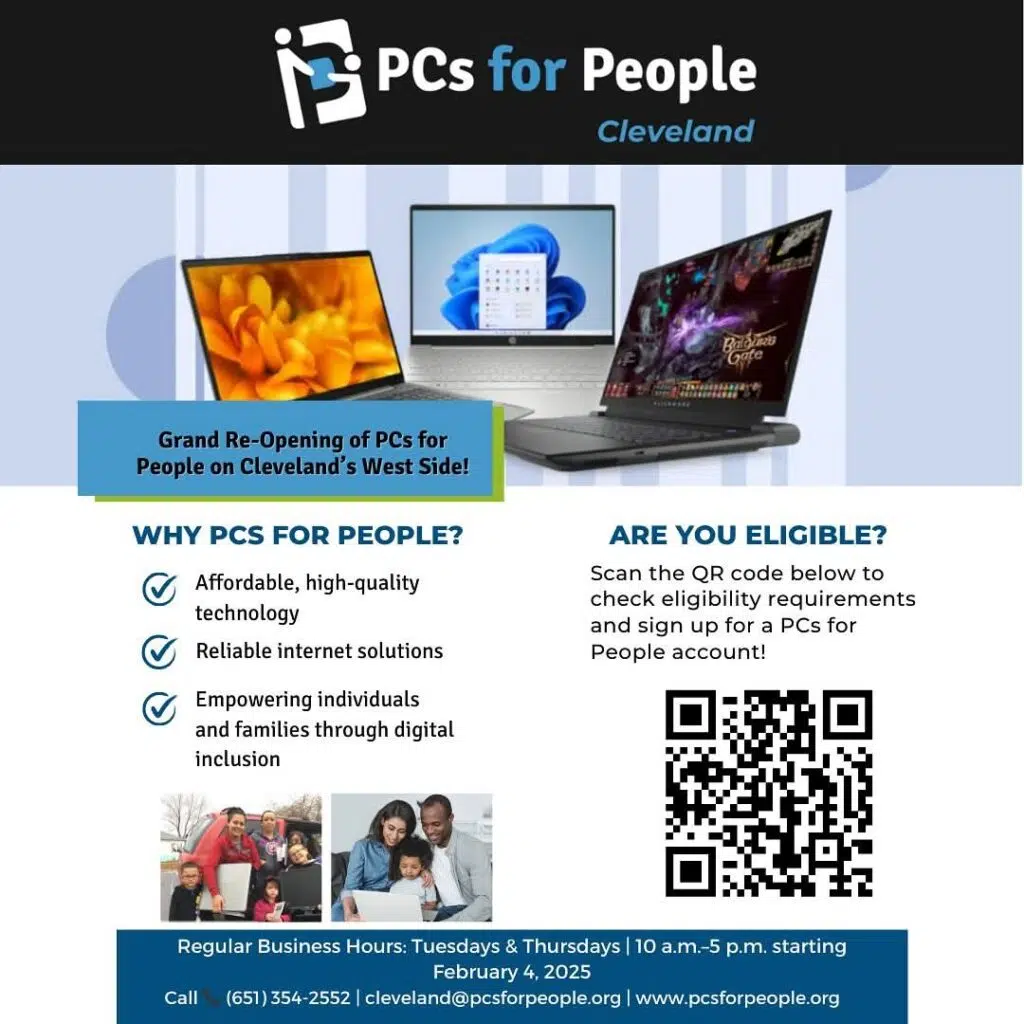
PCs for People is a national nonprofit (founded 1998) that recycles and refurbishes donated laptops, desktops, and tablets to provide free or low-cost devices (starting at $0–$150) plus subsidized high-speed internet ($9.95–$30/month). They’ve distributed over 250,000 units, focusing on rural and urban gaps. Their goal: Empower job seekers, students, and families with reliable tech—devices come pre-loaded with Windows 11, antivirus, and Office tools.

Eligibility (2026 Criteria): You qualify if you meet one of these—no citizenship proof needed:
- Income-Based: Household income ≤ 200% of the 2026 Federal Poverty Level (FPL)or ≤ 60% of your area’s Median Income (AMI) (varies by ZIP code; check during application via HUD tool). 2026 FPL Examples (48 States & DC):
Household Size 100% FPL 200% FPL (Eligible Max) 1 person $15,060 $30,120 2 people $20,440 $40,880 3 people $25,820 $51,640 4 people $31,200 $62,400 +1 person +$5,380 +$10,760 (Alaska/Hawaii: +25–50%; use your tax year or current stubs.)
- Program-Based (Automatic): Enrolled in a qualifying assistance program (proof <12 months old):
- Health: Medicaid/Medical Assistance, SSI, SSDI
- Food: SNAP/WIC/CalFresh, Free/Reduced School Lunch (NSLP)
- Cash/Family: TANF/General Assistance (GA), Head Start
- Energy/Housing: LIHEAP, Section 8/HUD
- Education: Federal Pell Grant
- Other: Tribal aid, unemployment/workers’ comp Note: For child-based docs (e.g., kid’s free lunch letter), name/address must match your ID.
Documents Required:
- Photo ID: Driver’s license, state ID, passport, veteran/student/employer ID.
- Proof of Eligibility (one option):
- Program letter/statement (e.g., SNAP award, Medicaid card) showing name and recent date.
- Income docs: Prior tax return (1040), Social Security/VA statement, pension letter, unemployment/comp letter, or official GA letter. (No handwritten notes.)
How to Apply (5–10 Minutes):
- Visit pcsforpeople.org/devices and enter ZIP to browse stock.
- Select a device (e.g., 8GB RAM laptop for $0 if fully eligible).
- Upload docs during checkout (or email verification@pcsforpeople.org).
- Staff reviews in 1–3 days; ships free in 3–7 days (or local pickup). Contact: 1-800-436-9670 or chat on site for doc help.
Benefits:
- Devices: Tested, warrantied (1 year), great for basics like Zoom or Google Docs.
- Bundles: Internet add-ons (up to 100 Mbps) via Comcast/AT&T partners.
- Impact: 90% of users report better school/job outcomes (2024 report). Ideal for students, remote workers, or seniors.
Check Eligibility: pcsforpeople.org/eligibility – Quick quiz tool.